RBAC | Security UX | Enterprise Saas | Fintech | Agile/Scrum
Security & Access Management
RBAC - Designing a Compliance-Safe Access Model for an Enterprise Fintech Platform.
My role
UX/UI Designer - end-to-end design responsibility
Product
Modular enterprise fintech SaaS
Domain
Enterprise SaaS · Fintech · Modular platform
Environment
Angular · Kendo UI · Enterprise Design System · Agile/Scrum
Team
BAs · POs · Engineering · Security
Timeline
Q3-Q4
Confidentiality
Company, client, and system details removed. Visuals anonymised. Approach and outcomes accurate.
The project in 30 seconds
A greenfield access management module using an RBAC permission model, where I designed the interaction model for configuring organisational access under strict audit and security constraints.
Challenge
- the access model was based on inherited permissions
- in the edit user scenario, the same role could come from different sources
- the interaction had to make the real effect of each action clear and predictable
Role
- end-to-end access management design
- flow mapping based on BA refinements
- problem reframing through flow analysis
- interaction model making access changes predictable
- final UI aligned with Angular / Kendo
- reusable cross-module interaction patterns
- UX validation scenarios for real system behaviour
Key decisions
- structural separation of inherited vs direct roles
- active-permission model driven by security constraints
- platform table interaction standard
- reusable constraint communication pattern
- unified notification structure
Impact
- understandable and predictable access changes
- interaction patterns reused across 15+ modules
- designed for full platform compatibility
- access safe by default
My role
I owned the end-to-end design of the access management interaction, from flow mapping during BA refinements to the final UI implemented within the Angular / Kendo architecture.
Through flow analysis, I reframed the original request from a UI problem into a structural risk in the access model, which unlocked scope for a system-level solution.
I led the interaction model design and aligned the solution with Security, Engineering, Product and BAs.
Final decisions followed the organisation’s stakeholder approval process.
Product & Scale
Modular enterprise fintech platform with multi-tenant client environments, strict audit and compliance requirements, and complex organisational access structures.
Access management based on the RBAC permission model sat at the architectural centre — every module depended on its interaction patterns.
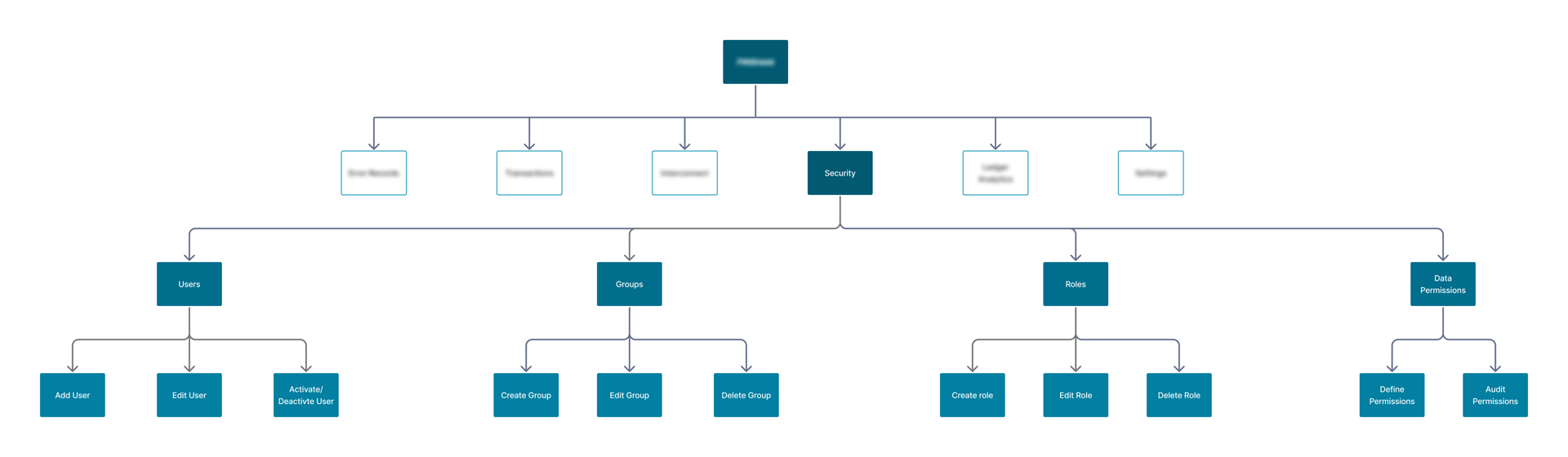
Platform structure — access management in context
Context
The platform had grown fast and early modules were implemented without a consistent design process. Their behaviour was later copied across the system.
By the time design gained cross-module visibility, pattern debt was distributed across 15+ modules — different table logic, notifications and constraint handling.
Local fixes could not solve a systemic problem.
The greenfield access management module became the leverage point to consolidate fragmented interaction patterns across the platform, which allowed design to introduce structural fixes affecting multiple modules.
Goals & constraints
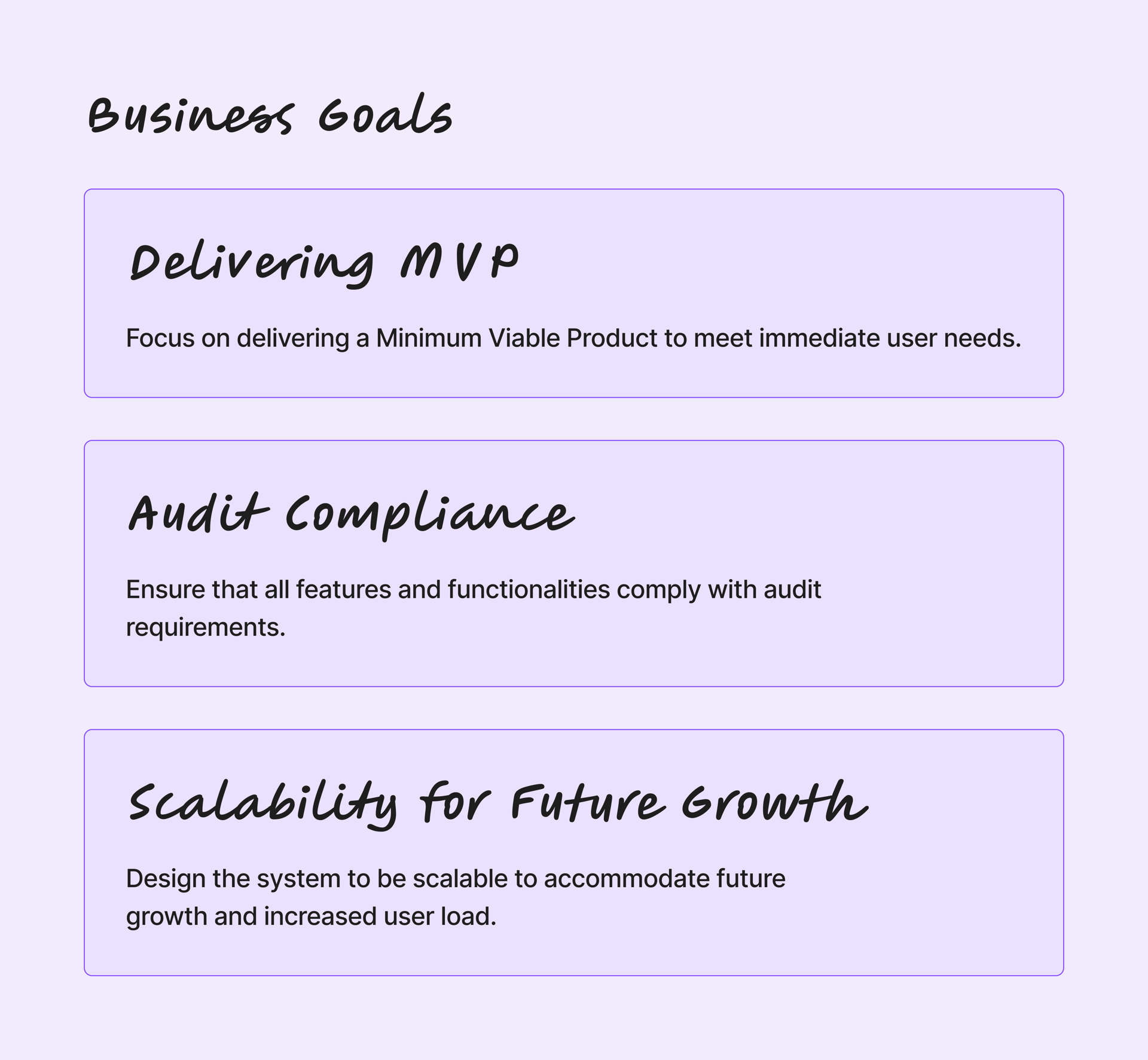
Business goals
- deliver an MVP for the new access management domain
- ensure audit-compliant access configuration
- design a scalable foundation for future modules
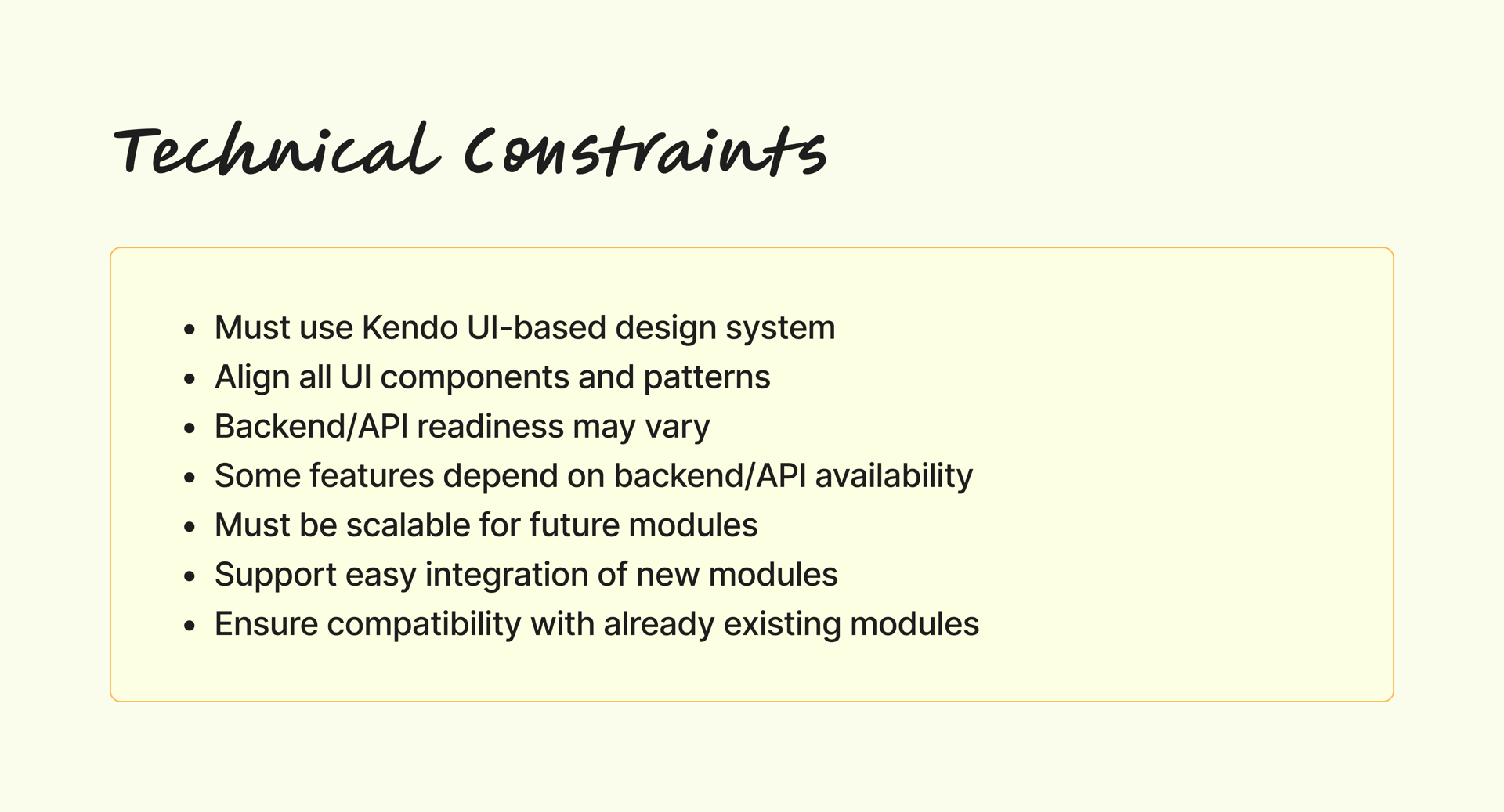
Technical constraints
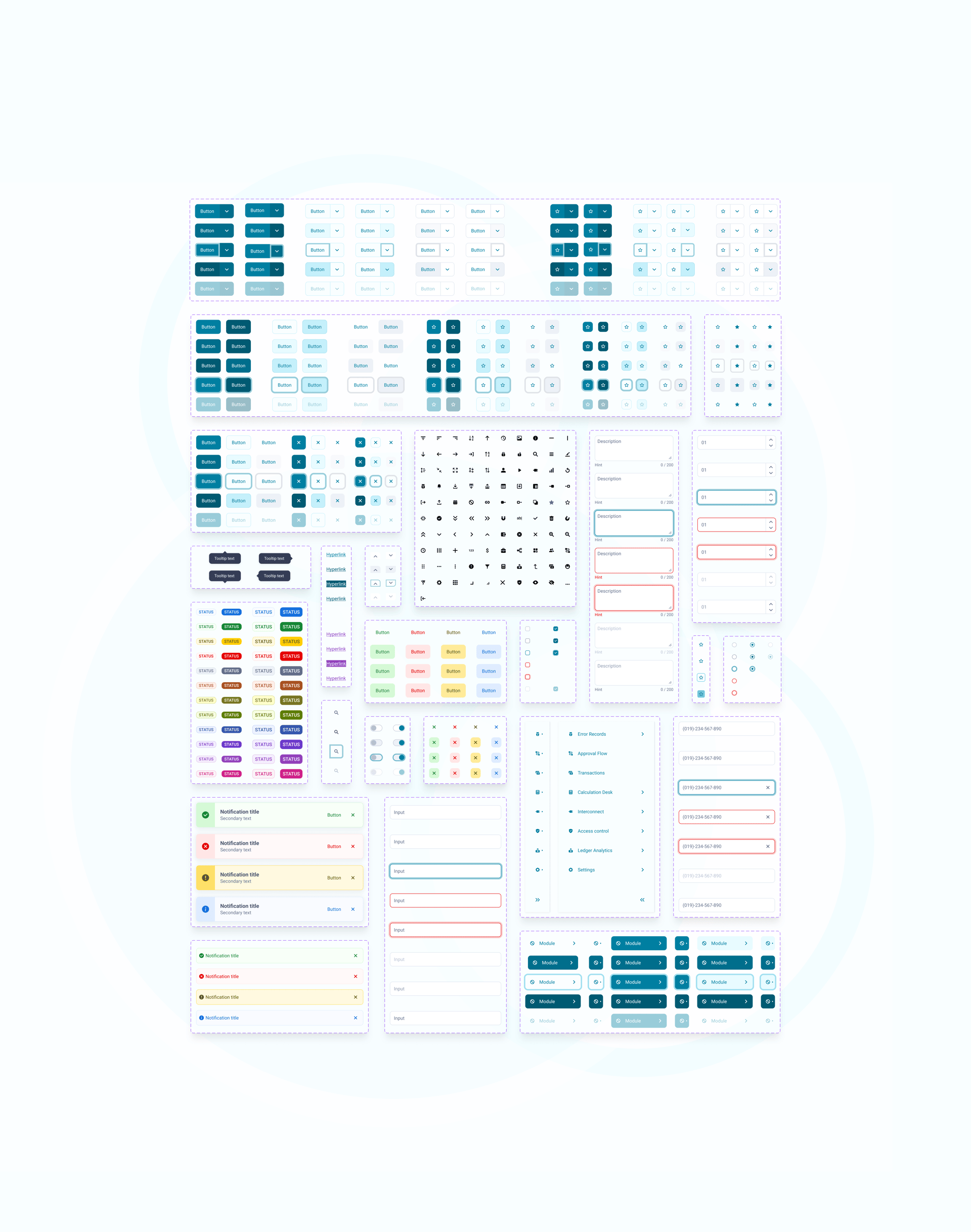
- UI had to align with the Kendo-based design system
- solution had to integrate with existing and future modules
- backend readiness varied across features
The problem
System model
Permissions were never assigned directly — they always flowed through roles, often inherited through groups.
As a result, the same role visible in the interface could come from different sources.
This made the real effect of an action impossible to understand at the moment of decision.
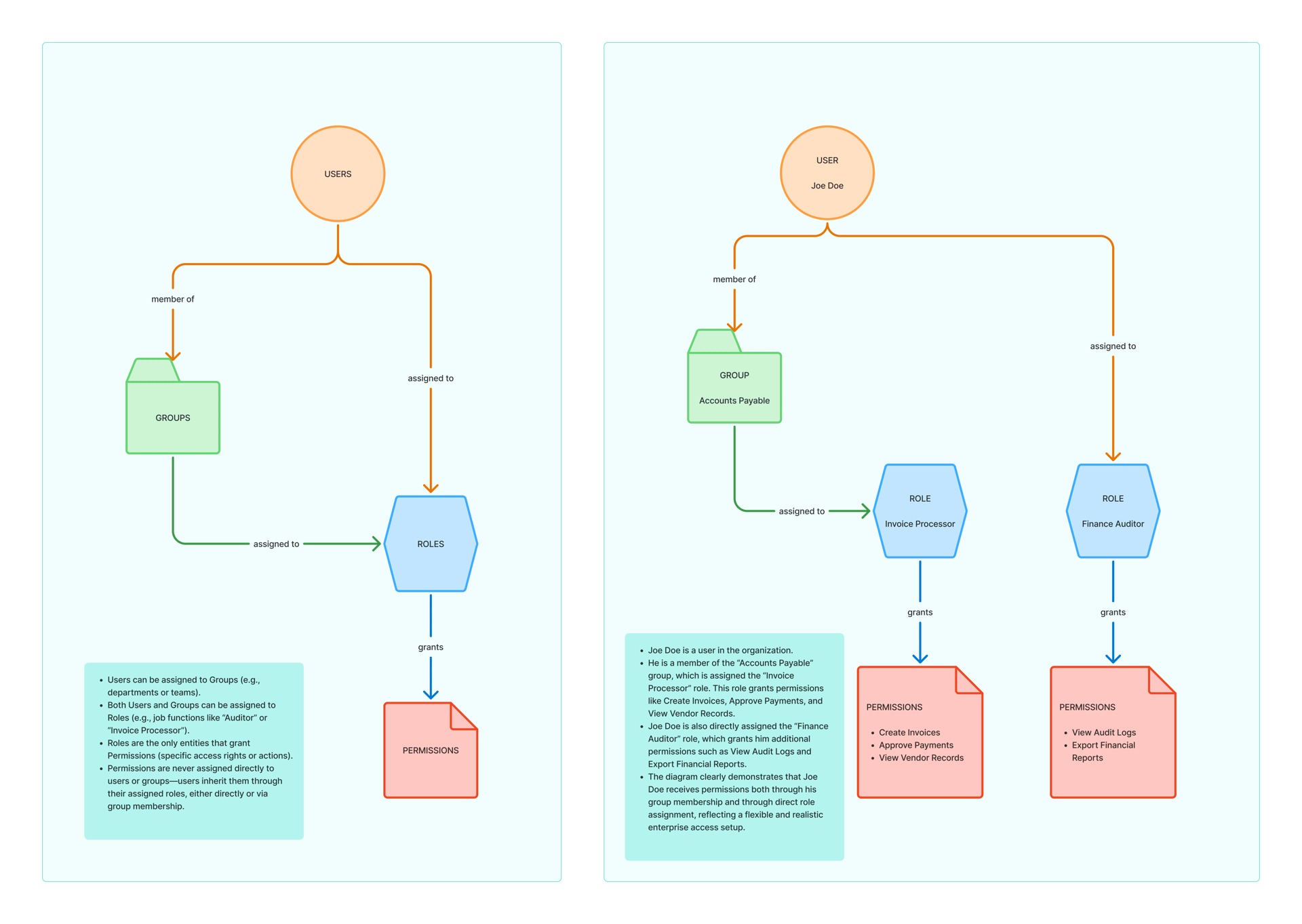
User Roles & Relationships
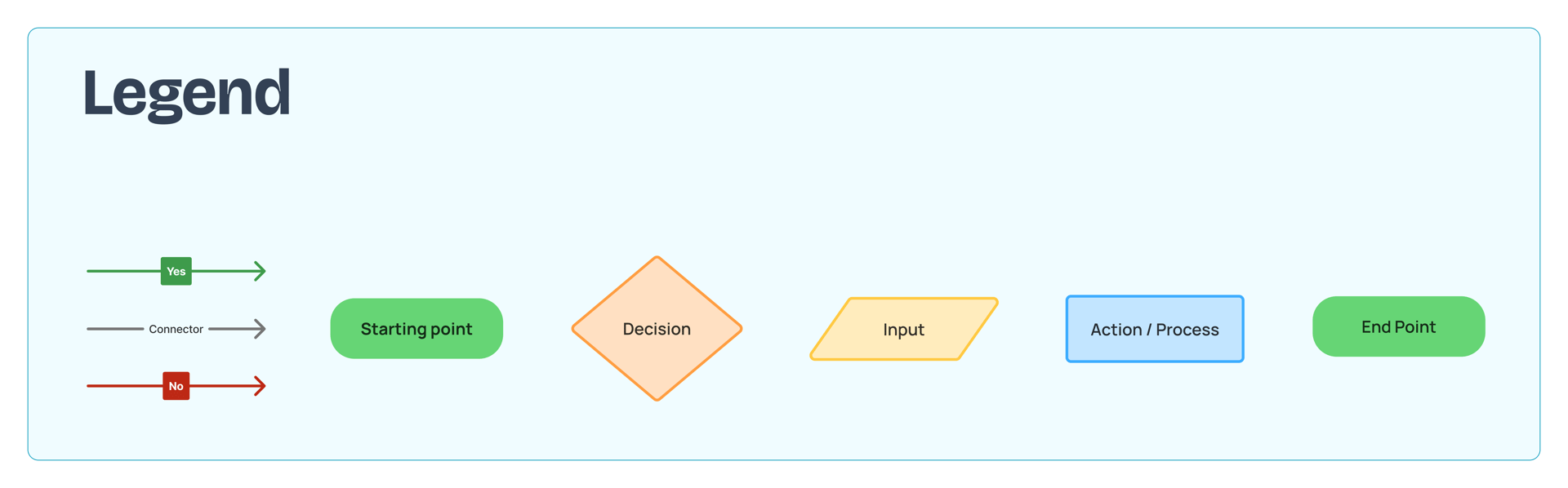
Legend
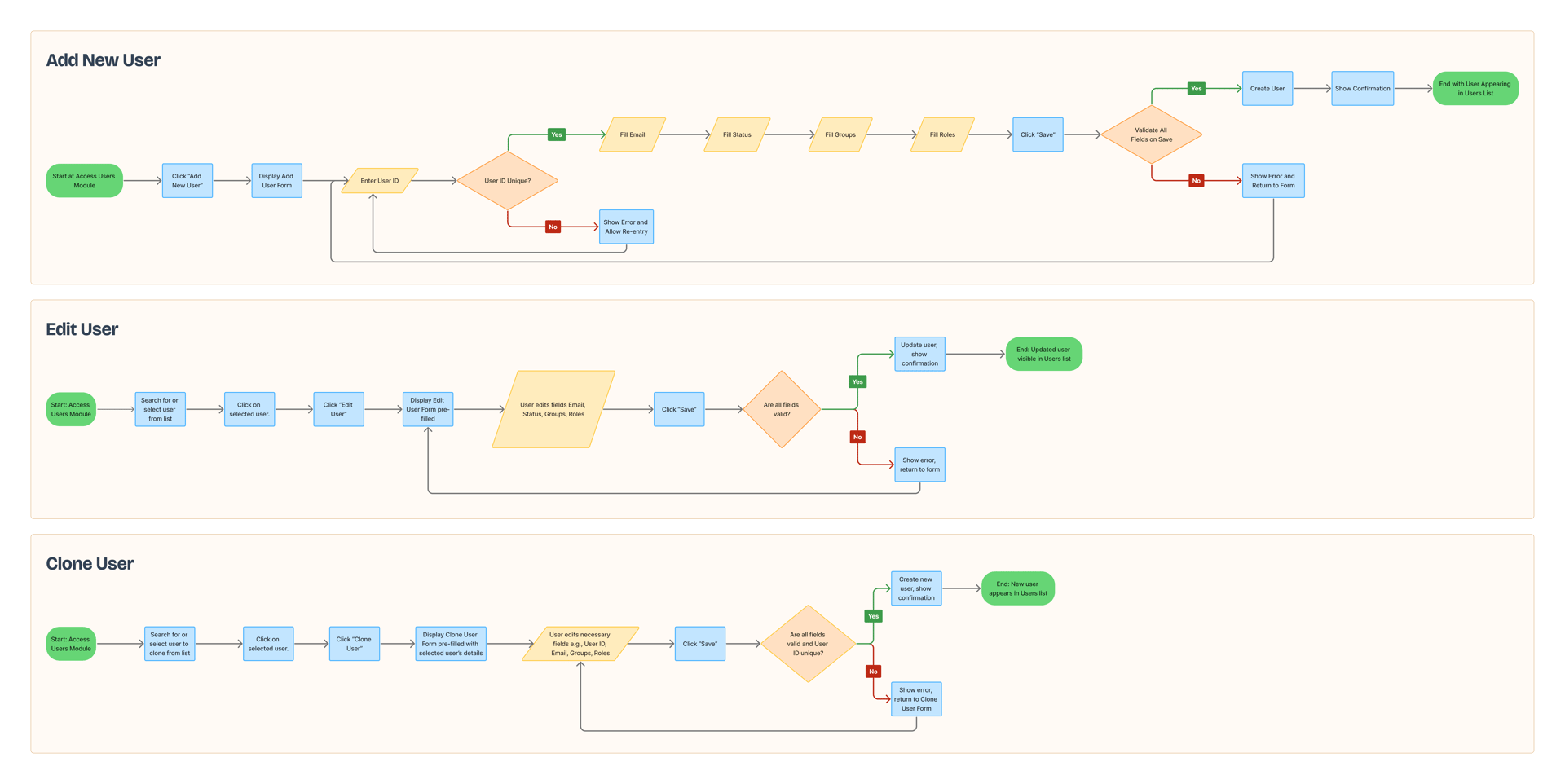
User module
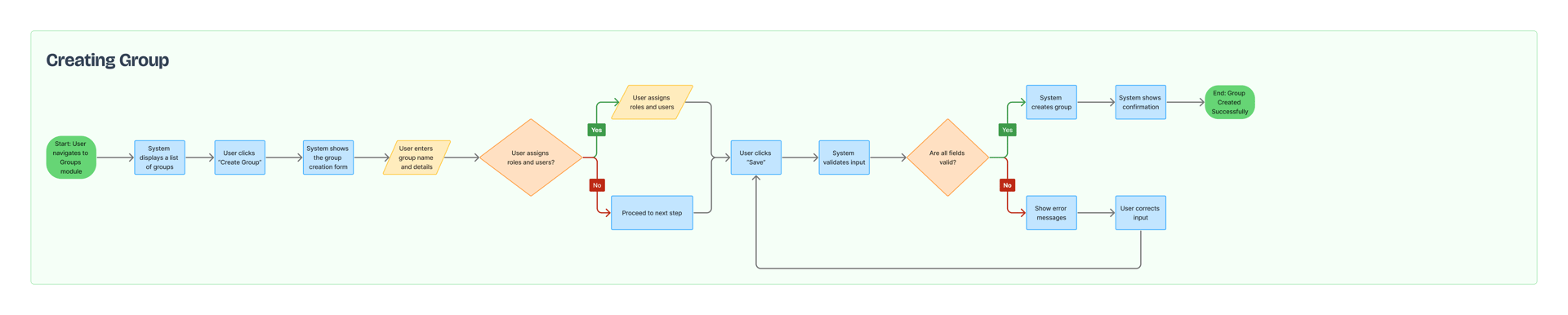
Group module
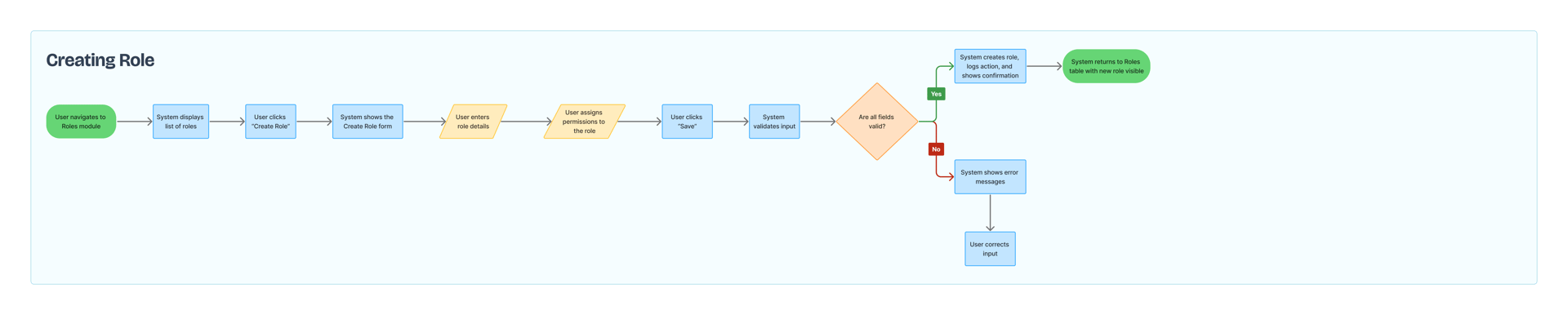
Roles module
Audit impact
Access decisions had to be explainable — it had to be clear why a user had a given access and which action granted it.
With the inherited model, a correct configuration could not be logically justified, because the origin of permissions was not visible at the moment of decision.
The result
A configuration that appeared correct could lead to a different real access than intended.
Correct administrative actions did not reliably produce a predictable and explainable outcome.
The key design-driven moment
Reframing the request.
Request came as
"Administrators need better visibility."
BA refinement sessions revealed the domain logic behind role inheritance and data exposure.
Mapping the full access flow showed that the issue was not interface visibility — the access model itself made correct configuration impossible before any UI was designed.
Reframed as
"A compliance risk in the access model."
I brought this back to Security and the Product Owner as a compliance risk in the access model, not as a UI request, which changed the priority and unlocked scope for a structural solution.
This reframing changed the priority, unlocked scope for a structural solution, and became the key moment of the project.
Final decisions followed the organisation’s stakeholder approval process.
Process
The process was driven by refinements and validation.
The access model depended on other modules, so requirements evolved during BA sessions.
Work included:
- flow mapping based on refinements
- validating scenarios with Security
- checking feasibility with Engineering
- aligning patterns across modules
- designing reusable interaction rules
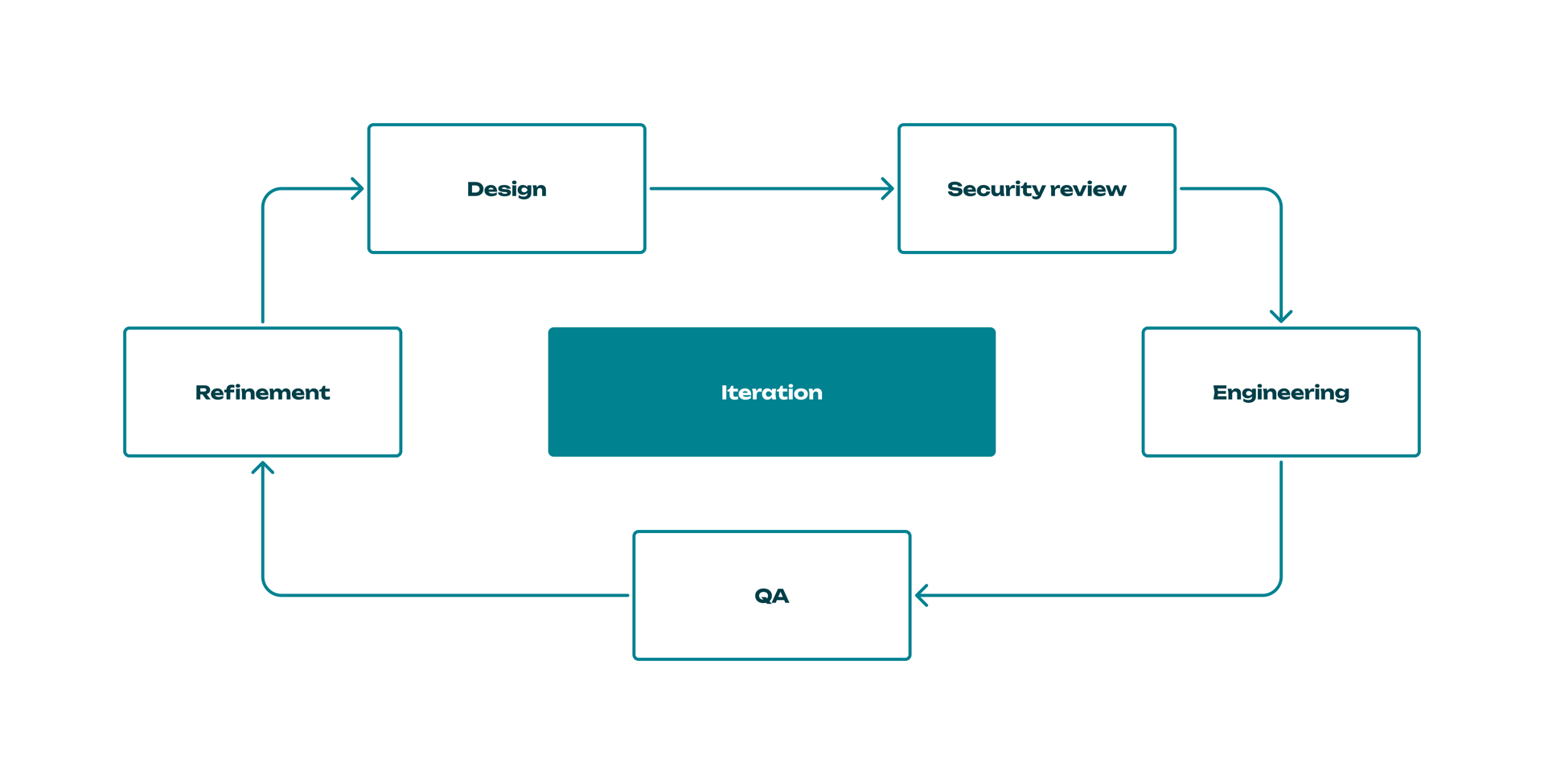
Iterative process based on refinements and validation
Scenarios created during refinements were later used by QA to validate real production flows.
Because the module affected other parts of the system, design decisions had to work beyond a single screen.
The decisions
Five decisions — each one documented with the reasoning, the tradeoffs, and what it enabled.
01
Making Inheritance Visible
The core decision. Without it, nothing else reduces compliance risk.
A flat role list could not communicate source, removability, or consequence.
Before moving to structural separation, lighter-weight approaches were explored and rejected:
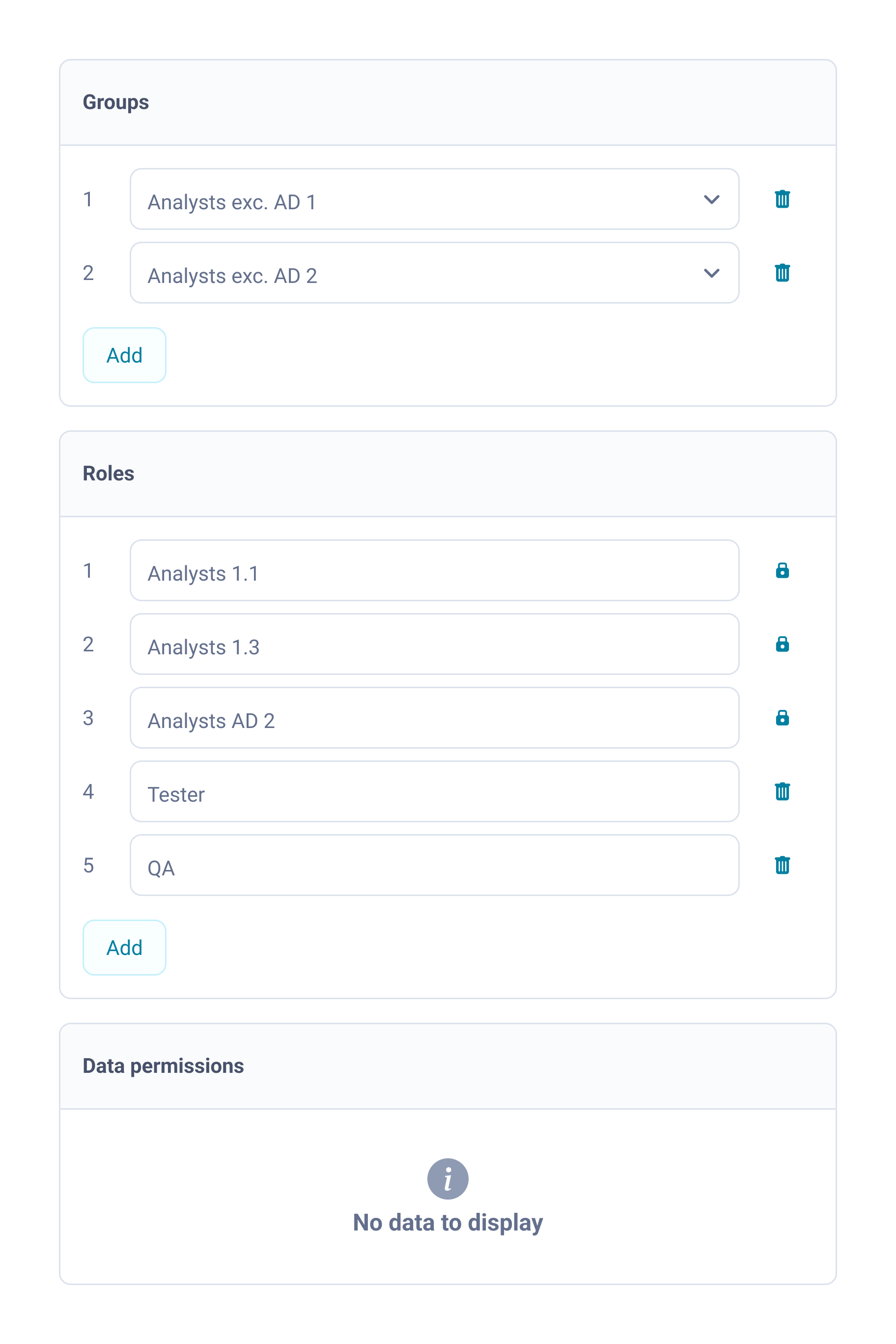
Lock icons:
Signals restriction, but not origin or impact.
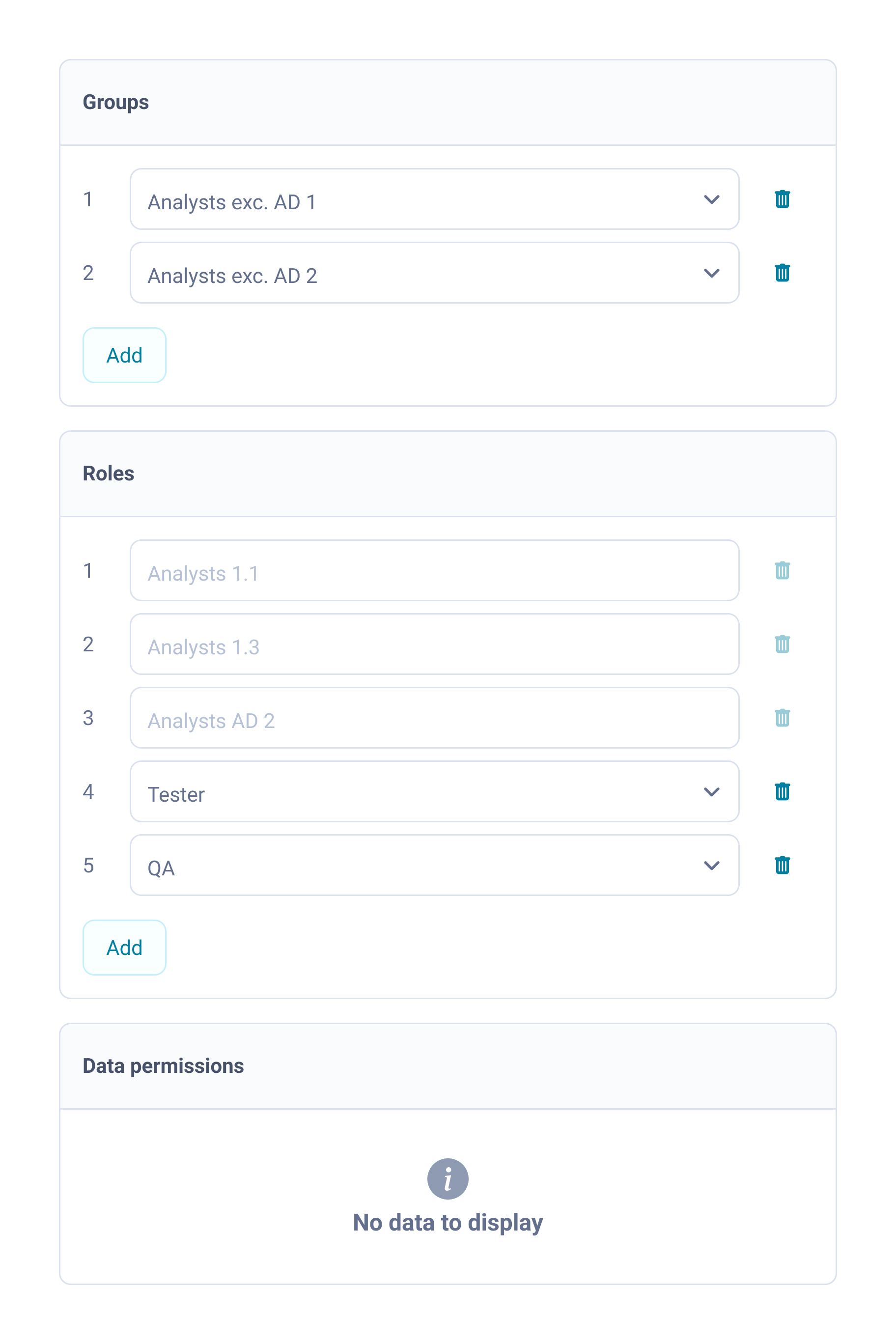
Disabled state:
Suggests a temporary condition — users try to re-enable instead of changing the source.
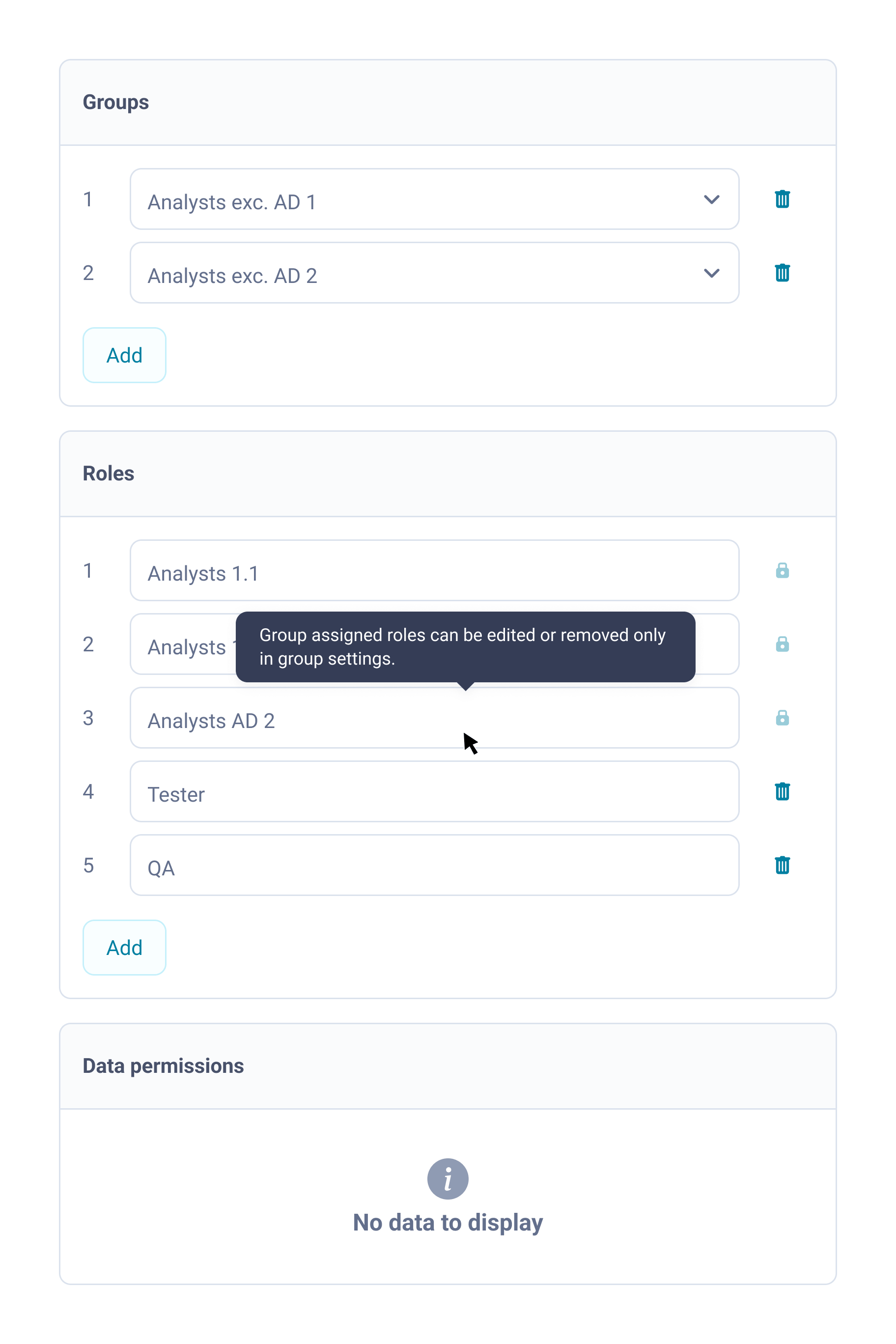
Tooltip on hover:
Hidden by default, interaction-dependent and not scalable.
Becomes disruptive when repeated across multiple roles.
None of these explained the mechanism.
Administrators needed
- to see the origin of access
- to understand the consequence of removing a group
The real risk
- cascading permission loss — removing a group to delete one role removed every inherited role
What this required
- a structural solution, not a component-level signal
- the logic visible at the moment of decision
- plain language as the default state of the interface
This was not a UI improvement — it was a risk acceptance decision.
Trade-off
- delaying part of the MVP UI delivery
- or shipping a flow that could grant incorrect client access
Solution
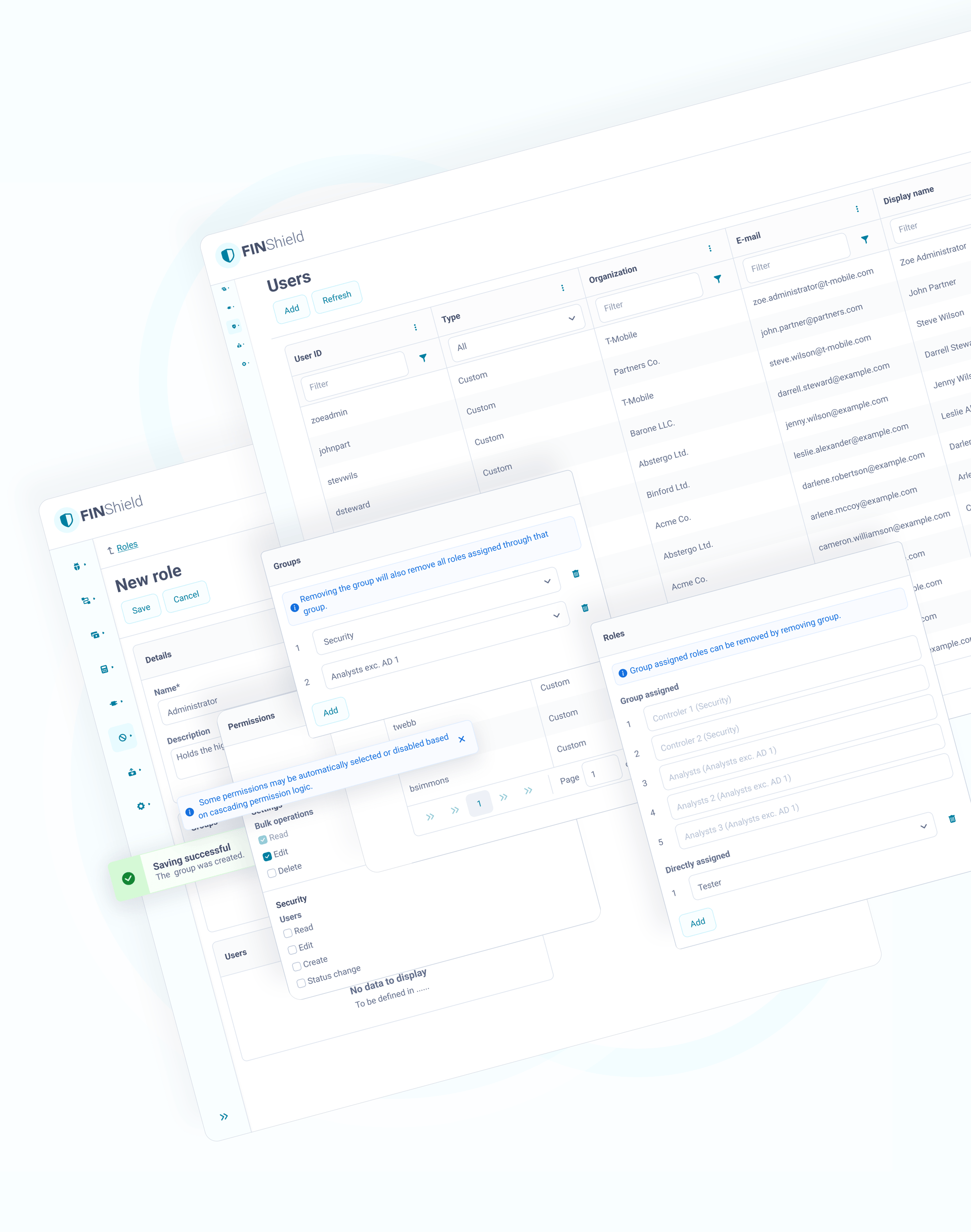
Two structurally separate sections, each explaining its logic at the point of decision:
- locked, with the mechanism explained and a clear removal path through group settings
- directly assigned — fully editable
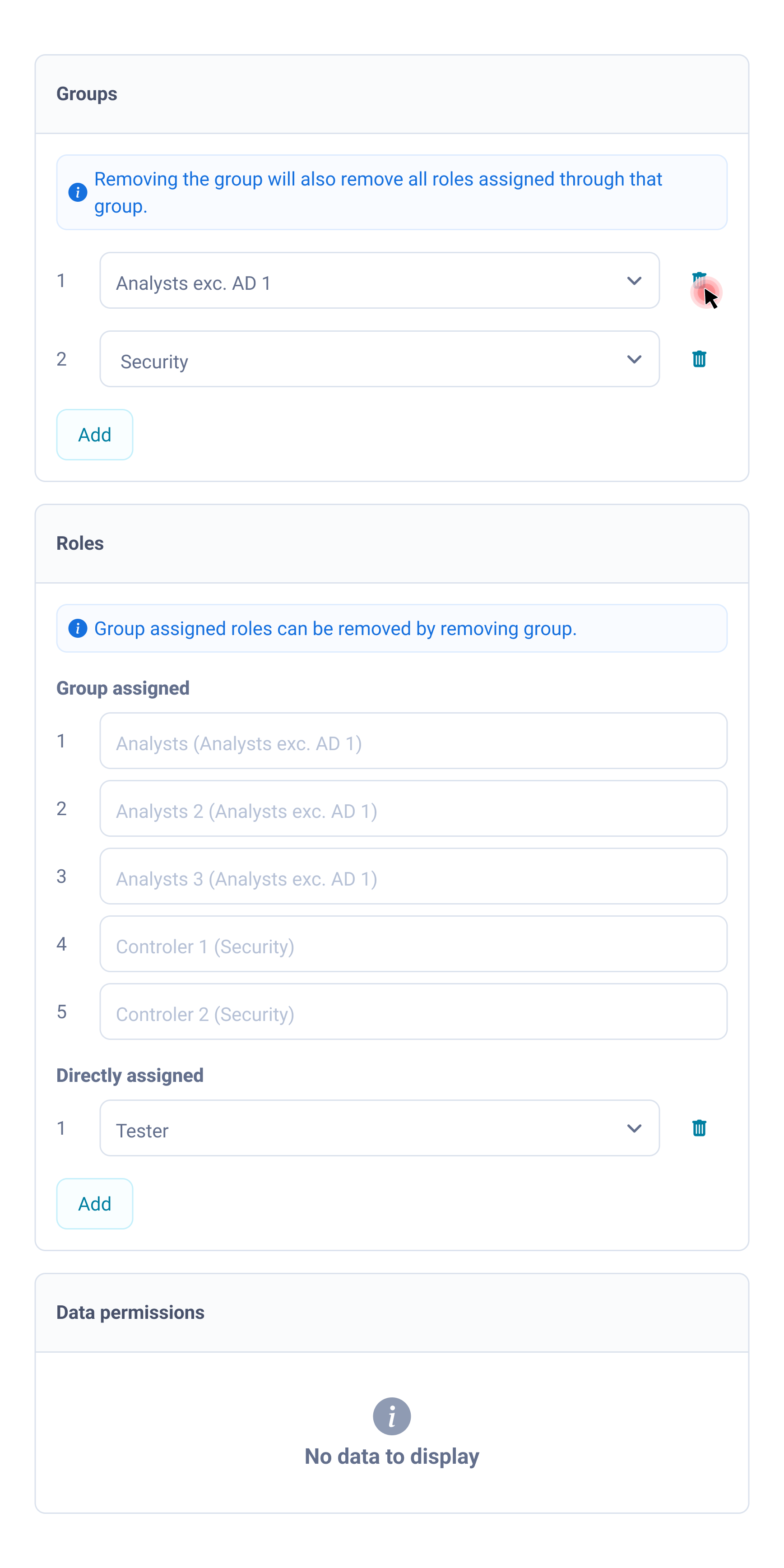
Action: Remove group
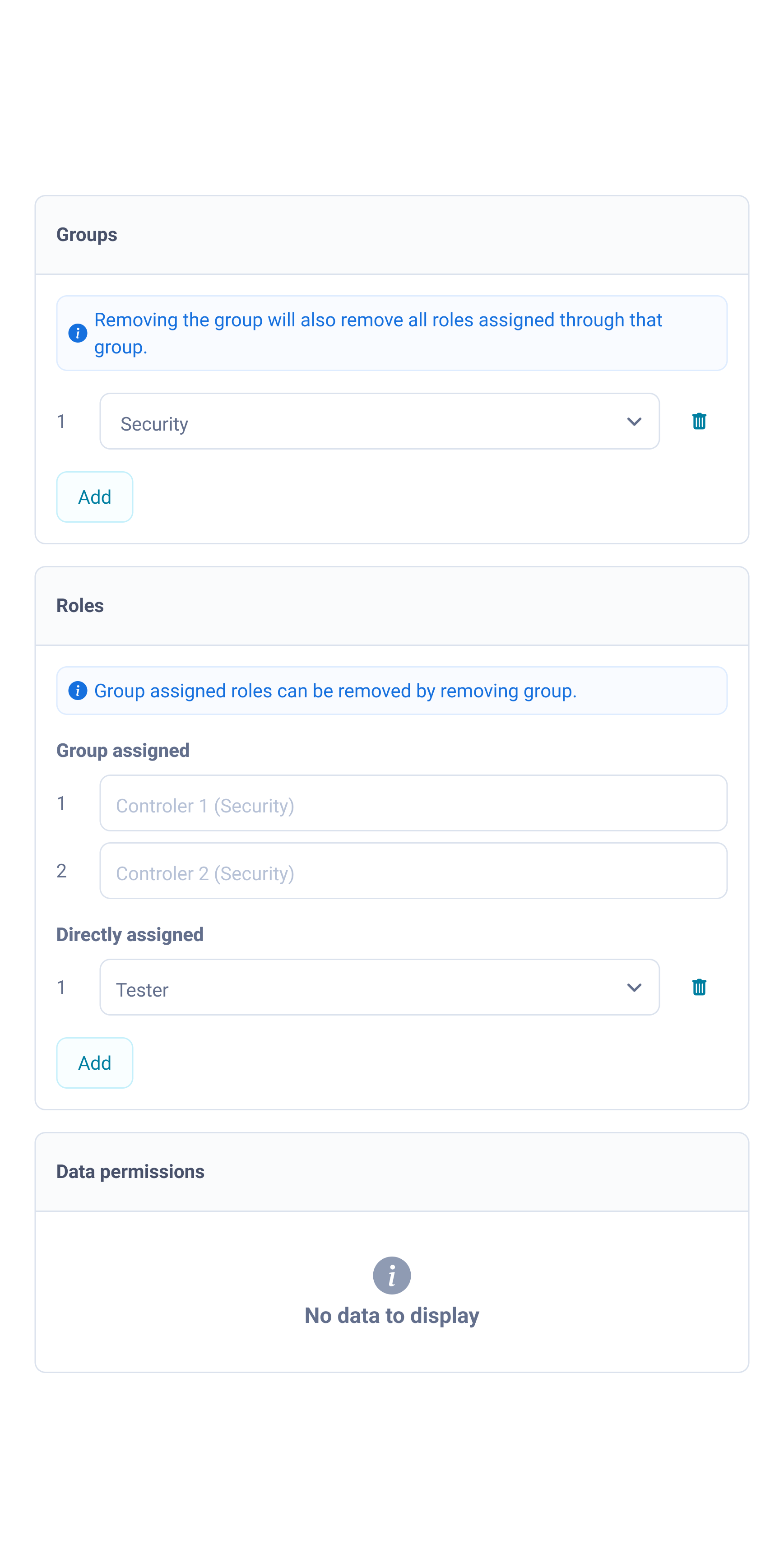
Result: Group removed → inherited roles removed → directly assigned roles unchanged
Gained
- explains mechanism, not just state
- prevents cascading permission loss
- satisfies audit requirement
- reusable across all inherited-relationship modules
Accepted
- minor visual complexity with additional sections
(accepted — clarity outweighs compactness in compliance context)
02
Permission visibility driven by security constraints
A security constraint that improved the verification flow.
Problem / shift
The original MVP assumption was straightforward: show all permissions.
During refinements a security requirement emerged — inactive permissions could not be exposed.
This was a data exposure rule, not a usability preference.
The question shifted:
How do we display everything clearly?
How do administrators verify real access when only active permissions are visible?
The constraint improved focus.
Administrators don’t verify what isn’t active — they confirm what is.
This aligned the interface with the real task and removed cognitive overload at scale.
Solution
- active permissions only
- consistent status chips
- structure aligned across all modules
Roles - edit mode
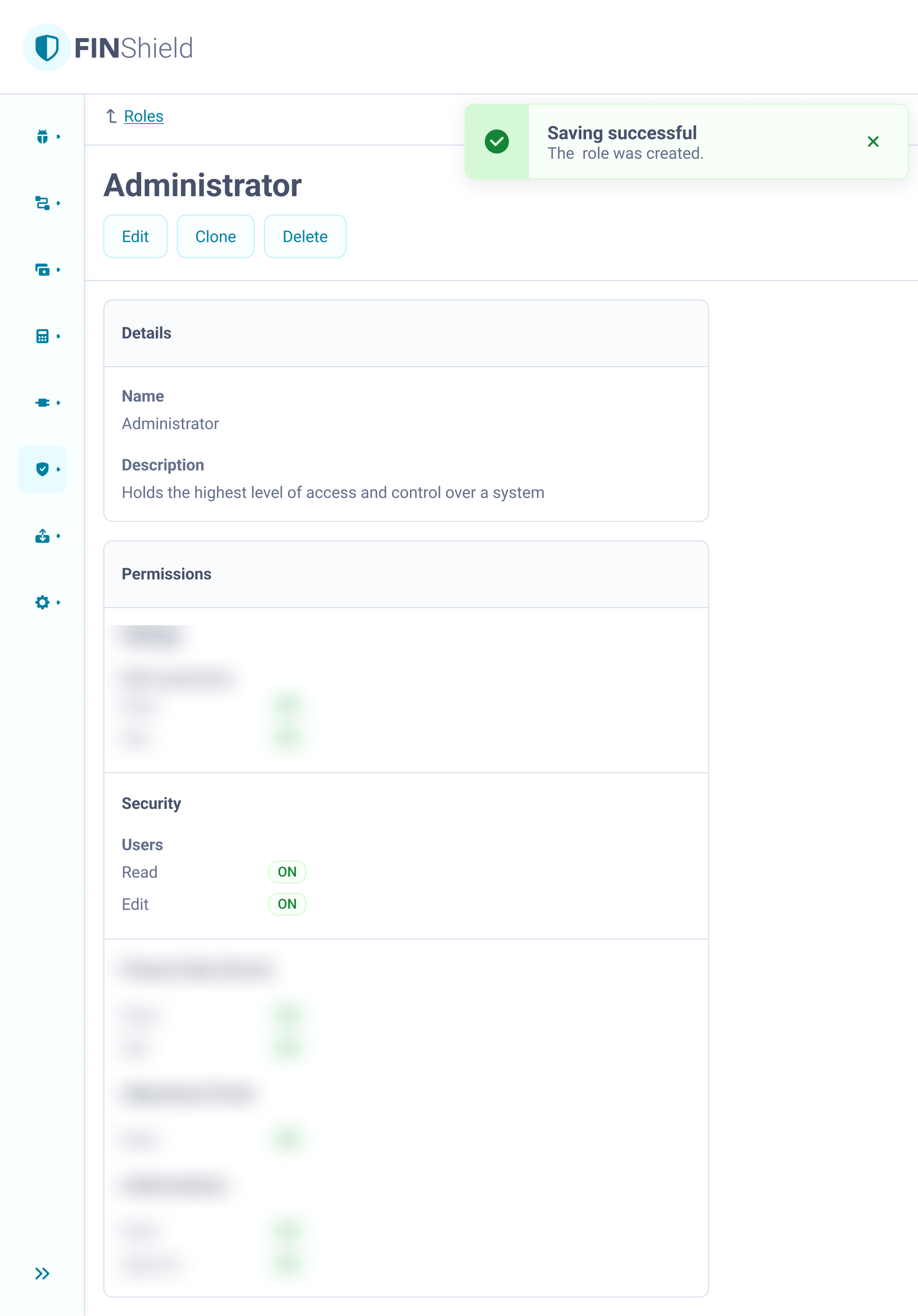
Roles - view mode
Gained
- compliant with data exposure rules
- matches real verification task flow
- eliminates cognitive overload at scale
- reusable structure across all 15+ modules
Accepted
- full permission architecture not browsable in this context
(by design — security requirement, not a tradeoff)
03
Platform table interaction model
A central module used to unlock a platform-wide interaction fix.
Problem
Before a design process was established, multiple table patterns had emerged:
- in some tables, clicking a row opened the detail view
- in others, the same action selected items for bulk operations
- in some modules, tables were read-only and not interactive at all
- all tables shared the same hover state
Users could not predict the outcome — the same interaction produced different results.
Design had been flagging this for several sprints.
The permissions module was the first place where the existing table patterns could no longer be reused.
The table had to support both navigation to details and multi-select for bulk operations, which exposed the inconsistency of interaction behaviour across the platform.
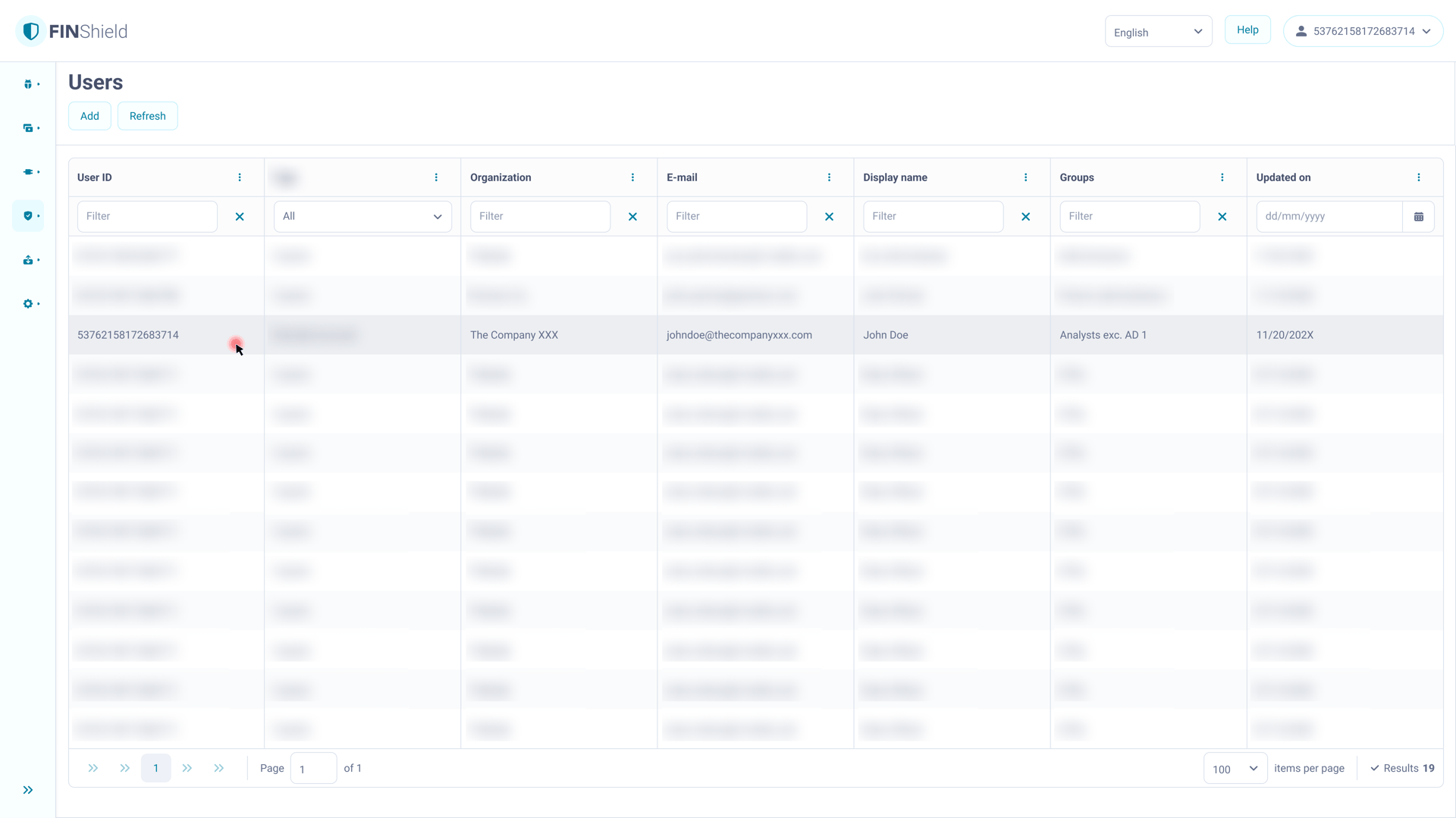
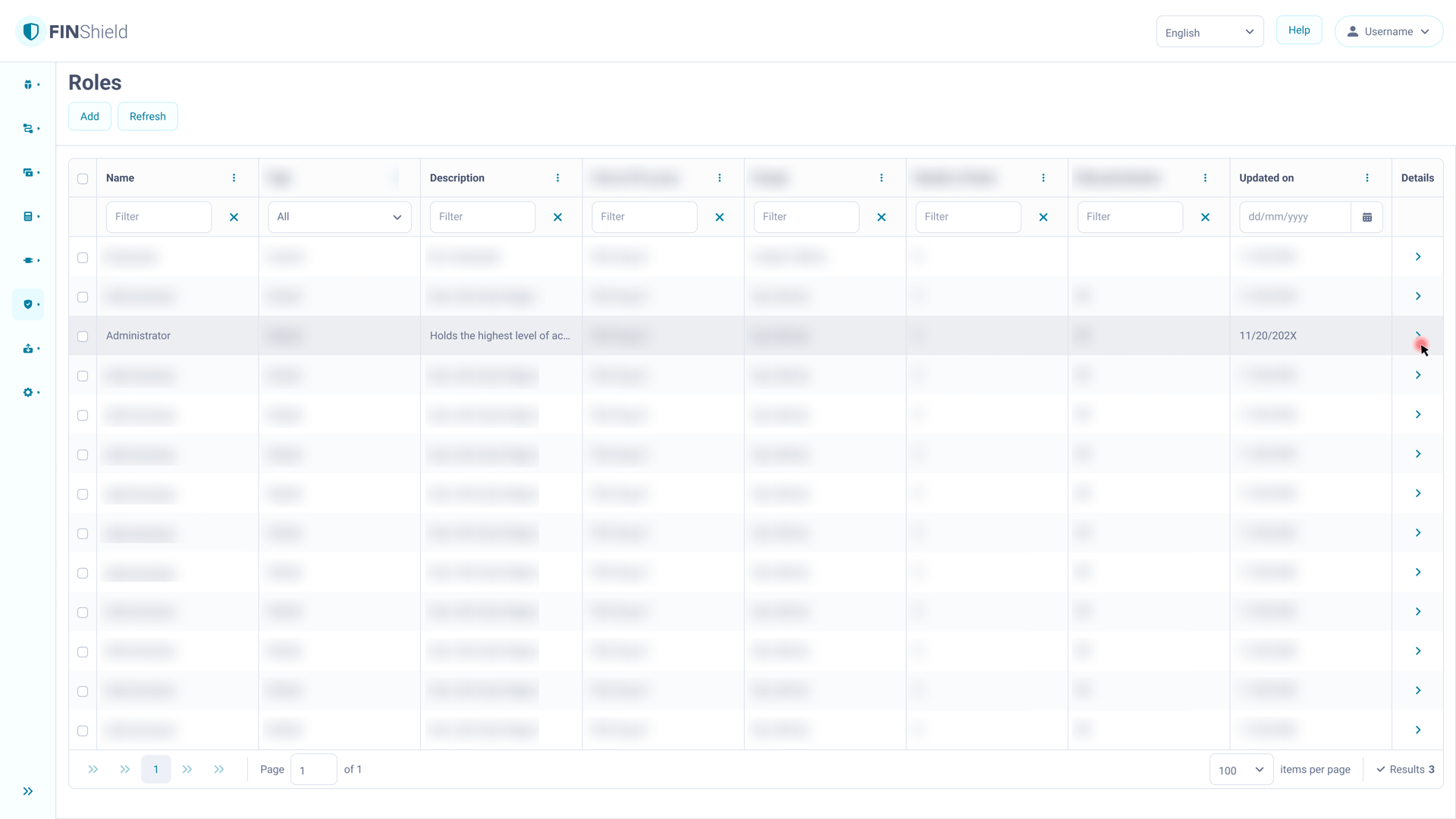
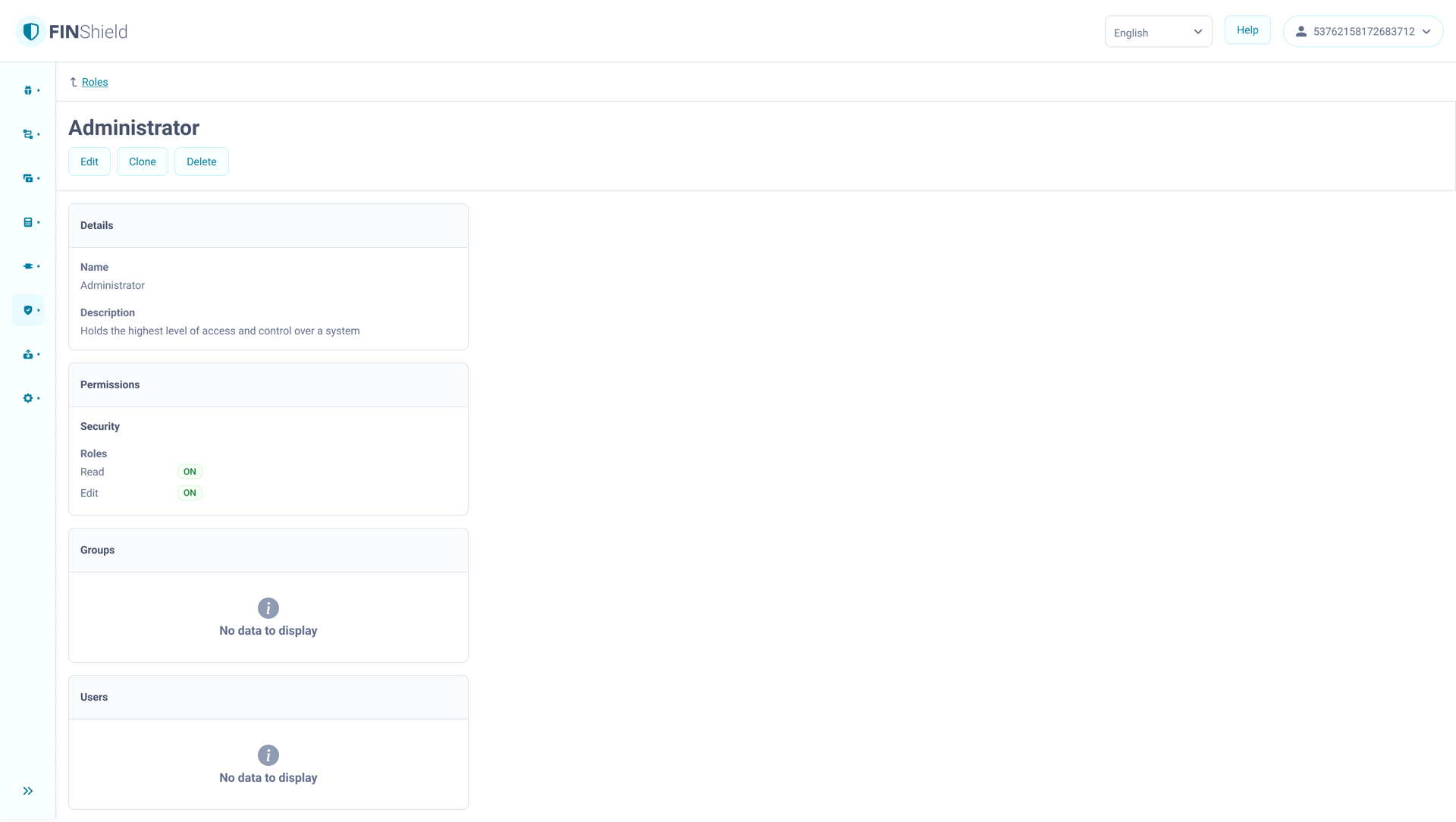
Clicking the row opened the detail view.
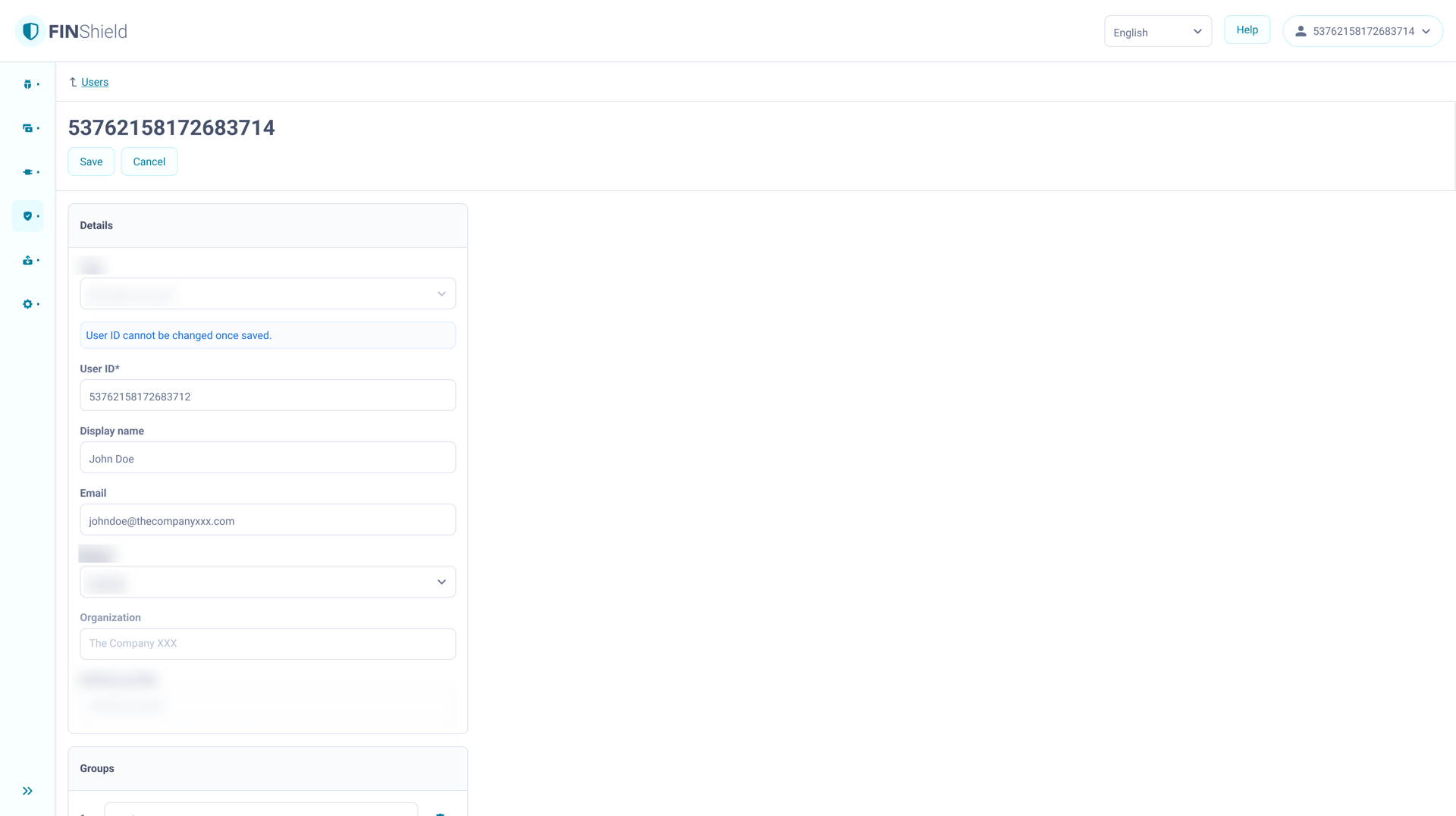
Row acted as the navigation trigger.
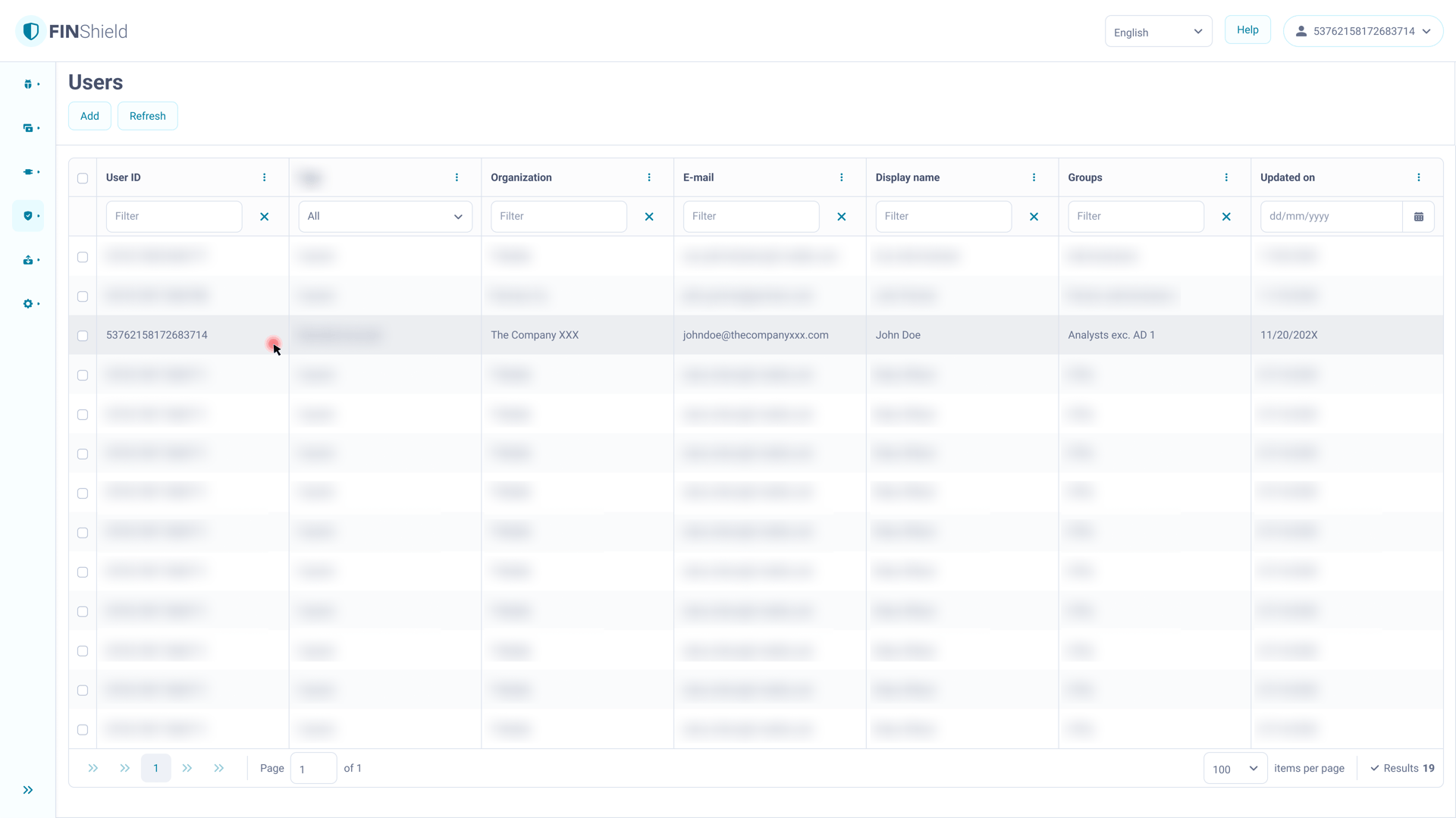
Clicking the row selected the item for bulk actions.
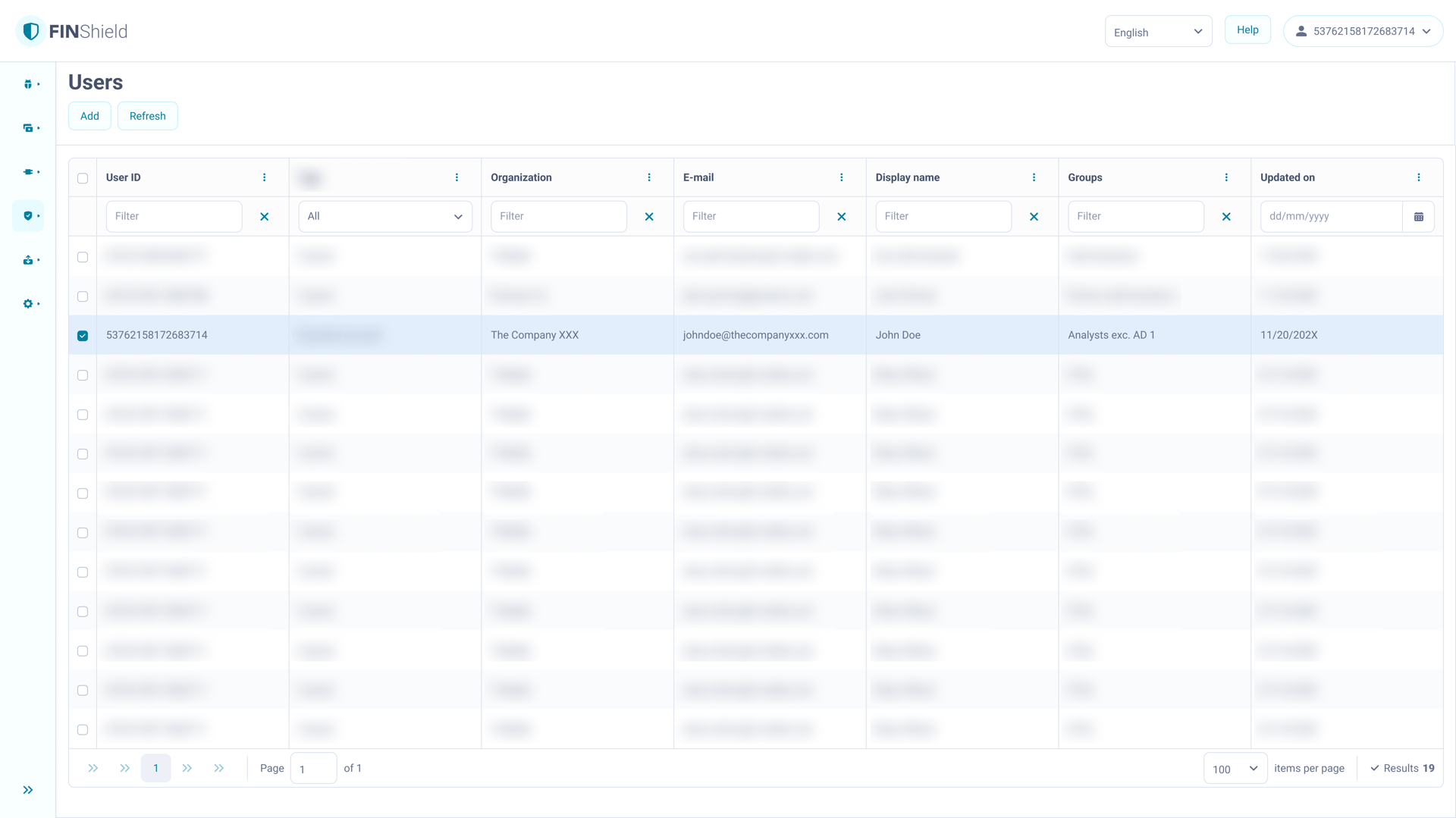
There was no way to open the detail view from this table.
Solution
- row = selection only
- dedicated action column = navigation
- one interaction - one outcome, every time
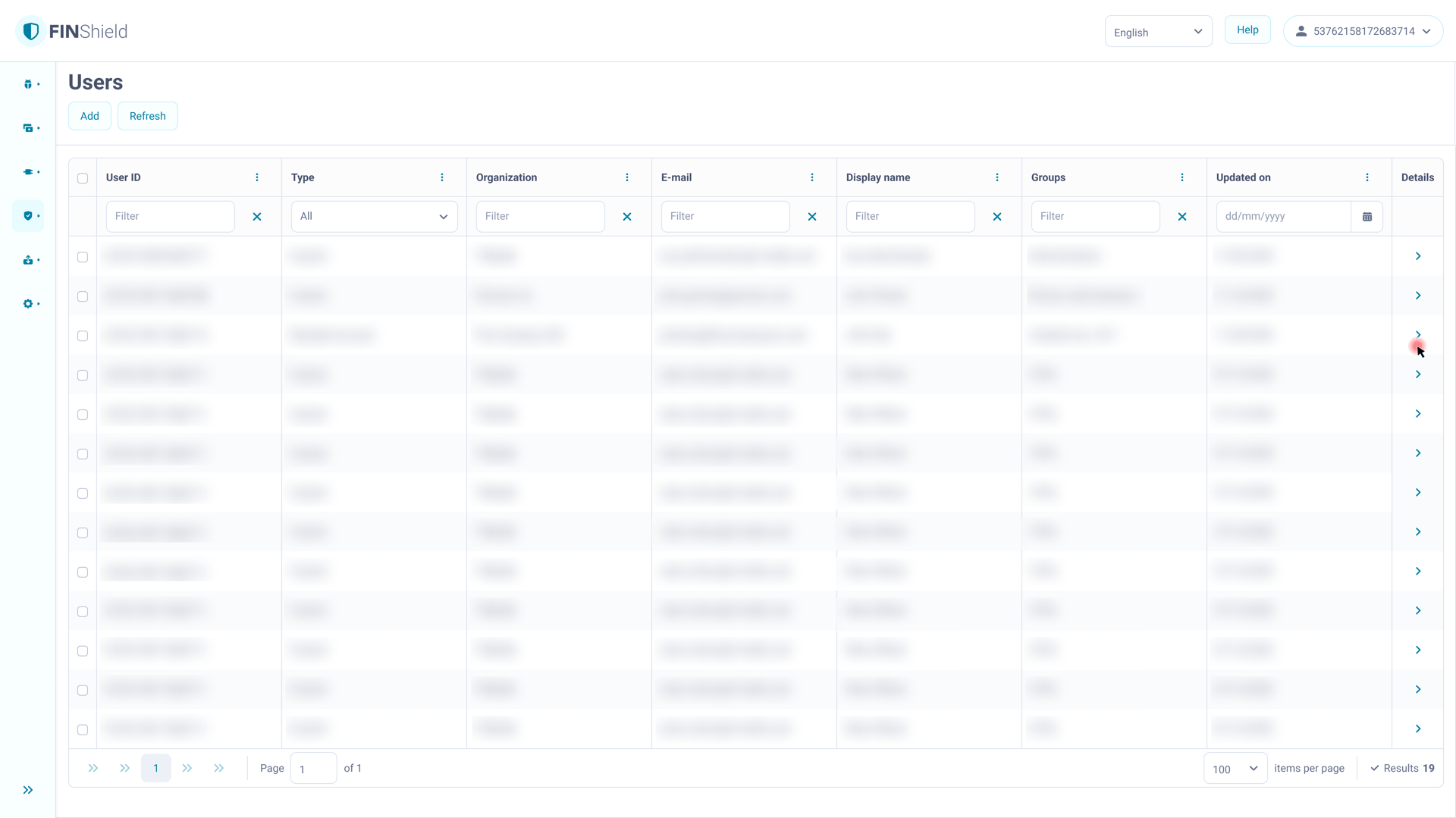
The same interaction no longer produces different results.
Selection and navigation are structurally separated.
Gained
- eliminates interaction ambiguity platform-wide
- one consistent pattern across 15+ modules
- multiselect-ready from day one
Accepted
- required changes to existing modules
(accepted — compounding cost of not fixing outweighed the effort)
04
Constraint communication before errors
A system constraint turned into a preventive interaction pattern.
Context
User ID cannot be changed after saving - a standard system constraint.
The initial MVP position was to ship without any message and let users discover it through errors.
In a security module where administrators configure access for an entire organisation, that approach:
- generates support tickets
- erodes trust
- creates audit exposure when incorrect IDs cannot be corrected
Solution
Inline informational banner placed above the relevant field and visible before saving.
Pattern (became the platform standard):
- inline banner
- positioned at the point of decision
- shown before the action
- generic enough to absorb future constraints
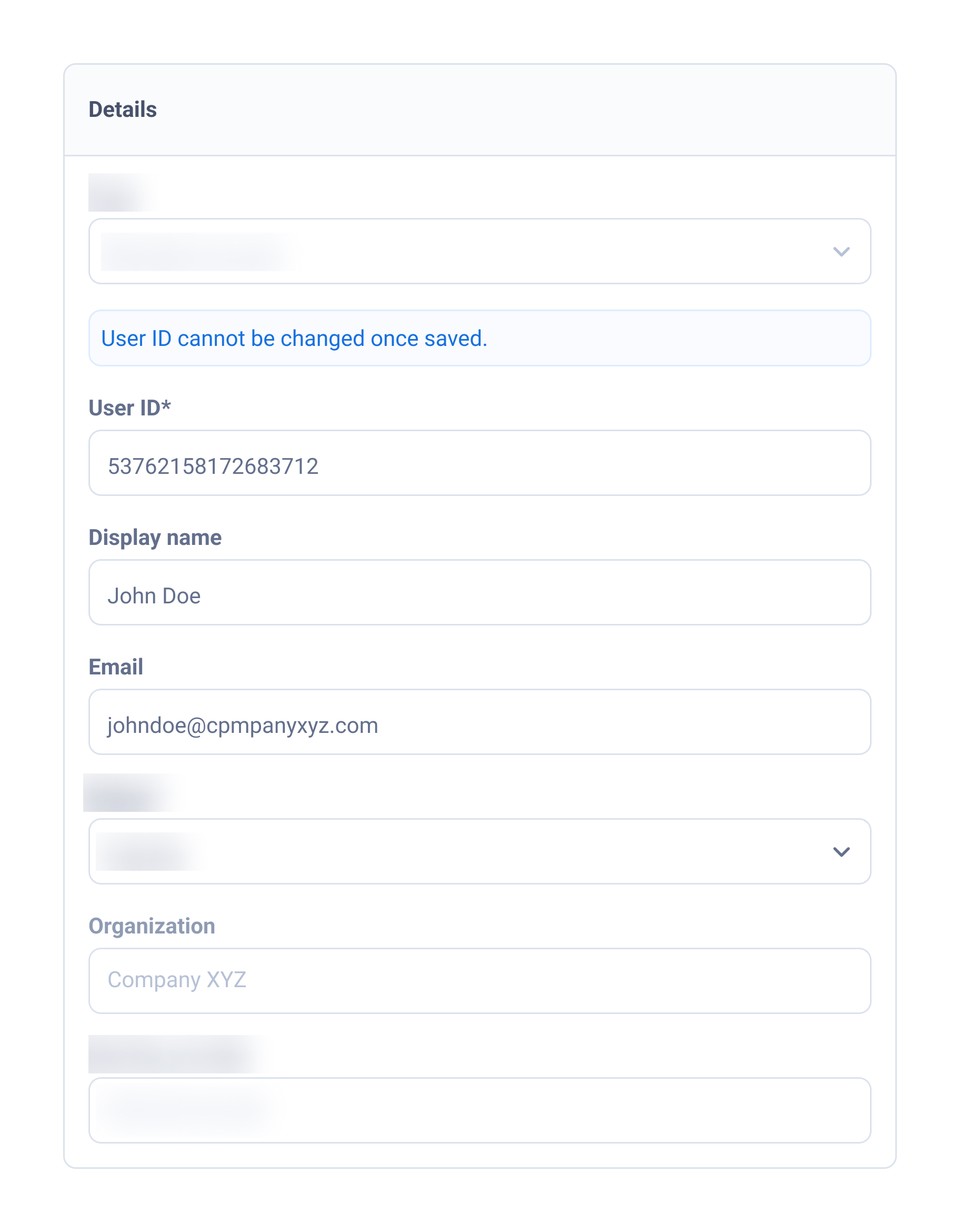
The limitation is explained before the field is used.
Gained
- prevents errors before they occur
- reduces support load
- reusable for any current and future constraint
- adopted as a platform-wide pattern
Accepted
- required pushing back against MVP pressure
(worth it — eliminated a recurring operational cost)
05
Feedback that explains, not just confirms
A notification pattern turned into a platform standard.
Context
Notification copy had been a recurring source of friction across modules:
- no consistent structure
- no ownership
- no clear resolution for users
The security module involved the most stakeholders and the longest decision cycles.
standard and align while all decision-makers were already engaged.
That waiting time was used deliberately to draft a shared notification standard and align while all decision-makers were already engaged.
Fix it when everyone's in the room
The cheapest moment to reach agreement is when the highest number of stakeholders is already involved.
The standard was documented and shared with parallel teams before they built their own versions.
Solution
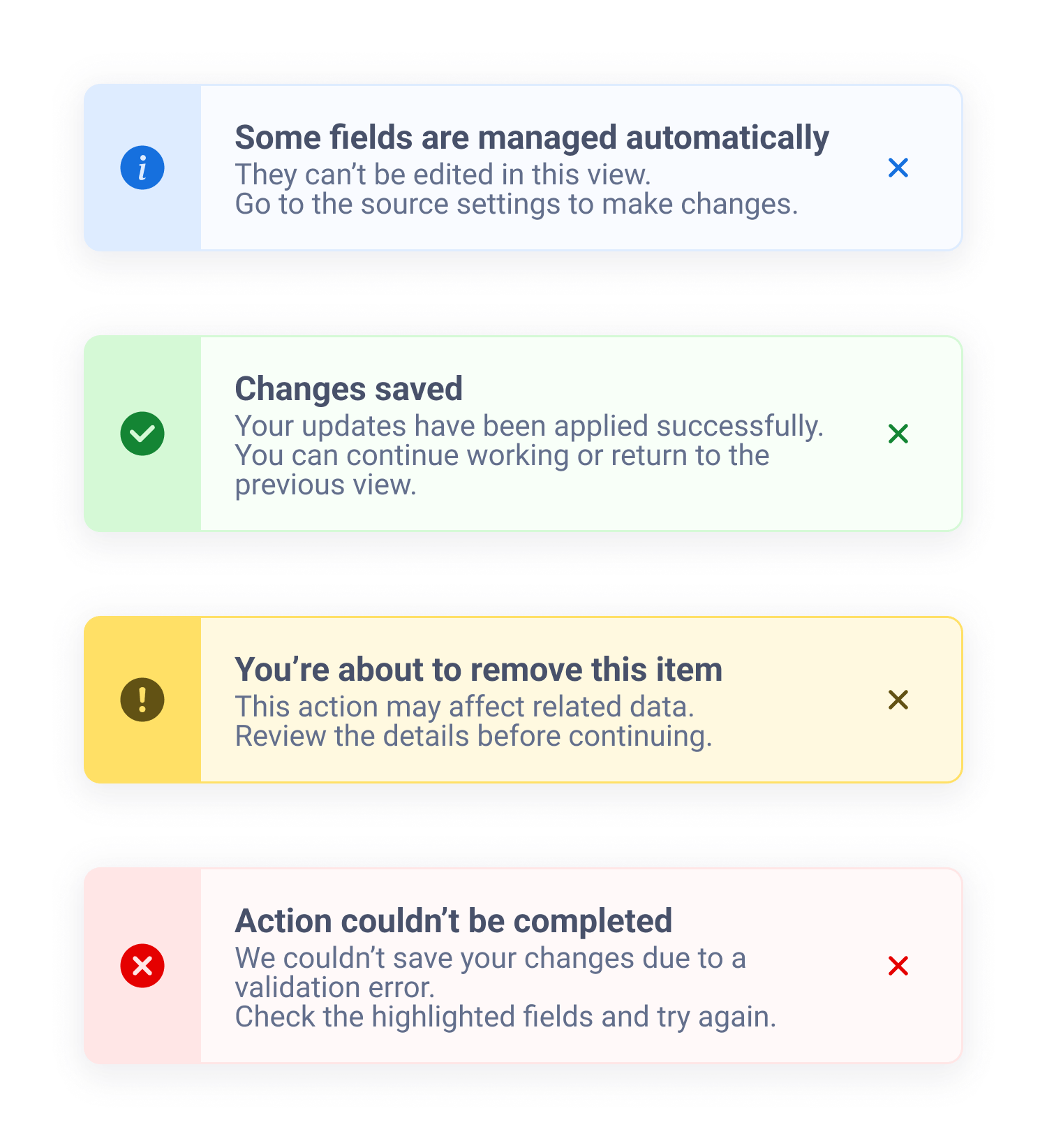
Every notification followed the same structure:
- status — what happened
- context — what it means
- next action — what to do now
Gained
- users always know what happened and what to do next
- consistent across all 15+ modules
- eliminates longstanding copy inconsistency
- reusable documented pattern
Accepted
- more effort required to craft each notification
(accepted — one-time documentation cost)
Collaboration
Every structural decision was validated with domain owners before full design commitment, but the interaction model and structural proposals were driven by design.
BAs and POs - translated business logic into design direction. The inheritance mechanism and the data exposure rule only became fully clear through refinement conversations.
Engineering - flagged feasibility constraints before full design commitment, allowing structural decisions to scale across the Angular/Kendo architecture.
Security - held the compliance line when simplification pressure emerged, enabling the structural solution to ship.
Adjacent module teams - aligned on table interaction and notification patterns before building their own implementations
Final decisions followed the organisation's stakeholder approval process.
Impact
How this changed the system
Access configuration became predictable and explainable in real task scenarios.
Platform impact
- interaction patterns reused across 15+ modules
- one consistent table interaction model
- one notification structure across modules
- constraint communication established as a platform pattern
- zero cross-module pattern conflicts
Operational impact
- fewer configuration errors in task-based QA validation
- reduced recurring support requests caused by silent system constraints
- multiselect and bulk operations enabled by default through a consistent interaction model
- future modules built on documented patterns instead of creating new ones
Compliance impact
- access explainable at the moment of decision
- audit requirement met — correct actions no longer produced unintended access
- data exposure rules enforced by design, not by user awareness
Reflections
Leverage is a design skill.
The permissions module’s architectural position created the moment where platform change became possible.
Structural problems need structural solutions.
When the cost of misunderstanding is systemic, signals are not enough — the mechanism must be visible before the user acts.
Security constraints can improve focus.
Hiding inactive permissions aligned the interface with the real verification task.
Argue for error prevention before it becomes error correction.
The right time to challenge an MVP shortcut is before it turns into recurring operational cost.
Alignment is cheapest when everyone is already in the room.
The notification standard was resolved during existing decision cycles, not through a separate process.