Design System | Product Interaction | Enterprise SaaS | Fintech | Agile/Scrum
Enterprise Design System
Defining a Shared Interaction Contract for a Modular Fintech Platform.
My role
Design System Designer - product interaction
Product
Modular enterprise fintech SaaS · Shared users · Shared data · Multi-module architecture · Live platform under active feature development
Domain
Fintech · Security · Access Control
Environment
Angular · Kendo UI · Agile/Scrum
Team
3 UI Designers · 3 Frontend Engineers
Timeline
Oct 2021 — Dec 2024
Design system developed and adopted in parallel with active product delivery.
Confidentiality
Company, client, and system details removed. Visuals anonymised. Approach and outcomes accurate.
The project in 30 seconds
Challenge
- the same user action produced different system outcomes across modules
- high-effort data could be lost in edit flows depending on the context
- three validation behaviours for the same form type
- duplicated interaction logic increased delivery effort
Role
- interaction model for owned product flows
- audit reframing from component library to interaction contract
- design QA in Storybook and production
- supporting adoption during feature delivery
Key decisions
- edit mode as a protected system state
- modal used only for irreversible user actions
- submit always active with post-action validation
- interaction behaviour embedded in component definitions
- reusable cross-module interaction patterns
Impact
- predictable and learnable product behaviour
- platform-wide reuse of interaction logic
- reduced handoff interpretation and rework
- safe editing of high-effort data by design
My role
Design system designer responsible for the interaction model.
Within the shared design system initiative, I led the definition of interaction rules, edit flows, validation behaviour and modal usage across the platform.
My responsibility included:
- cross-module behaviour audit
- defining interaction rules
- designing reusable interaction patterns
- embedding behaviour in component definitions
- design QA in Storybook and production
- alignment with frontend implementation
- supporting adoption during feature delivery
Product & Scale
- multi-module enterprise platform
- shared data model
- independent delivery streams
- interaction patterns reused across 15+ modules
- gradual rollout between 2021 and 2024
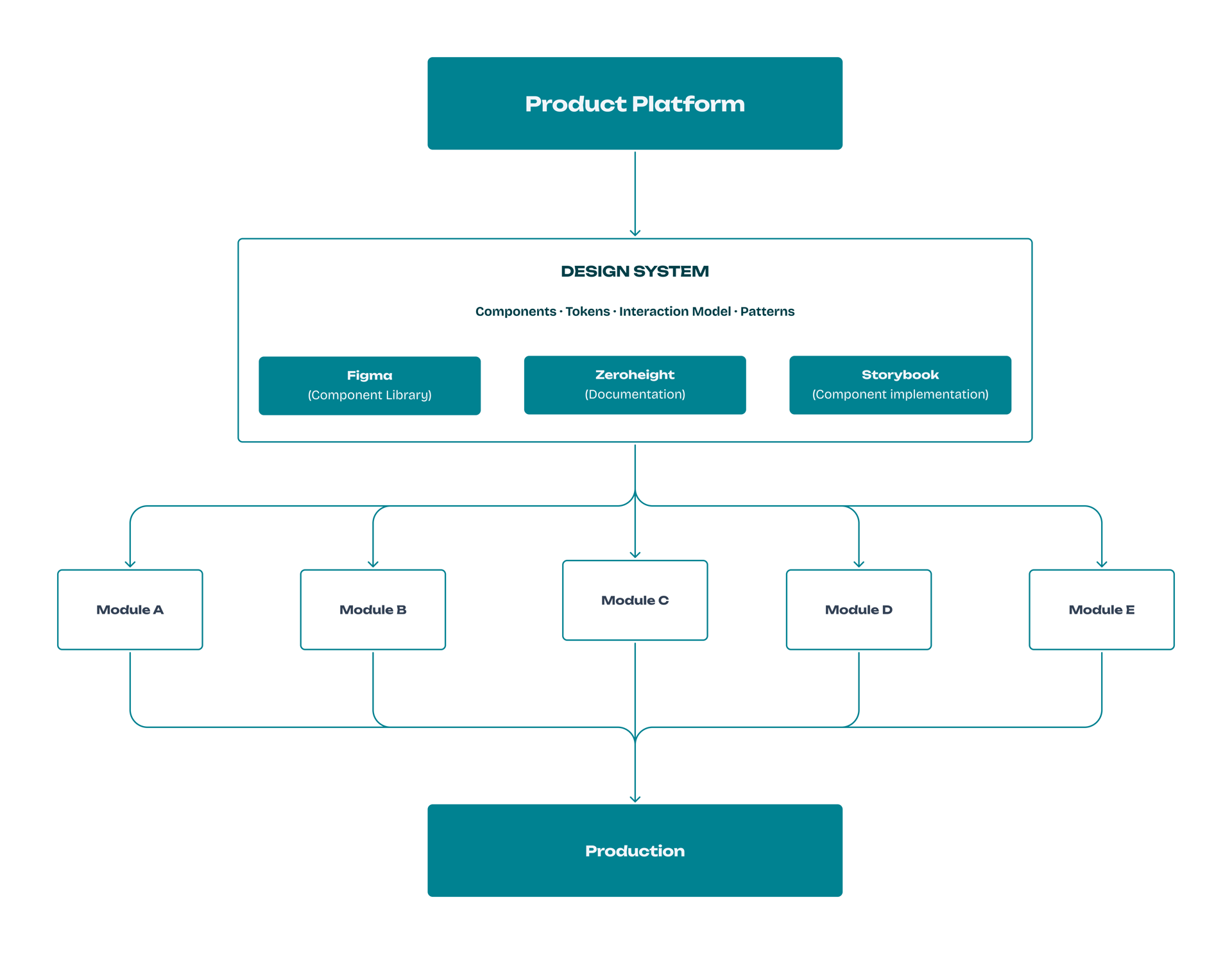
The design system functioned as a shared interaction layer connecting the product platform, documentation, and implementation across modules.
Context
The product was a large platform composed of multiple modules developed by different teams.
Many workflows — including editing forms — appeared across several modules of the product.
Because modules evolved independently, interface behaviours and interaction patterns were implemented differently across the platform.
The design system was introduced into this environment while the product was actively evolving and new features continued to be delivered.
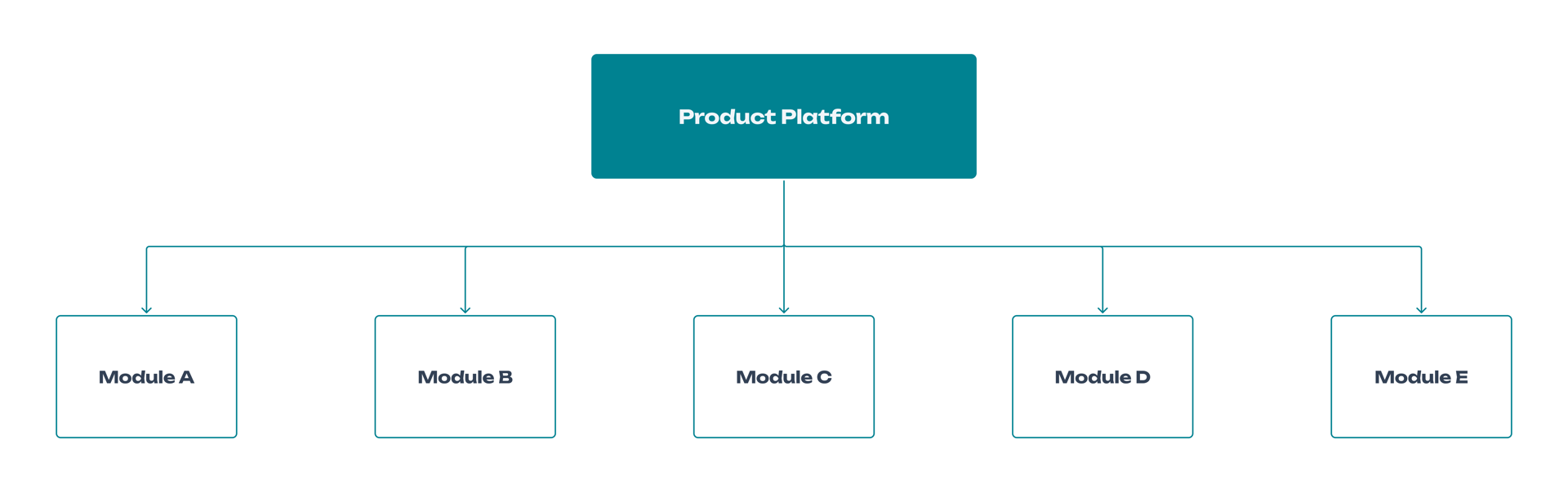
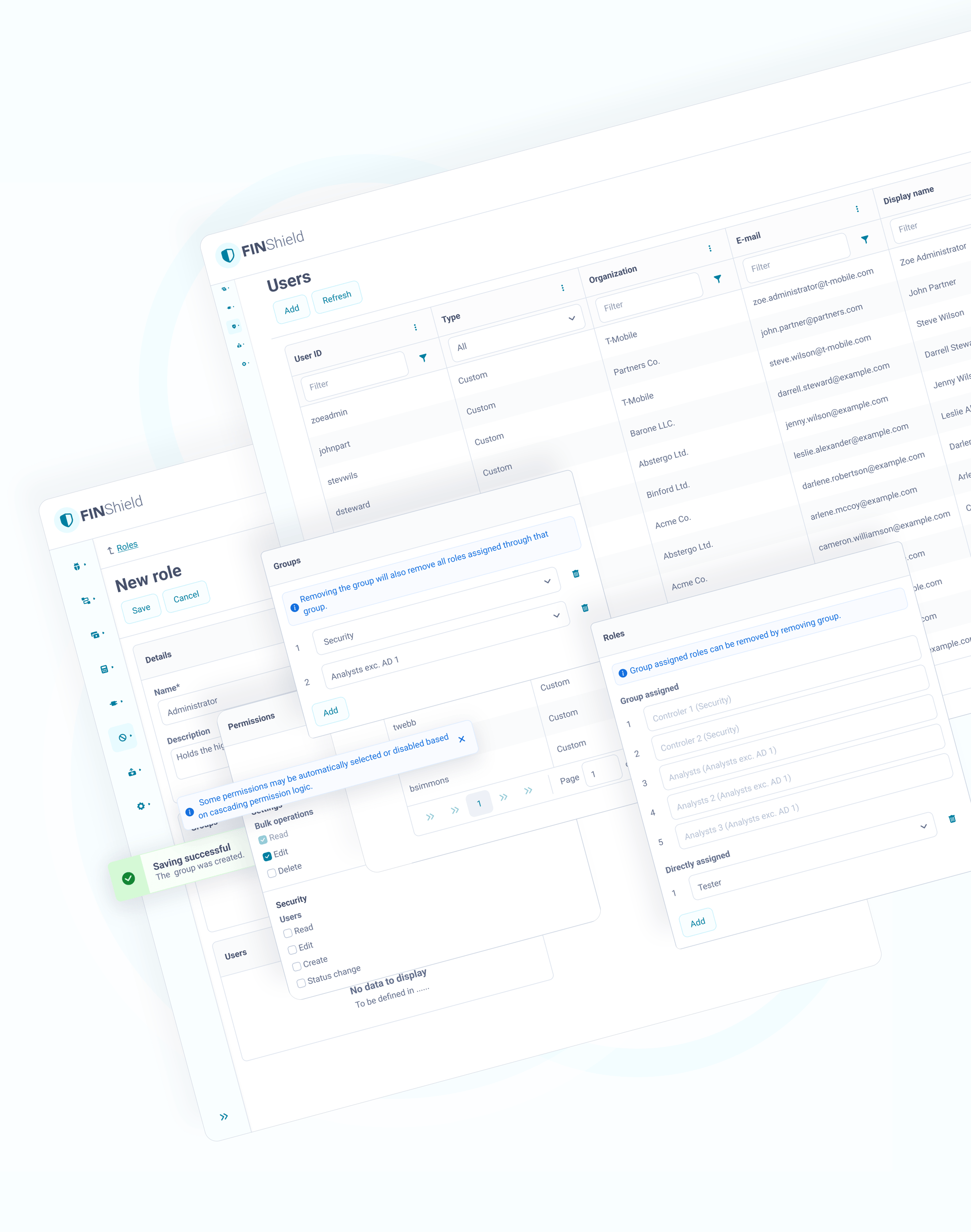
The product platform consisted of multiple independently developed modules.
Goals & constraints
- design system introduced into a live platform under active development
- no redesign freeze
- existing Kendo implementation in production
- independent module roadmaps
- audit and backend validation requirements
- Zeroheight used as the central documentation source
- cross-module scalability required
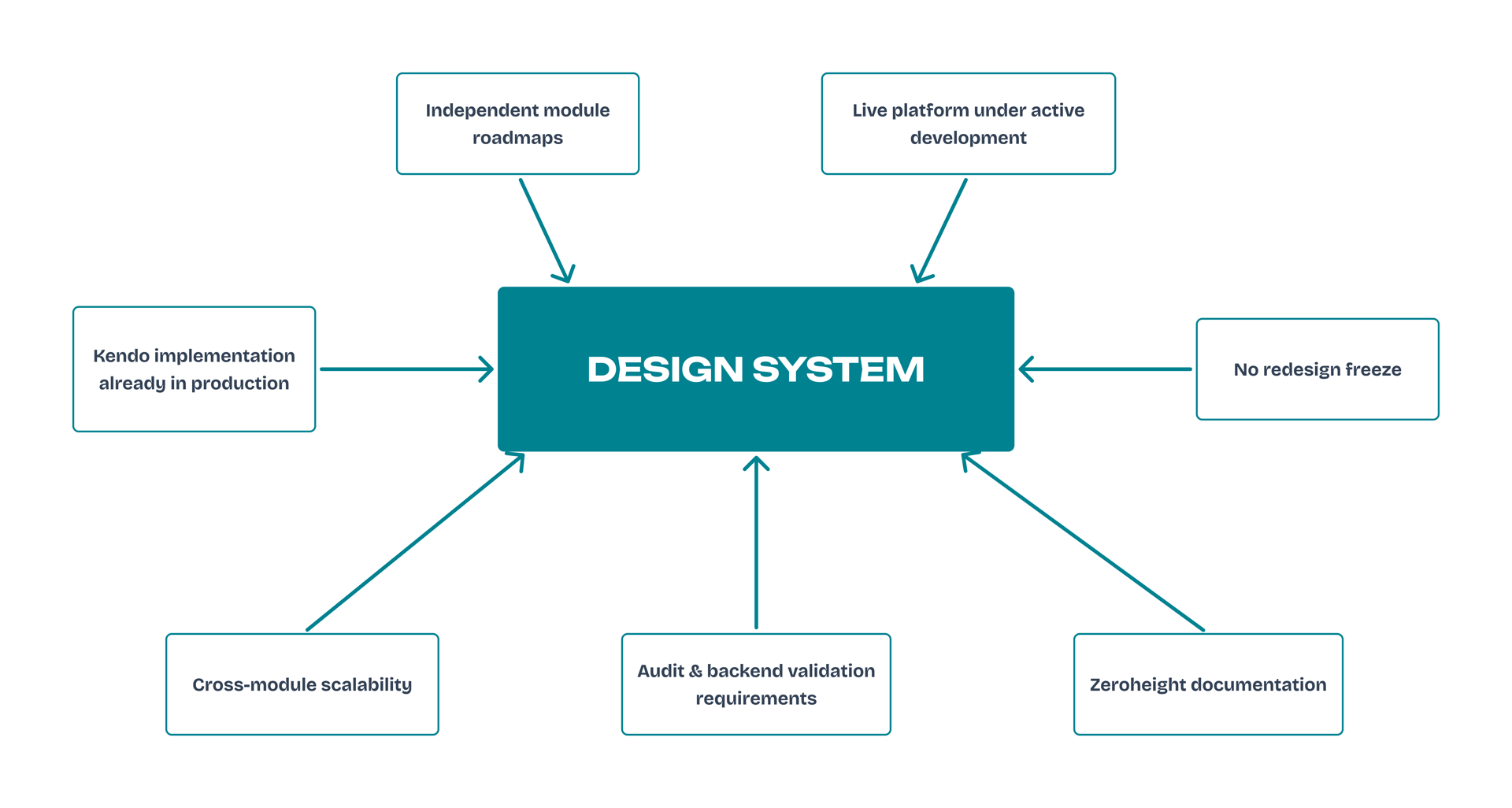
The design system was developed within multiple technical and organisational constraints of the existing platform.
The problem
User actions did not have consistent system consequences.
Users could not predict
- whether their data was safe
- how leaving edit mode would affect their data
- how validation responds
For delivery this meant
- duplicated interaction logic in code
- inconsistent implementation effort
- no shared estimation model
Local UI fixes did not change platform behaviour.
The product had no shared interaction contract.
Local UI fixes did not change platform behaviour.
The product had no shared interaction model.
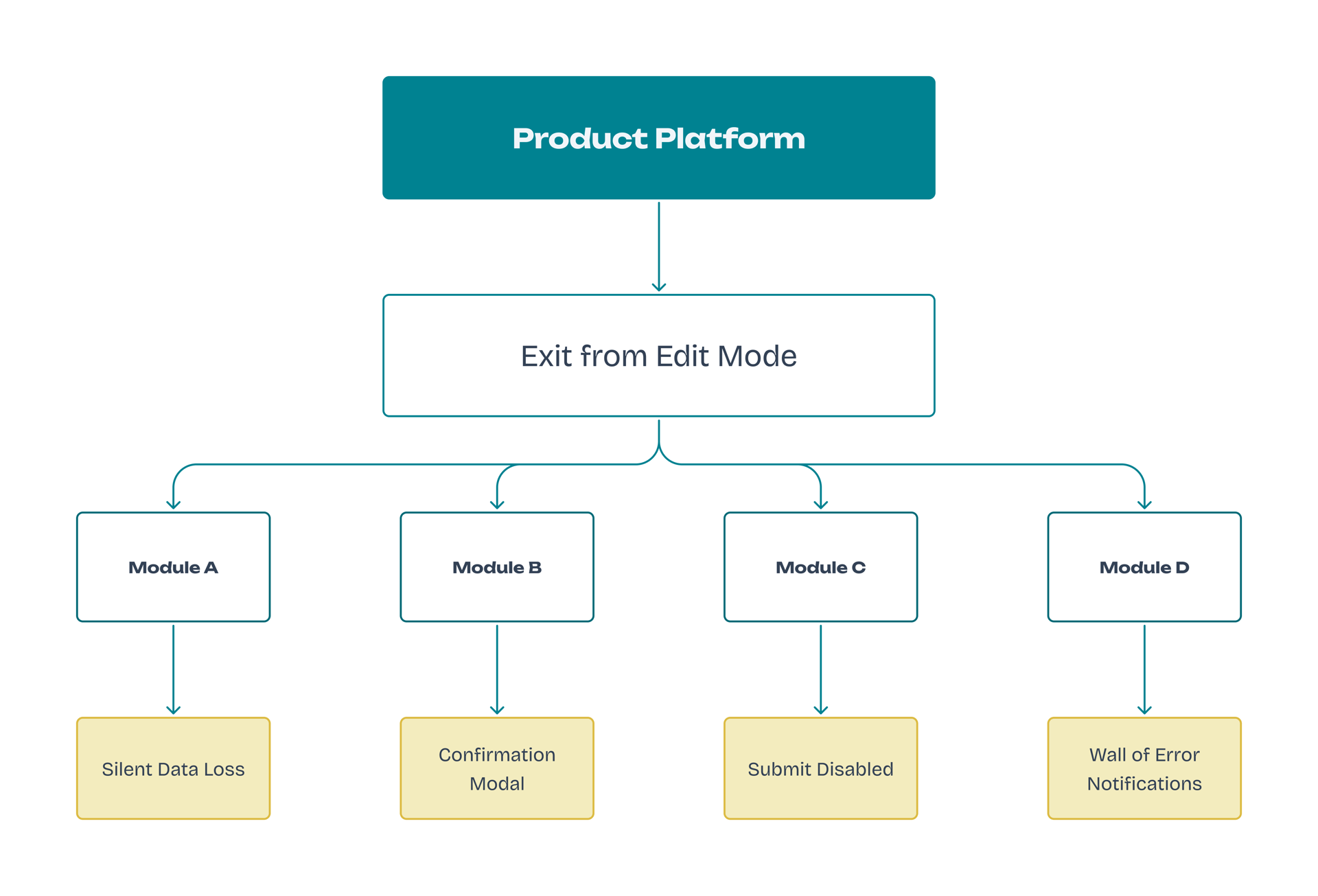
The same system action triggered different behaviours across modules.
The key design-driven moment
Reframing the question.
The audit showed that documentation and visual consistency were not the core issue.
User actions produced different outcomes depending on the module, introducing data-loss risk and unpredictable delivery.
During the audit, I focused on interaction behaviour across modules, which revealed that the real problem was not documentation, but the lack of a shared interaction model.
Initial request
Create and document a design system and align it with implementation.
Reframed as
How do we ensure that the same user action always produces a safe and predictable system outcome across the platform?
From that point, the design system became the shared interaction model embedded in delivery.
Process
The work started with a cross-module audit focused on interaction outcomes rather than visual inconsistencies.
The goal was to understand how the same user actions behaved across modules and where behaviour diverged.
Behaviour analysis
Each pattern was analysed to define system rules
that could be embedded in the design system:
- user effort and risk
- system response
- implementation logic in code
This helped identify where interaction behaviour diverged across modules and translate those findings into consistent system rules.
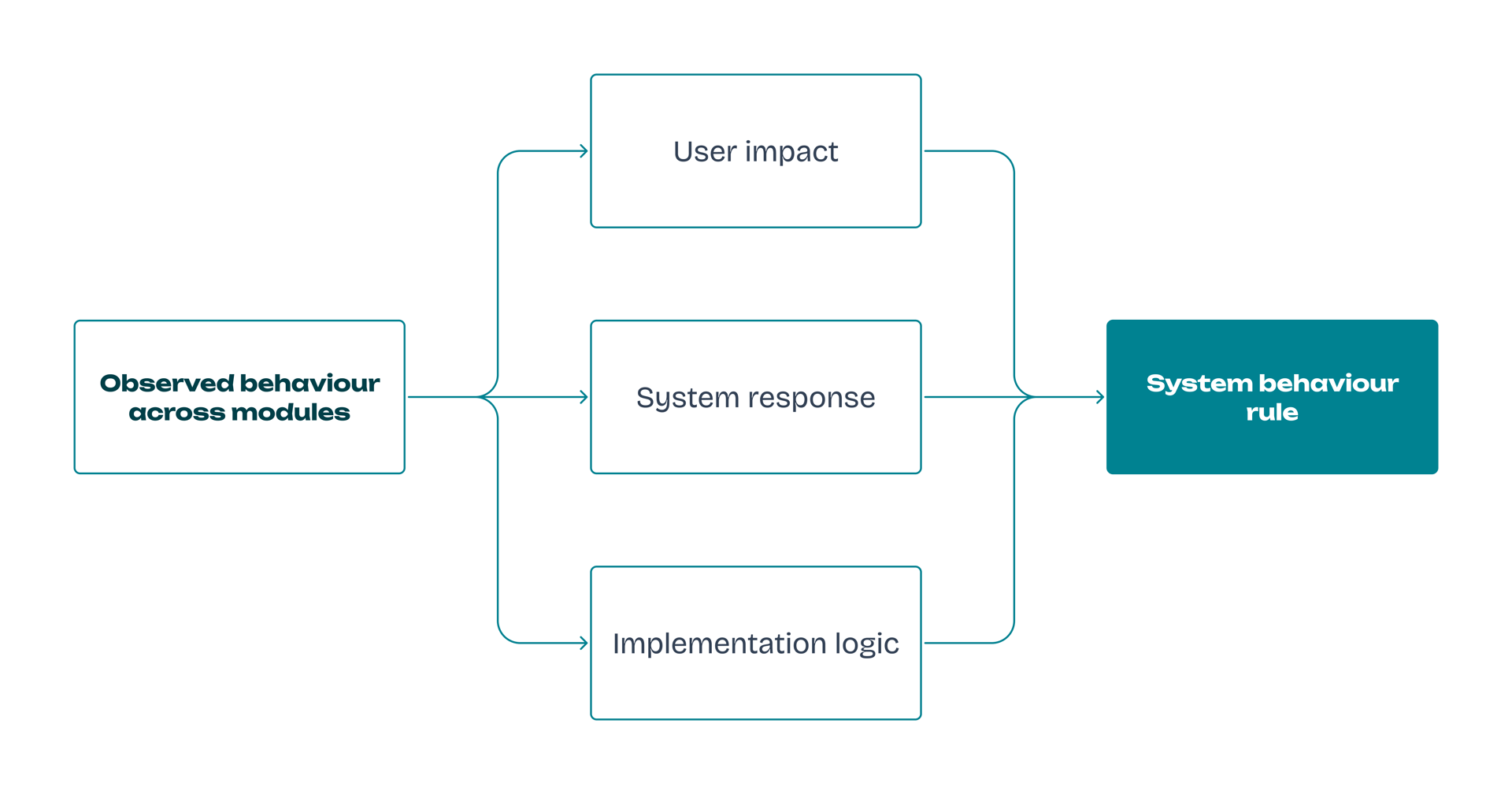
Analysis method
Example: leaving edit mode
The analysis revealed that the same user action - leaving edit mode - produced different outcomes depending on the module.
User impact
- users could unintentionally lose unsaved changes
- behaviour was unpredictable across modules
System response
- some modules triggered a confirmation modal
- others allowed navigation away from the form
- some blocked submission entirely
Implementation logic
- behaviour was implemented locally in each module
- no shared rule defined how edit mode should end
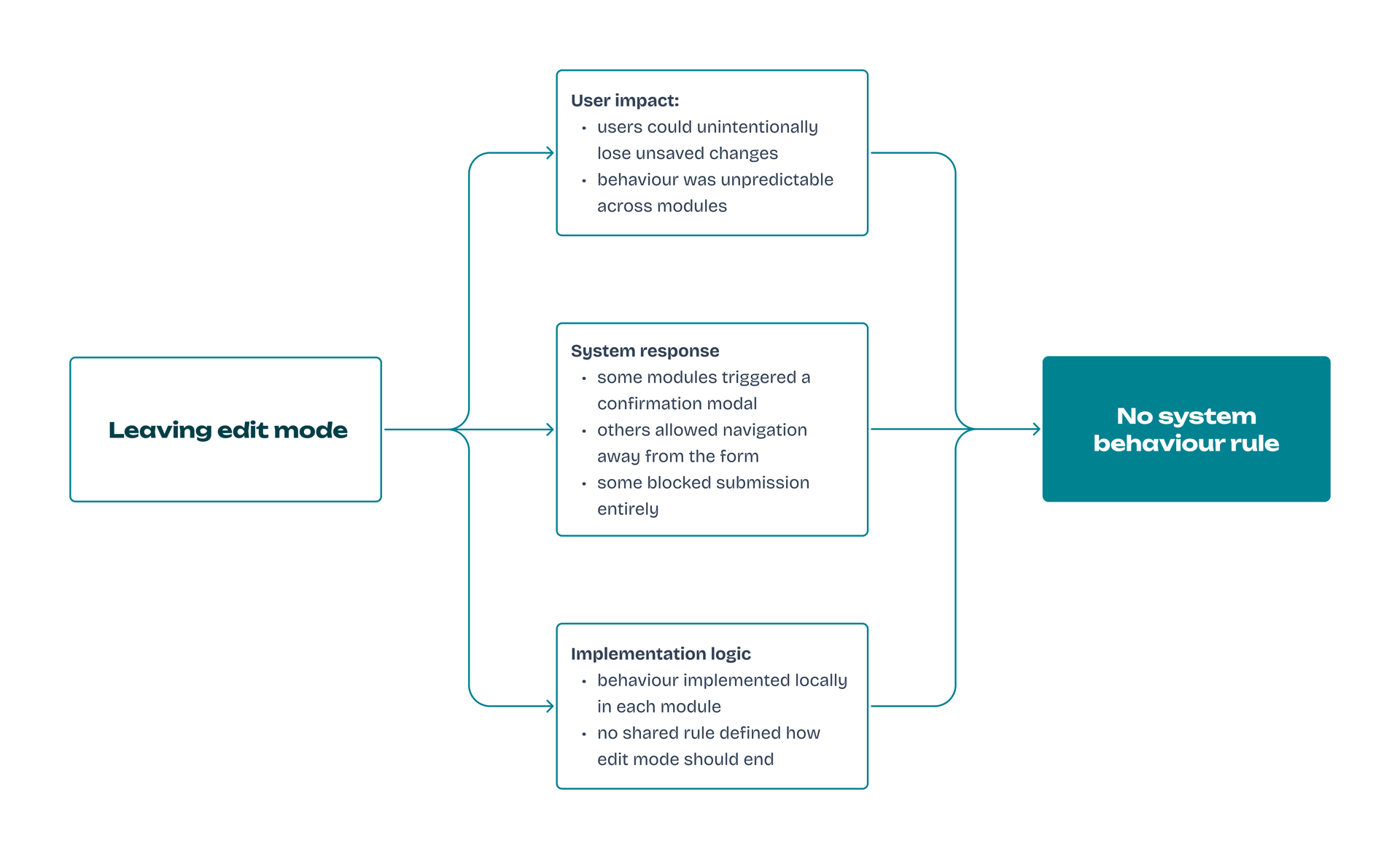
Leaving edit mode - produced different outcomes depending on the module.
Integration into delivery
Interaction rules were introduced incrementally, following the model I defined during the audit.
Each rule followed the same integration path:
- observed behaviour
(eg. inconsistent interaction across modules) - define interaction rule
(e.g. leaving edit mode requires confirmation) - component definition
(rule embedded in reusable component behaviour) - Implementation
(behaviour implemented in product features) - review
(design and frontend validation) - system update
(documented and reused across modules)

Delivery flow
Component architecture
The interaction decisions defined how the system should behave.
The design system architecture ensured these rules could be implemented consistently across modules.
I aligned interaction rules with the token architecture to ensure consistent behaviour across modules:
- primitives defining raw values (e.g. dominant-800)
- semantic tokens defining system meaning (e.g. base-800)
- mapped tokens connecting meaning to component roles (e.g. icons-and-text-headers)
Responsive collection
Responsive behaviour was handled as a separate layer where values such as typography scaled depending on the viewport without changing their semantic role.
Figma variables enabled global, consistent changes.
Frontend implemented its own token structure aligned through shared components and regular reviews.
The system was introduced through real features and validated in Storybook and production.
Example component: Notifications
The notification component illustrates how system feedback rules were implemented in the design system.
It standardised how system events and validation results are communicated across modules.
Interaction rules were embedded directly into reusable components.
Each component defined visual states, validation behaviour and system responses so that the same user action would always produce a predictable outcome.
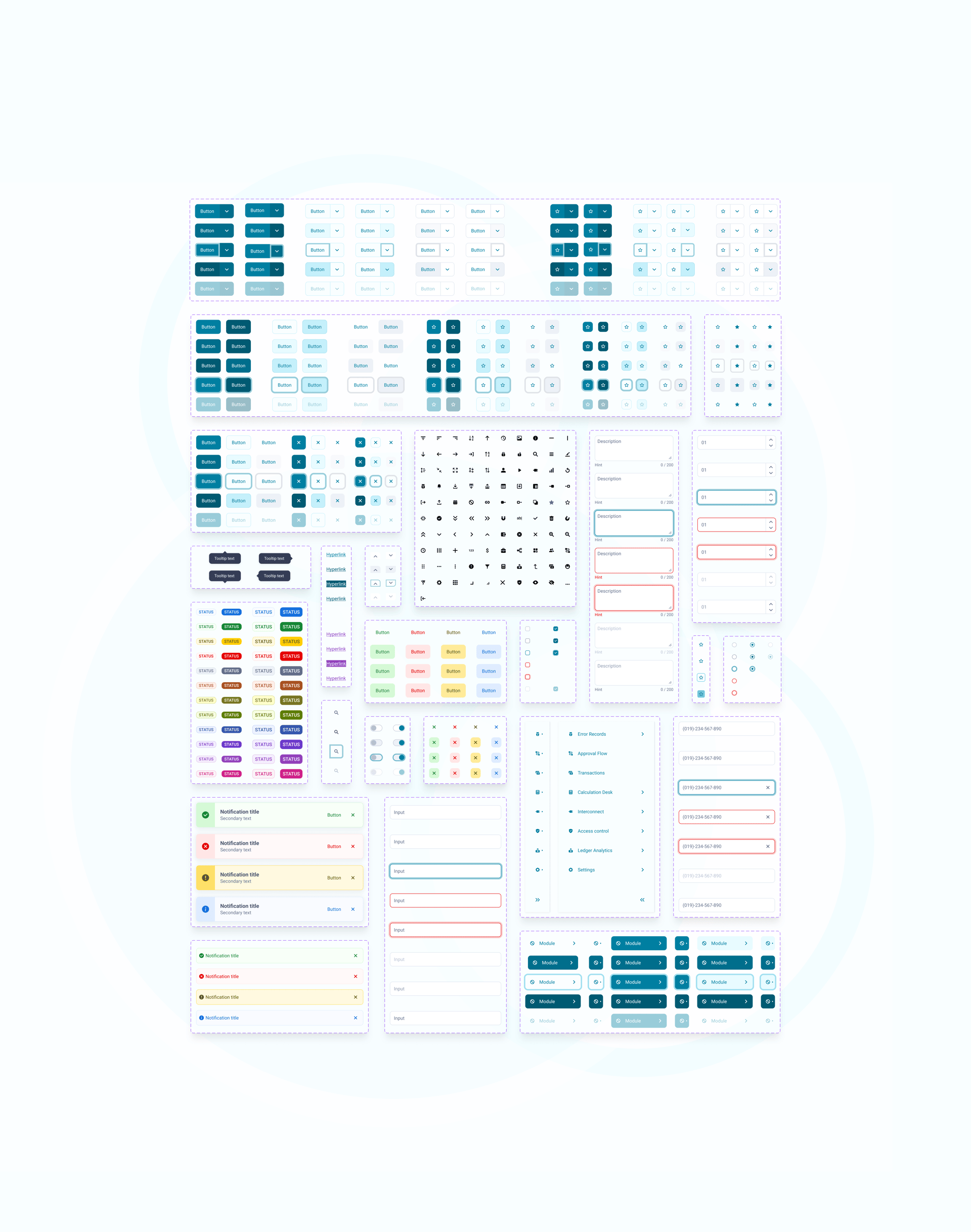
Component variants (Figma)
Components were designed as variant sets capturing different interaction states, allowing the same behaviour to be reused consistently across modules.
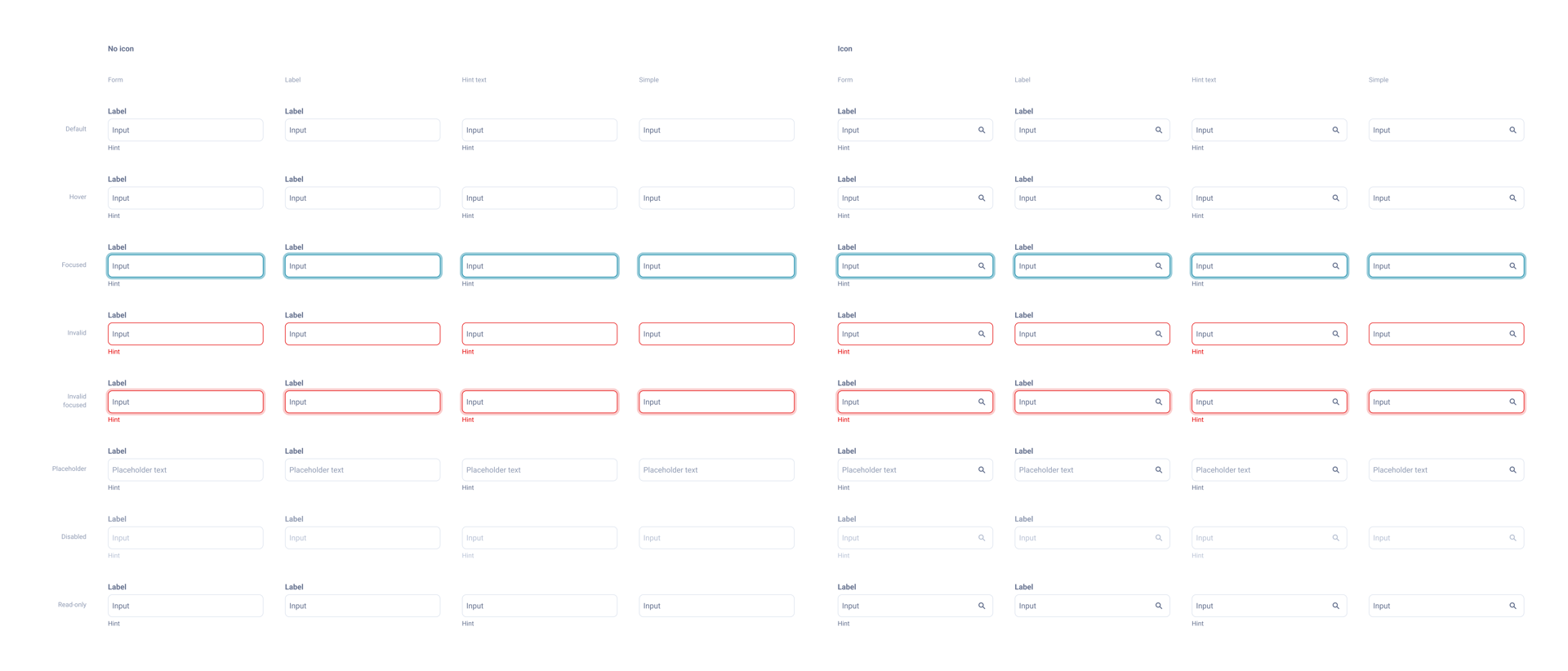
Textbox Input - component in Figma
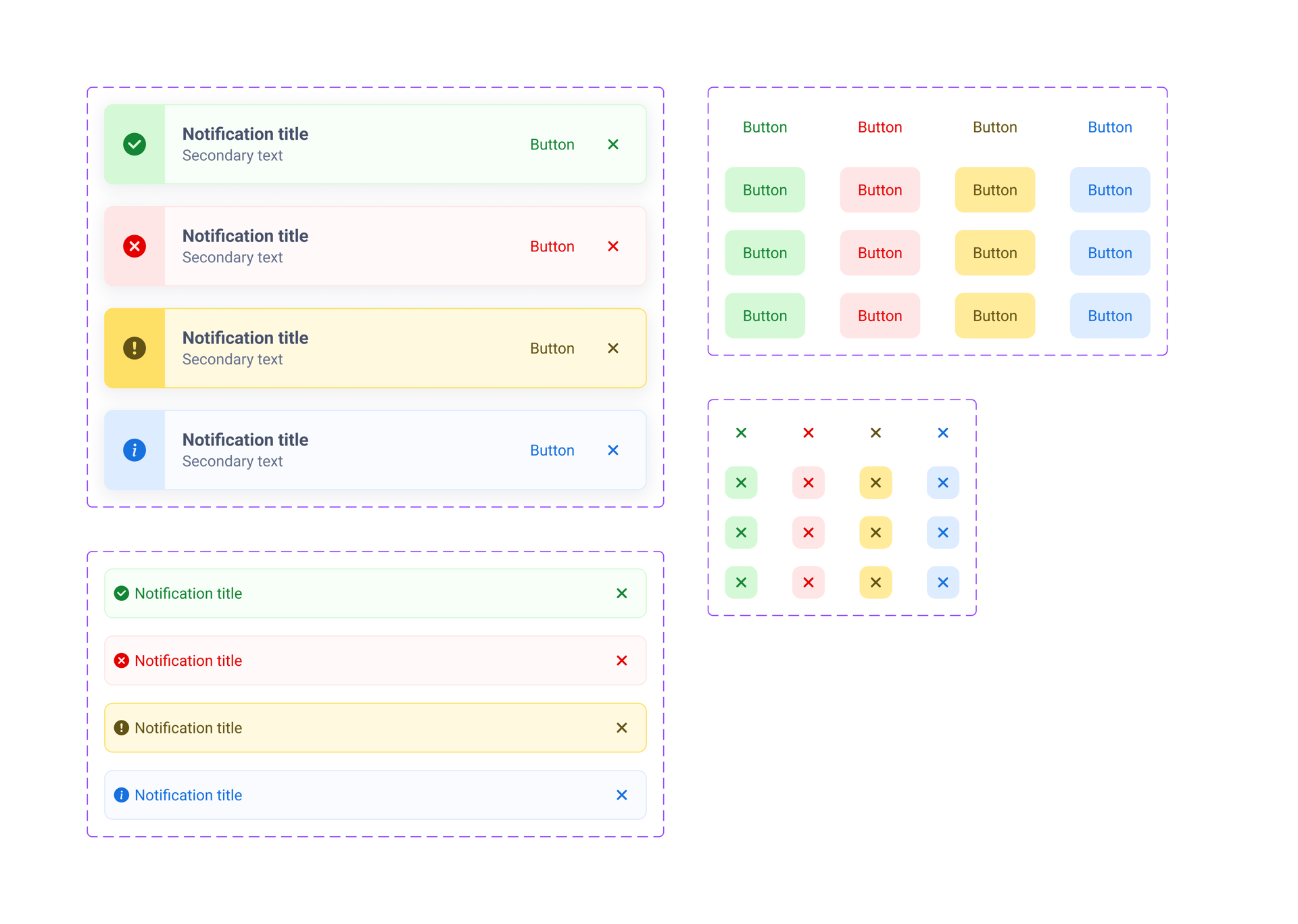
Notifications - component in Figma
Documentation (Zeroheight)
System behaviour and component usage were documented for both designers and developers.
Zeroheight served as the central knowledge base, while Storybook validated component behaviour in implementation.
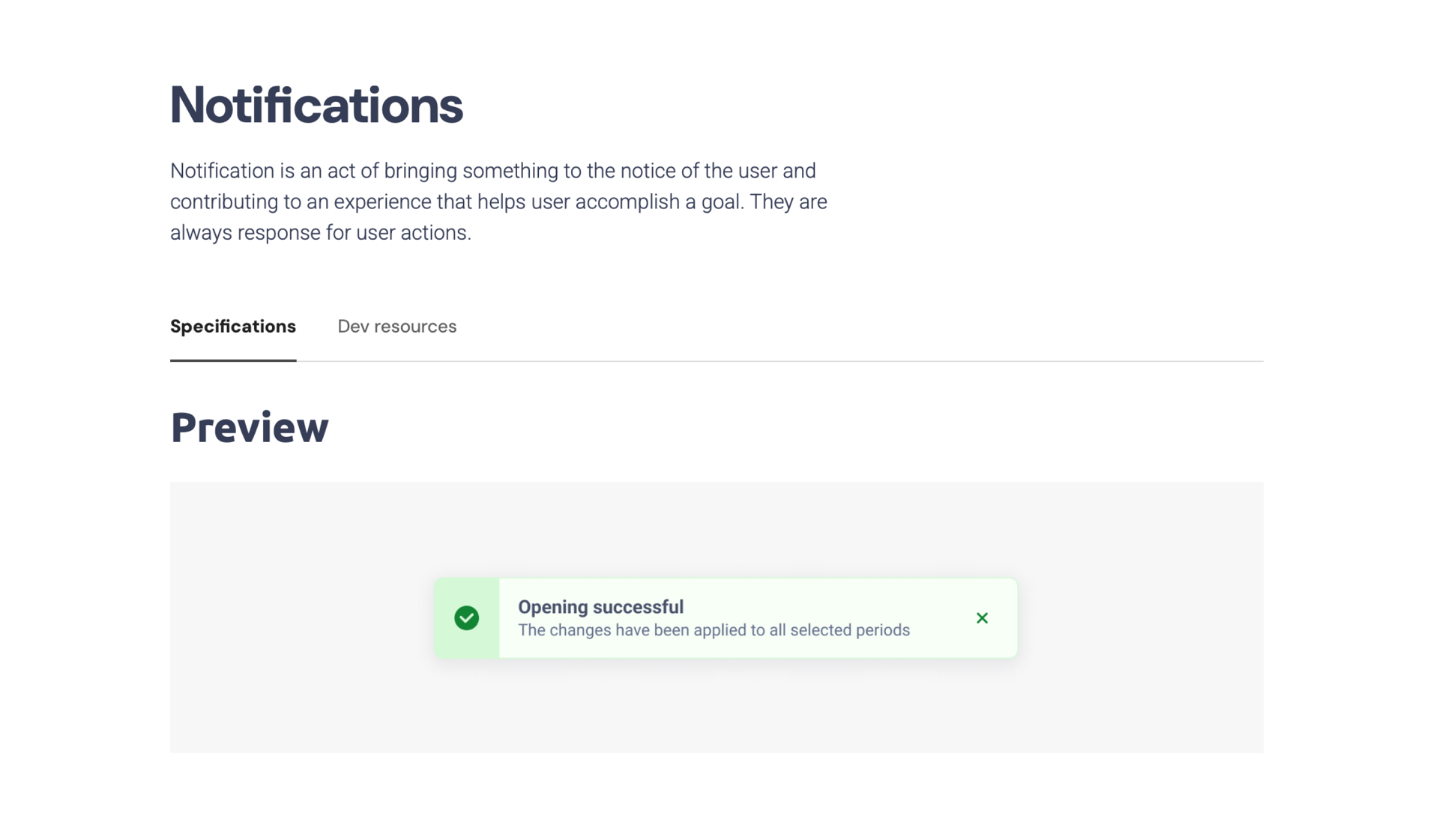
Notifications - overview
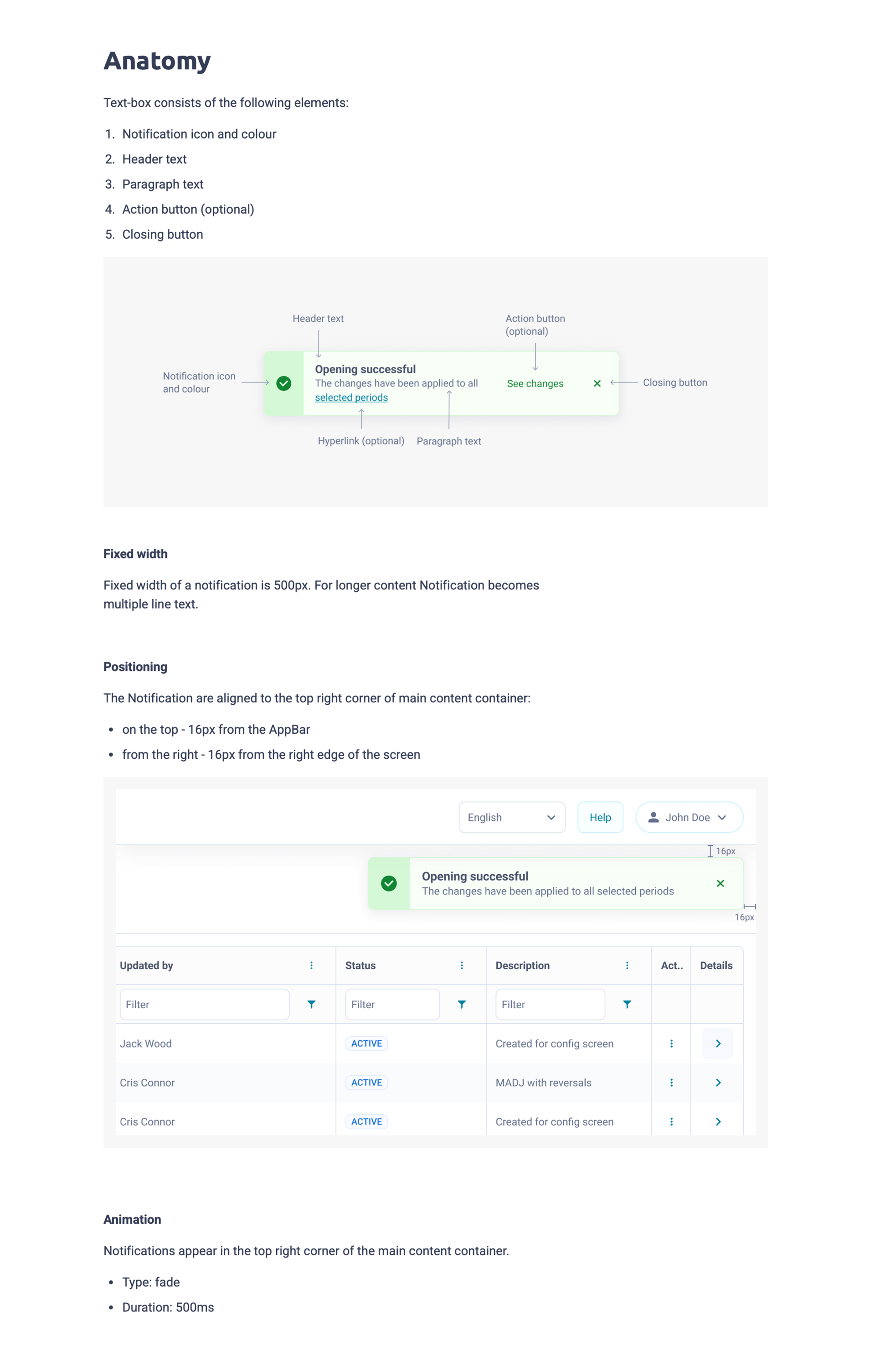
Notifications - anatomy
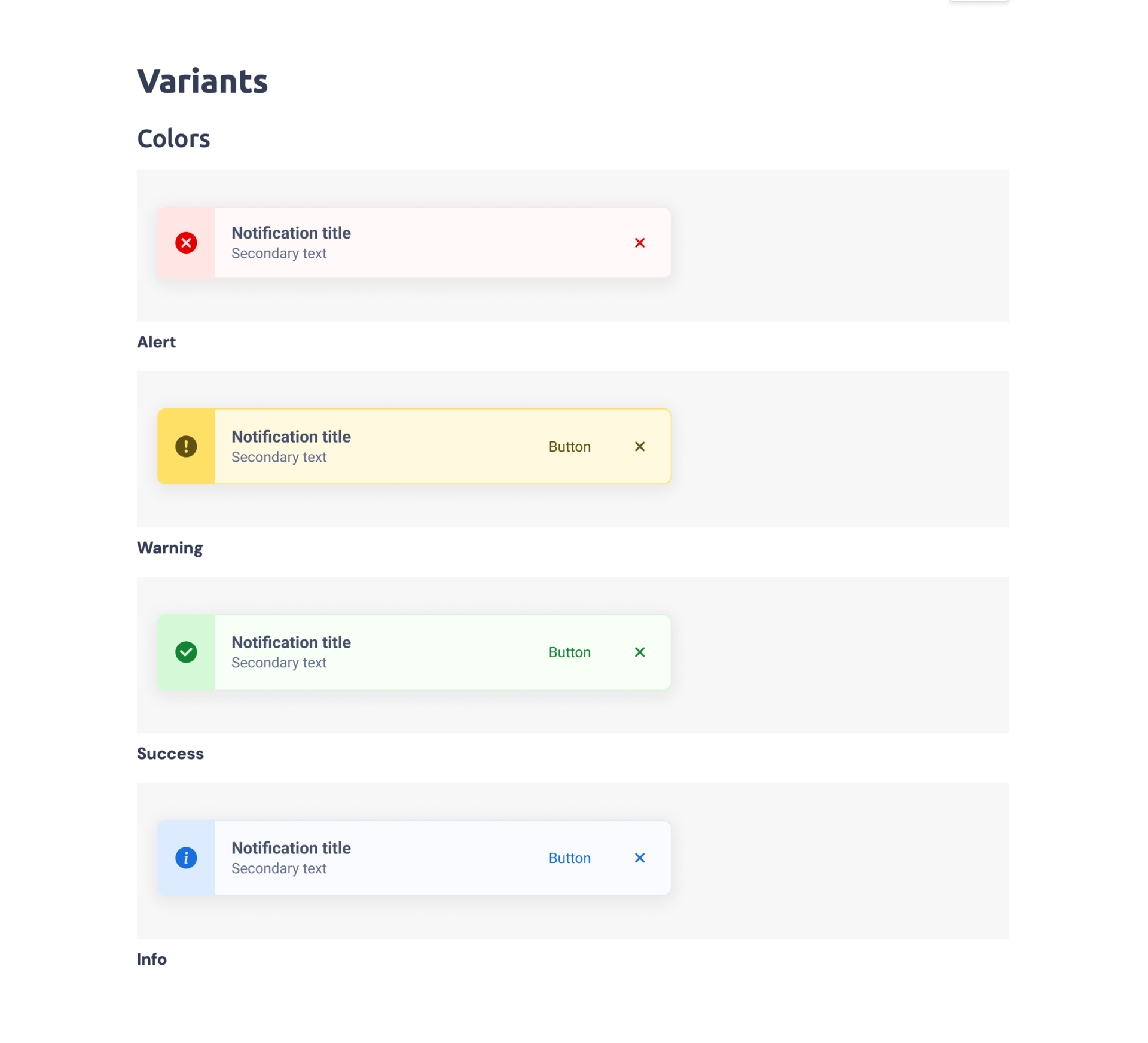
Notifications - variants (colours)
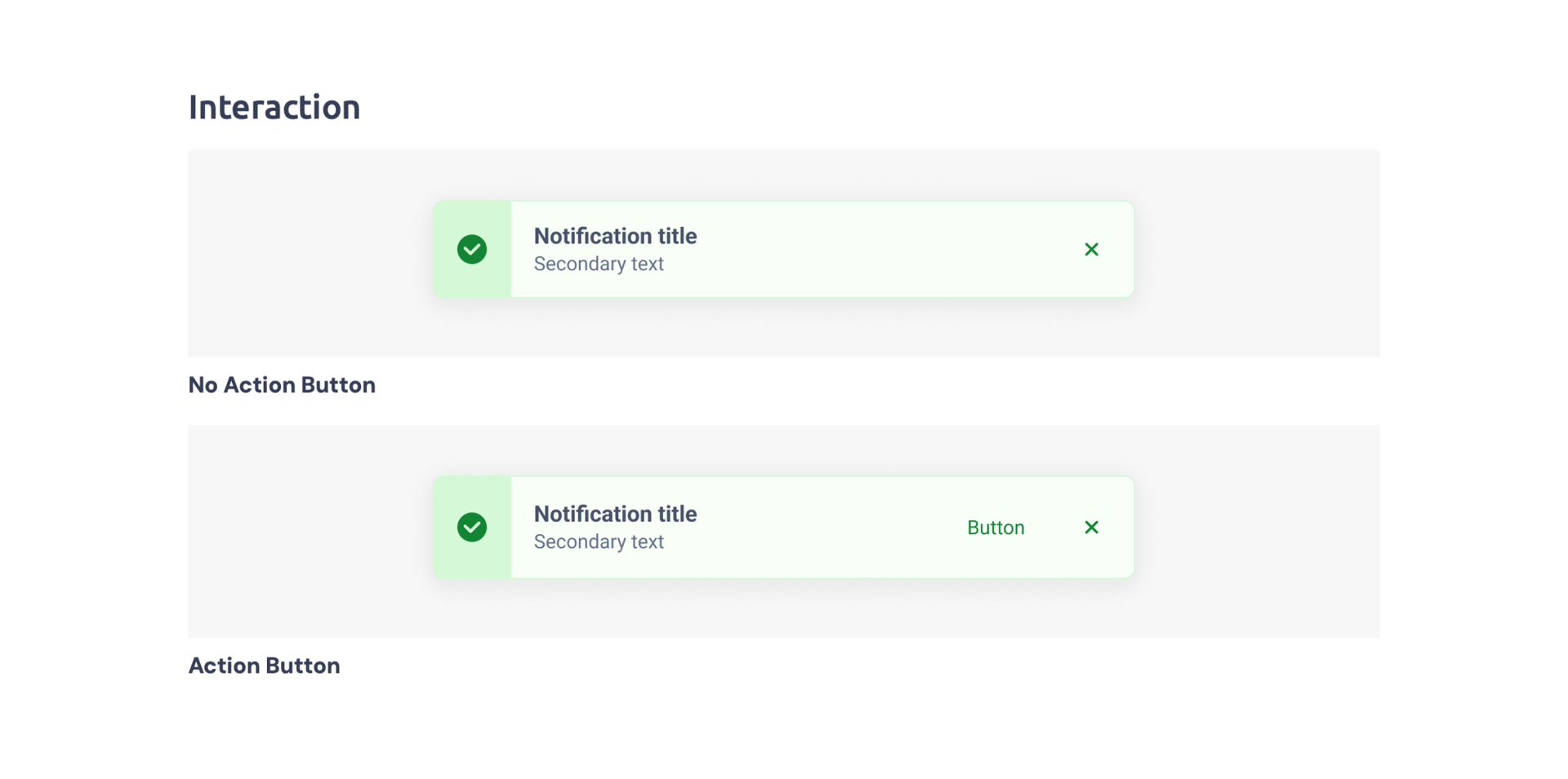
Notifications - variants (interaction)
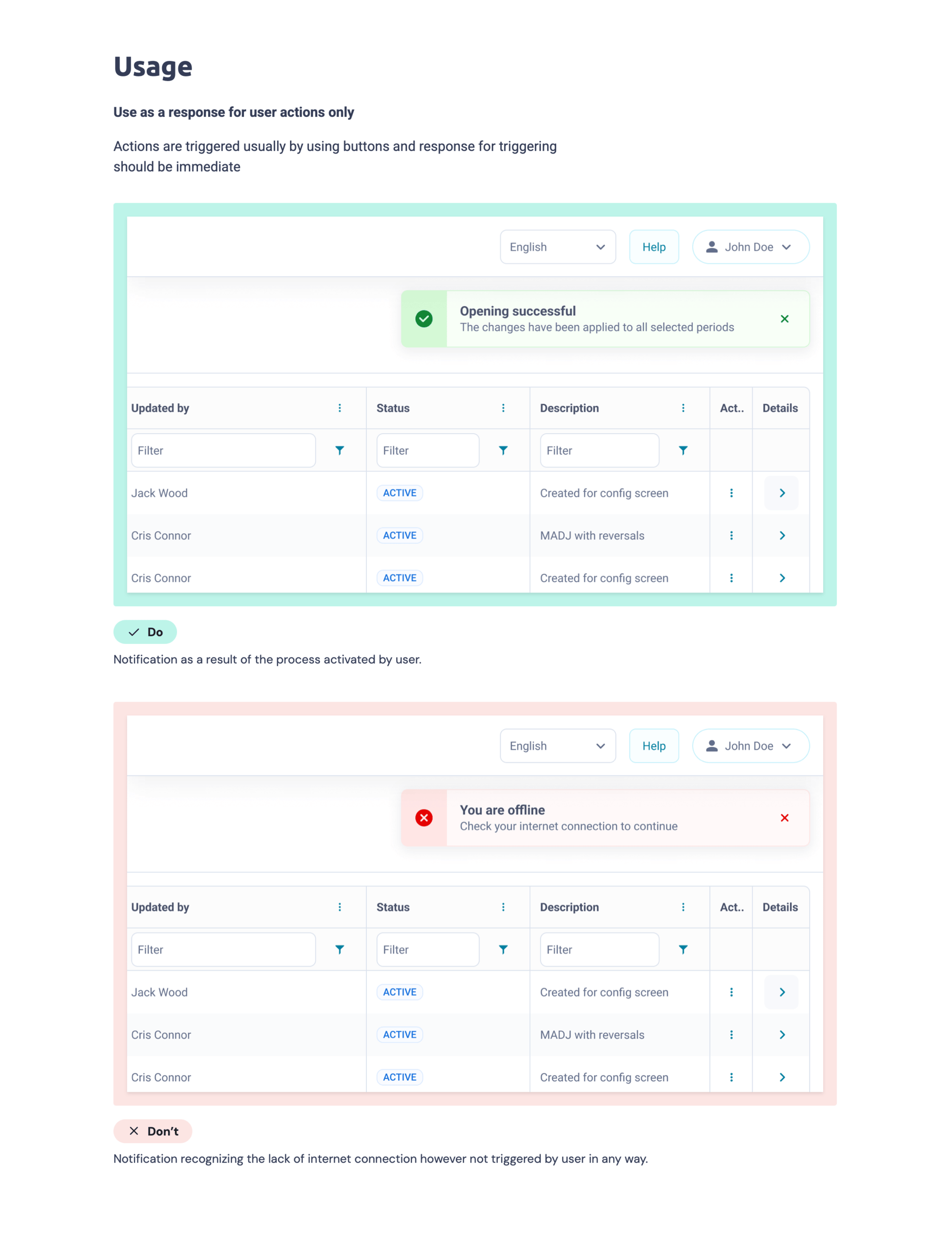
Notifications - usage
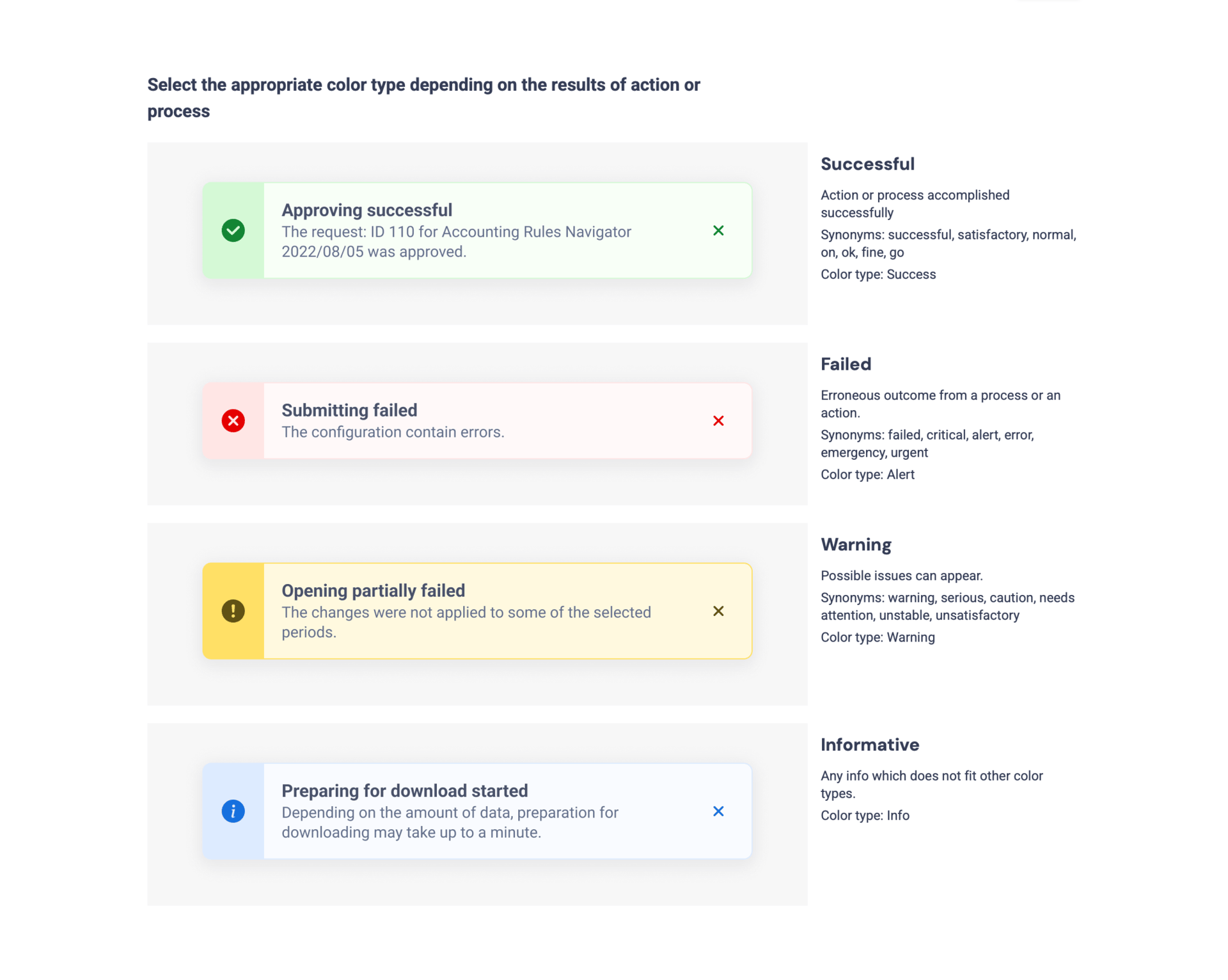
Notifications - usage
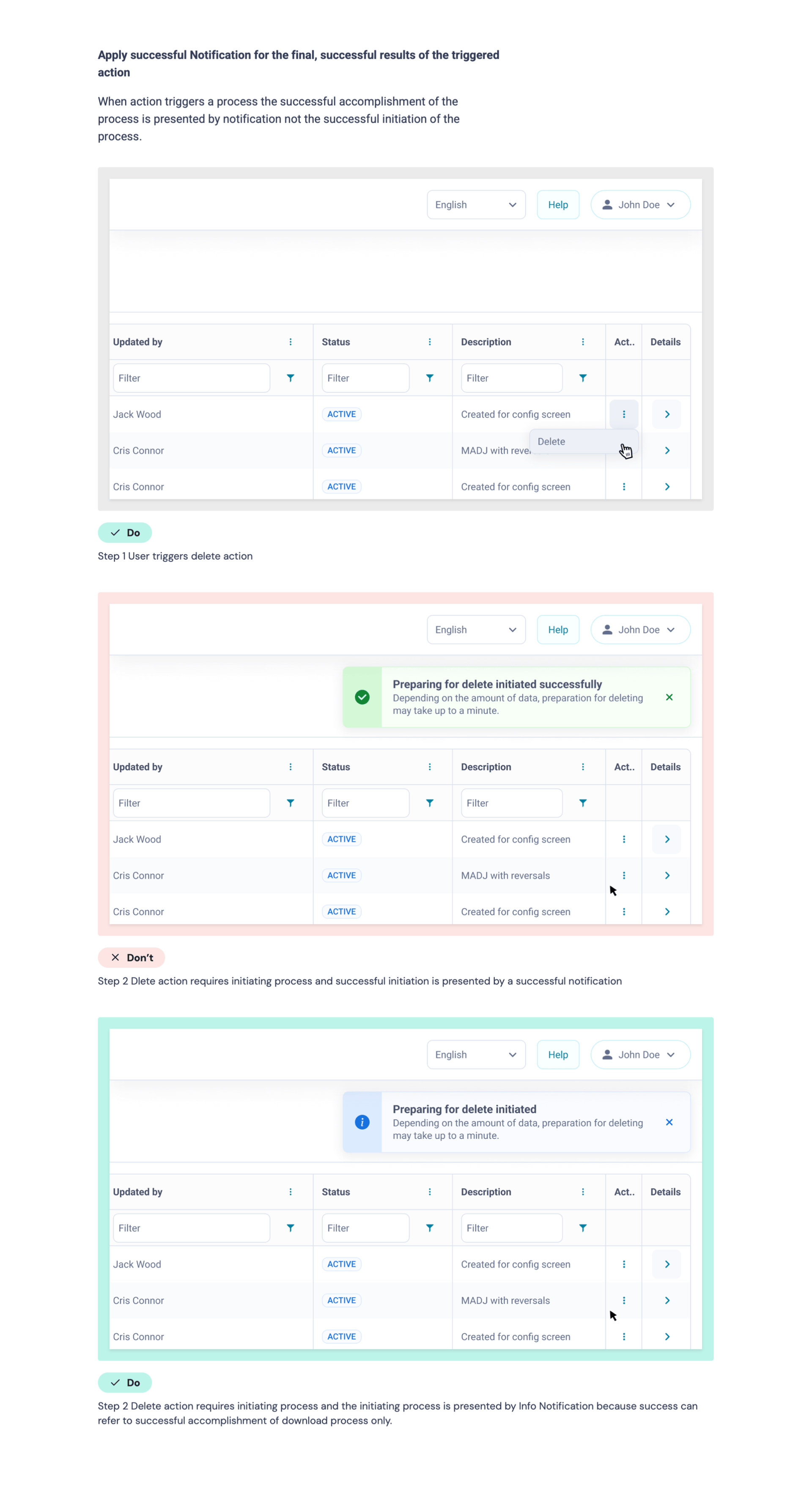
Notifications - usage
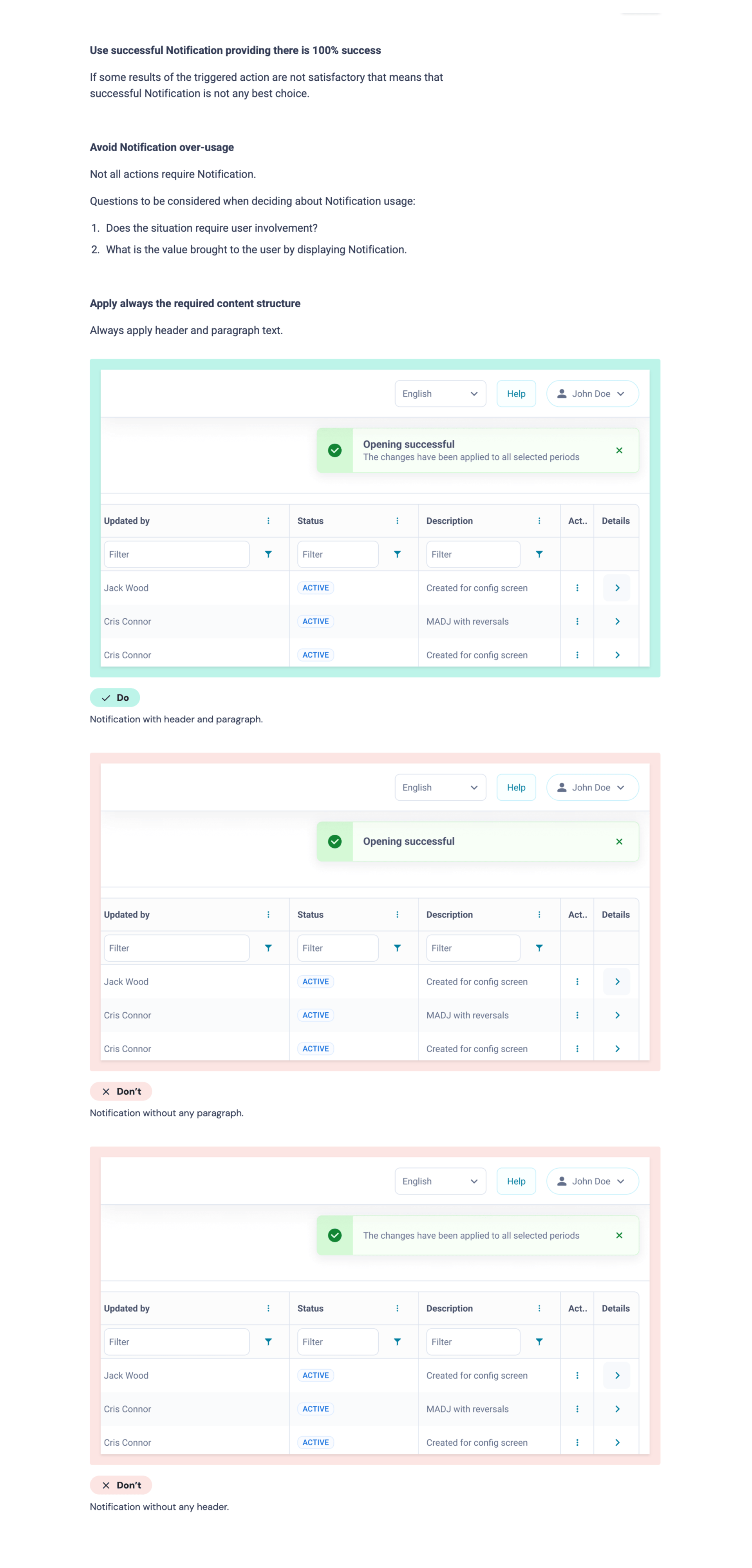
Notifications - usage
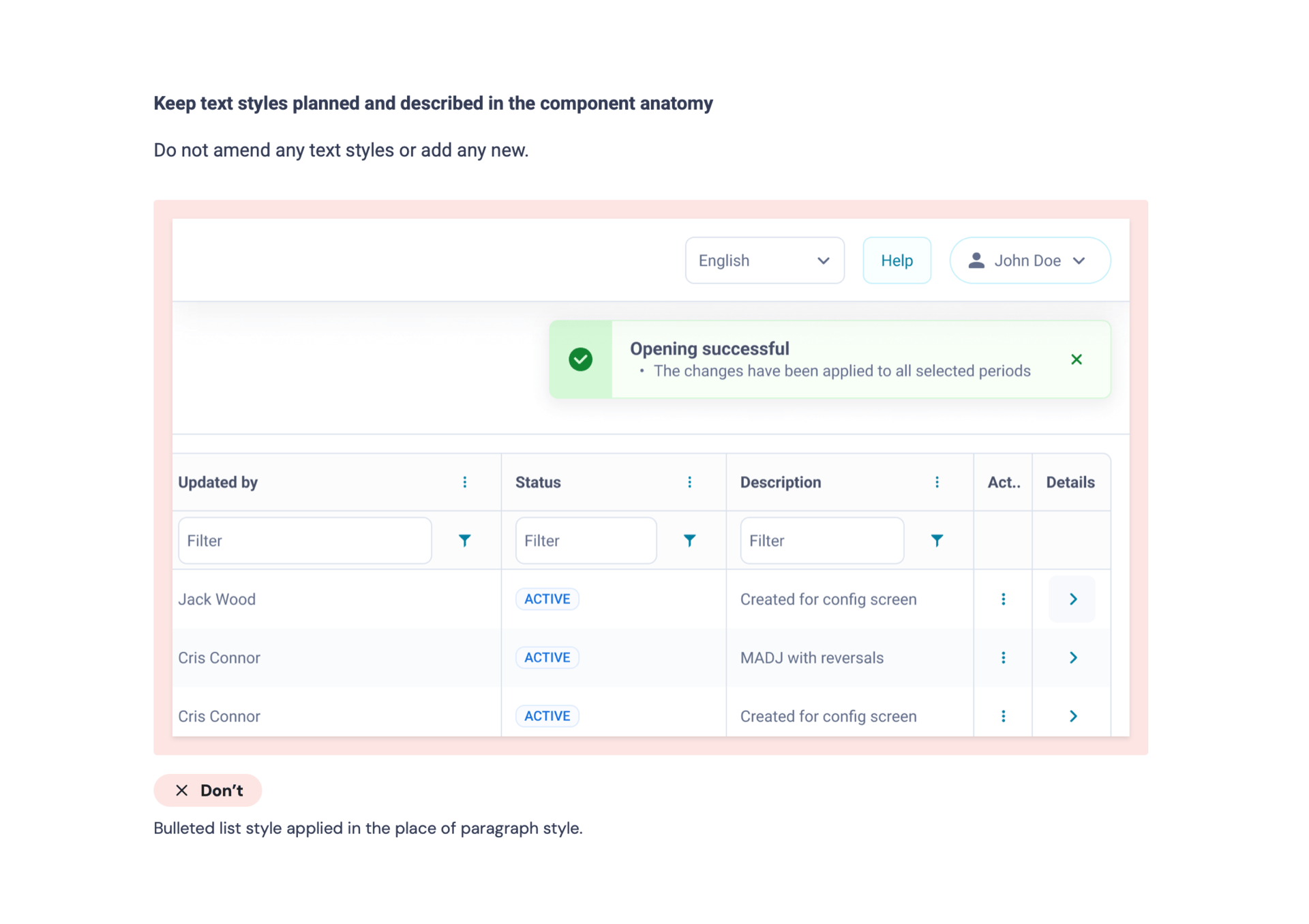
Notifications - usage
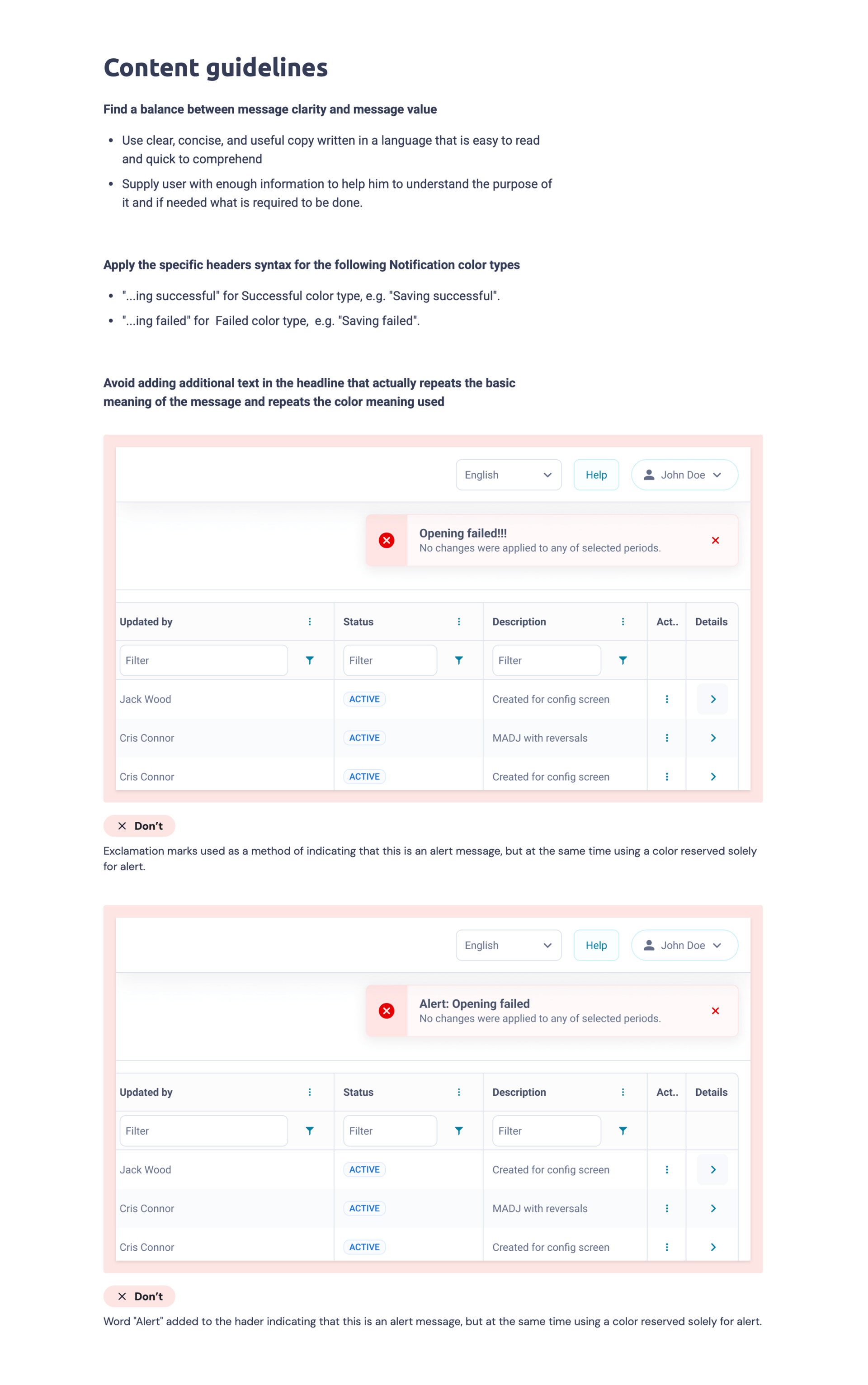
Notifications - content guidelines
Core product decisions
01
Treat edit mode as a protected system state
Problem
Records were opened from a table into a details that supported two modes: view mode and edit mode.
However, edit mode was not treated as a protected system state.
When users attempted to leave edit mode, the system behaved differently depending on the module:
- some modules discarded unsaved data silently
- others blocked navigation with a confirmation modal
- some modules disabled submission
- anothers showed validation errors after submit
As a result, the same user action could lead to different outcomes across the platform.
Trade-off
- continue delivering features with inconsistent behaviour
- or redefine edit mode as a protected interaction state
The same system action produced different outcomes across modules.
Alternatives considered
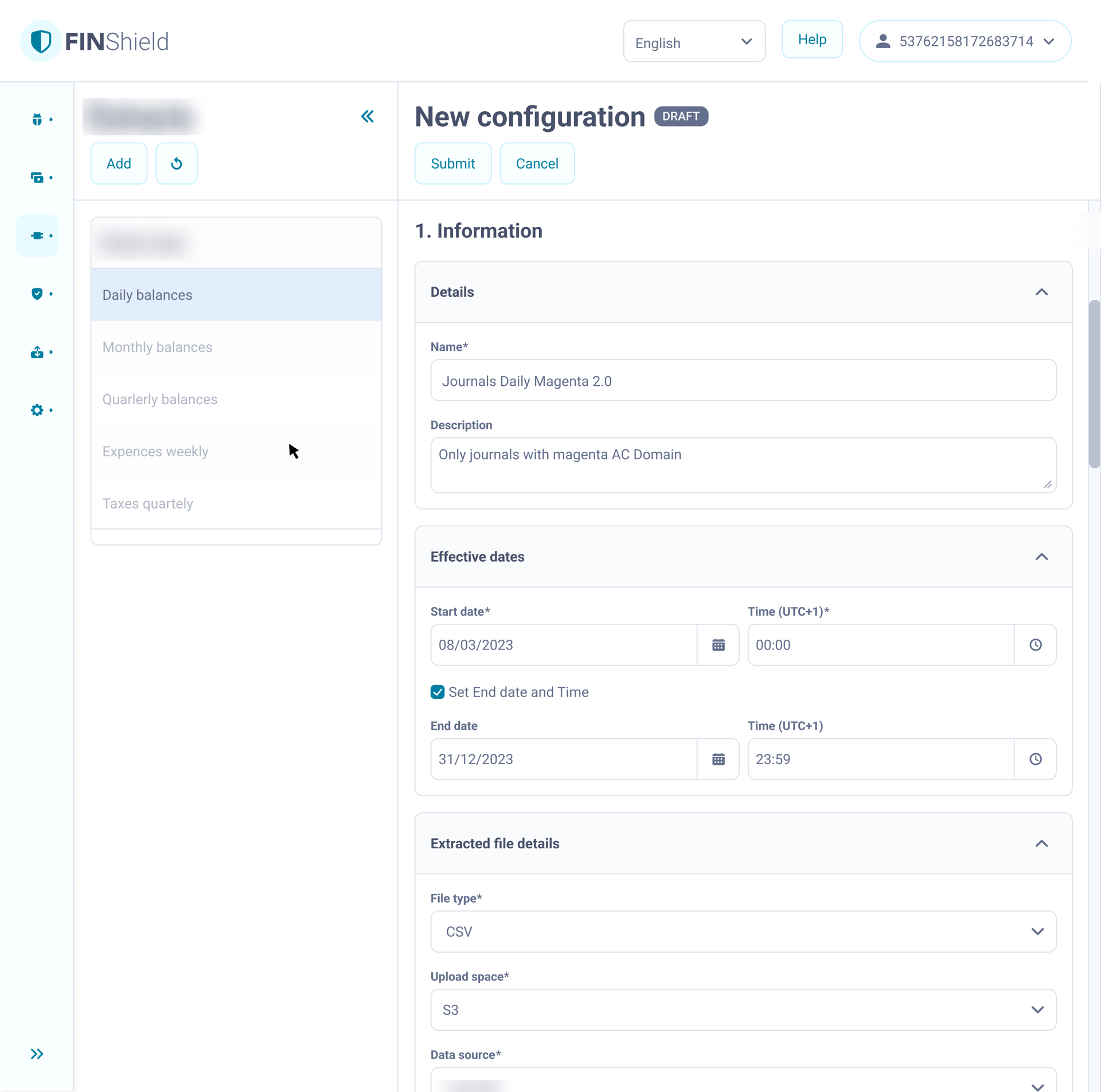
Edit with navigation lock:
The table column stayed visible but inactive, occupying critical screen space and creating a false affordance for navigation
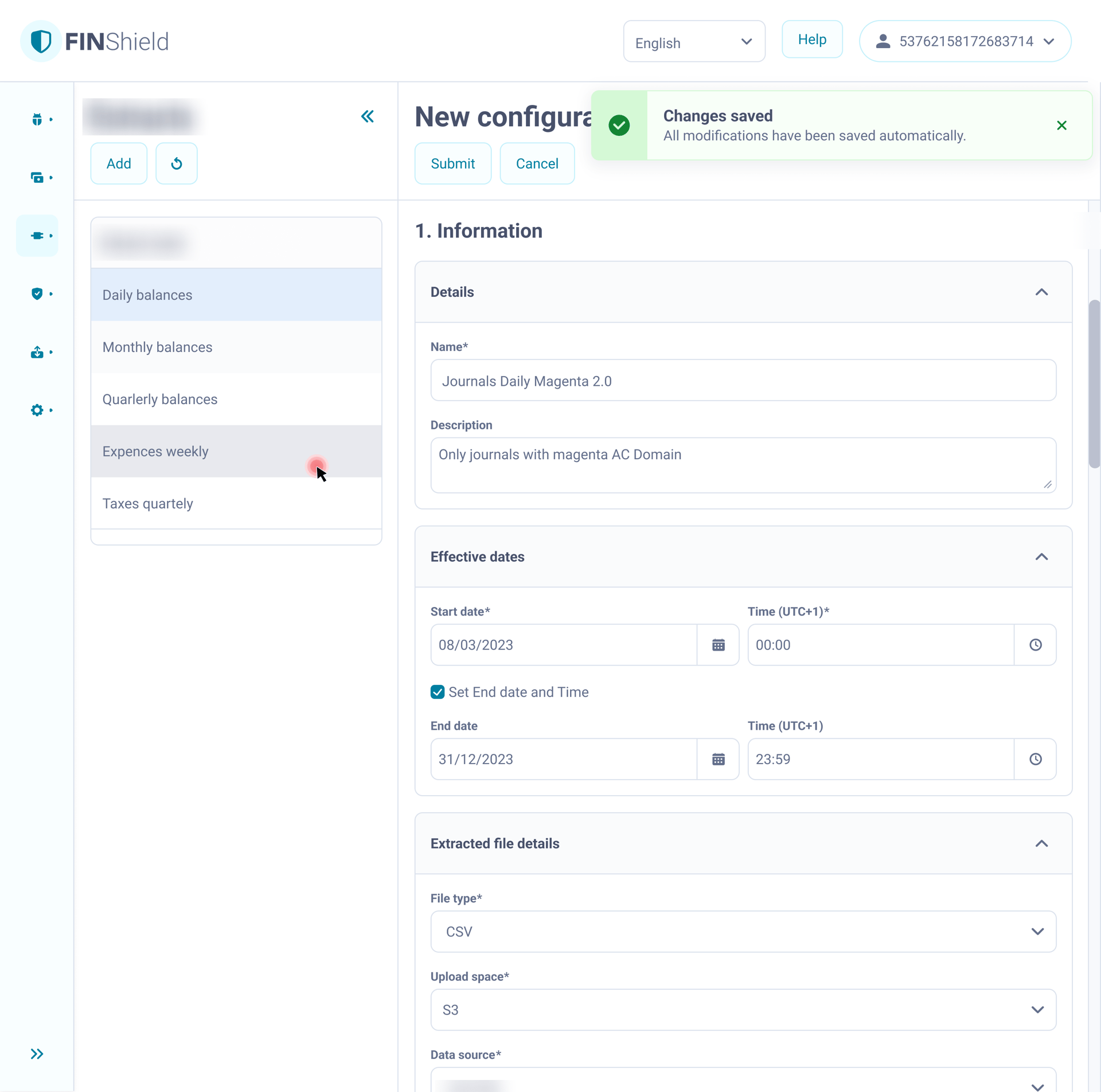
Autosave:
Rejected due to audit requirements and backend validation dependencies
Solution
Full-screen edit as a dedicated system state with controlled exit.
Every action leaving edit mode triggers the same confirmation pattern - modal.
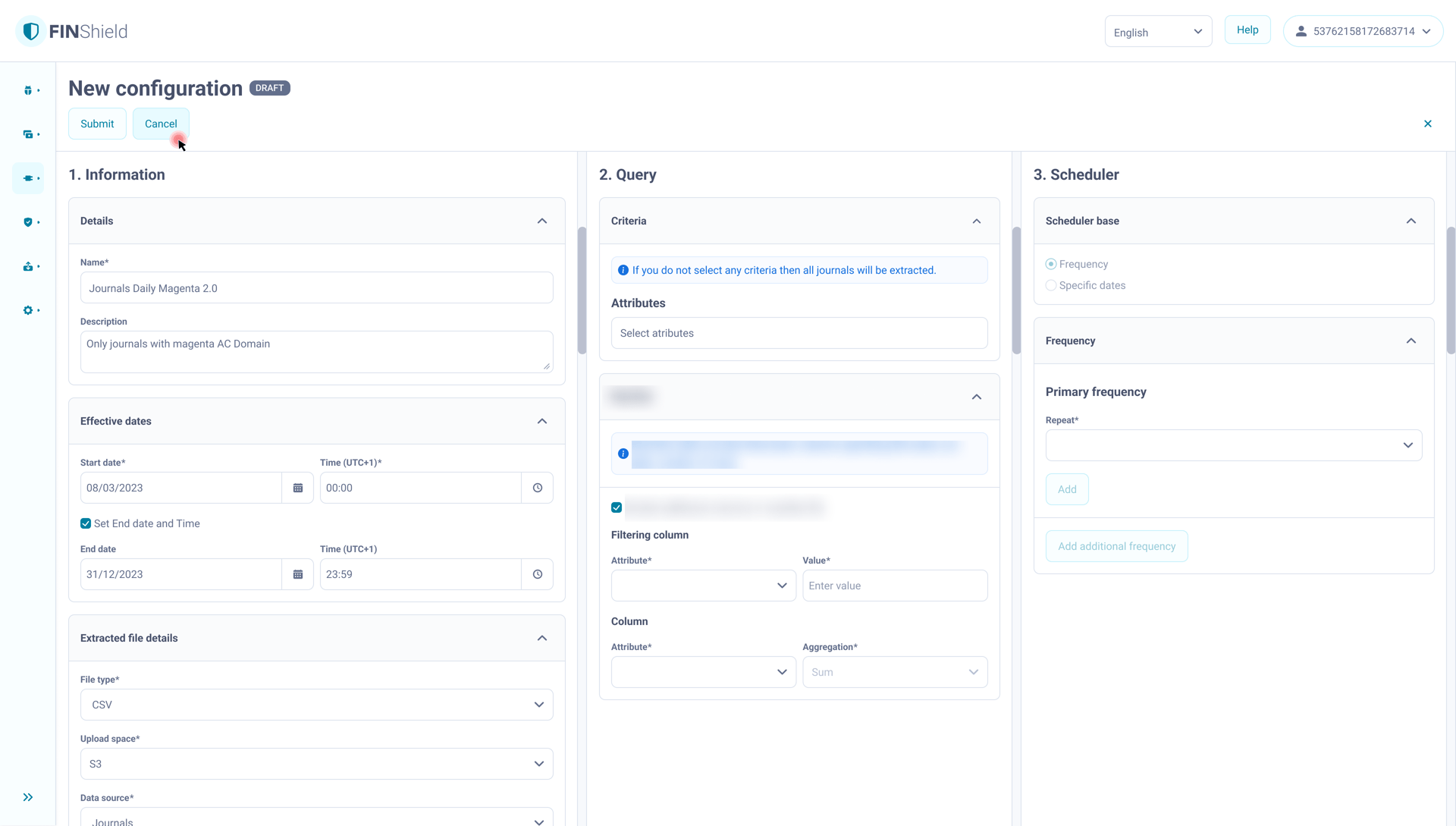
Edit mode presented as a dedicated editing state. The user attempts to leave edit mode.
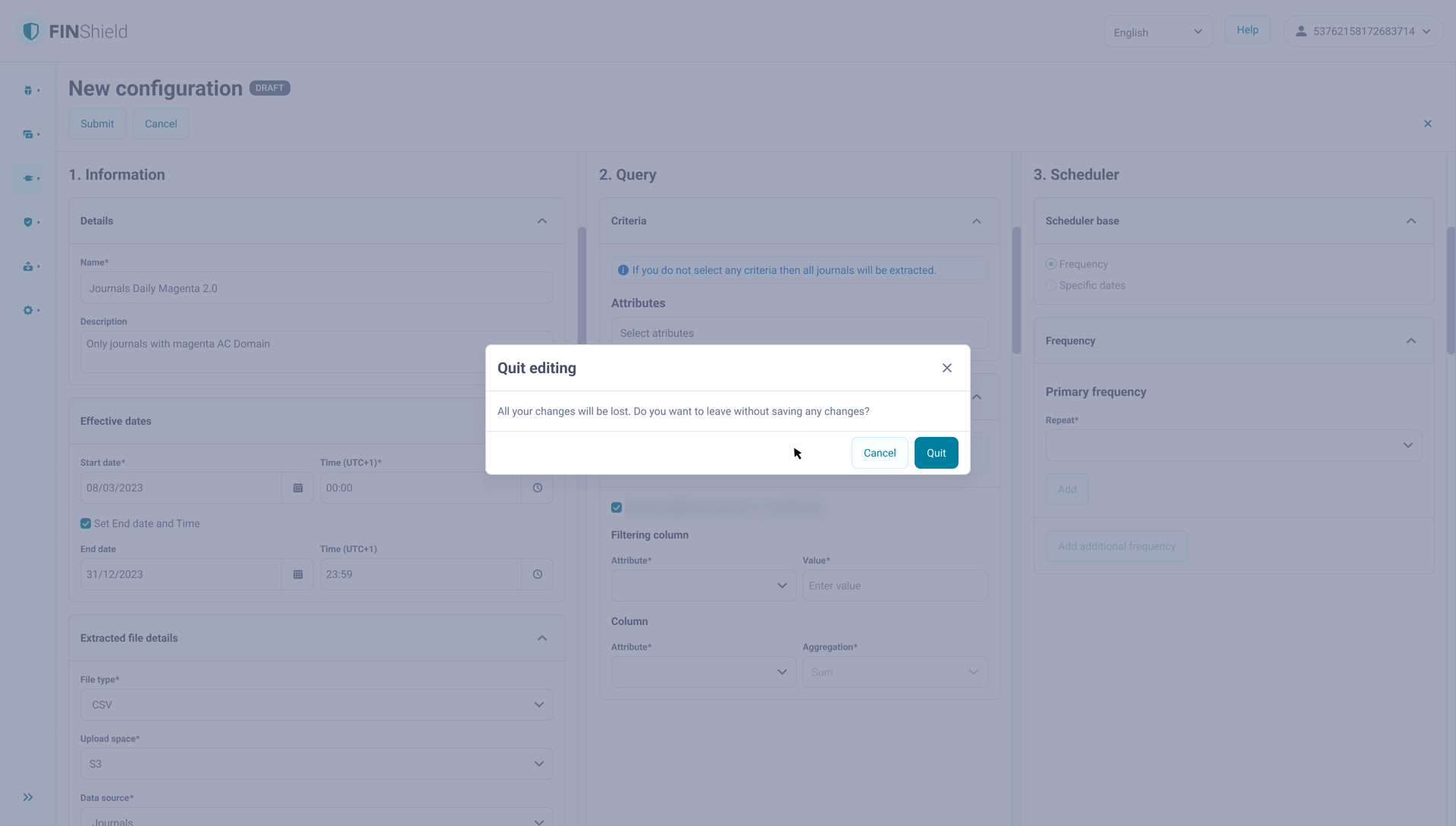
Confirmation dialog triggered when the user attempts to leave edit mode.
Gained
- elimination of silent data loss
- predictable navigation behaviour
- reusable interaction logic across modules
Accepted
- refactoring the detail view structure
- short-term delivery delay
02
Restrict modals to irreversible actions
Problem
Modals were used across the platform for different system behaviours.
- validation
- navigation blocking
- informational messages
Trade-off
- keep using modals as generic interruption messages
- or assign modals a single clear behavioural meaning
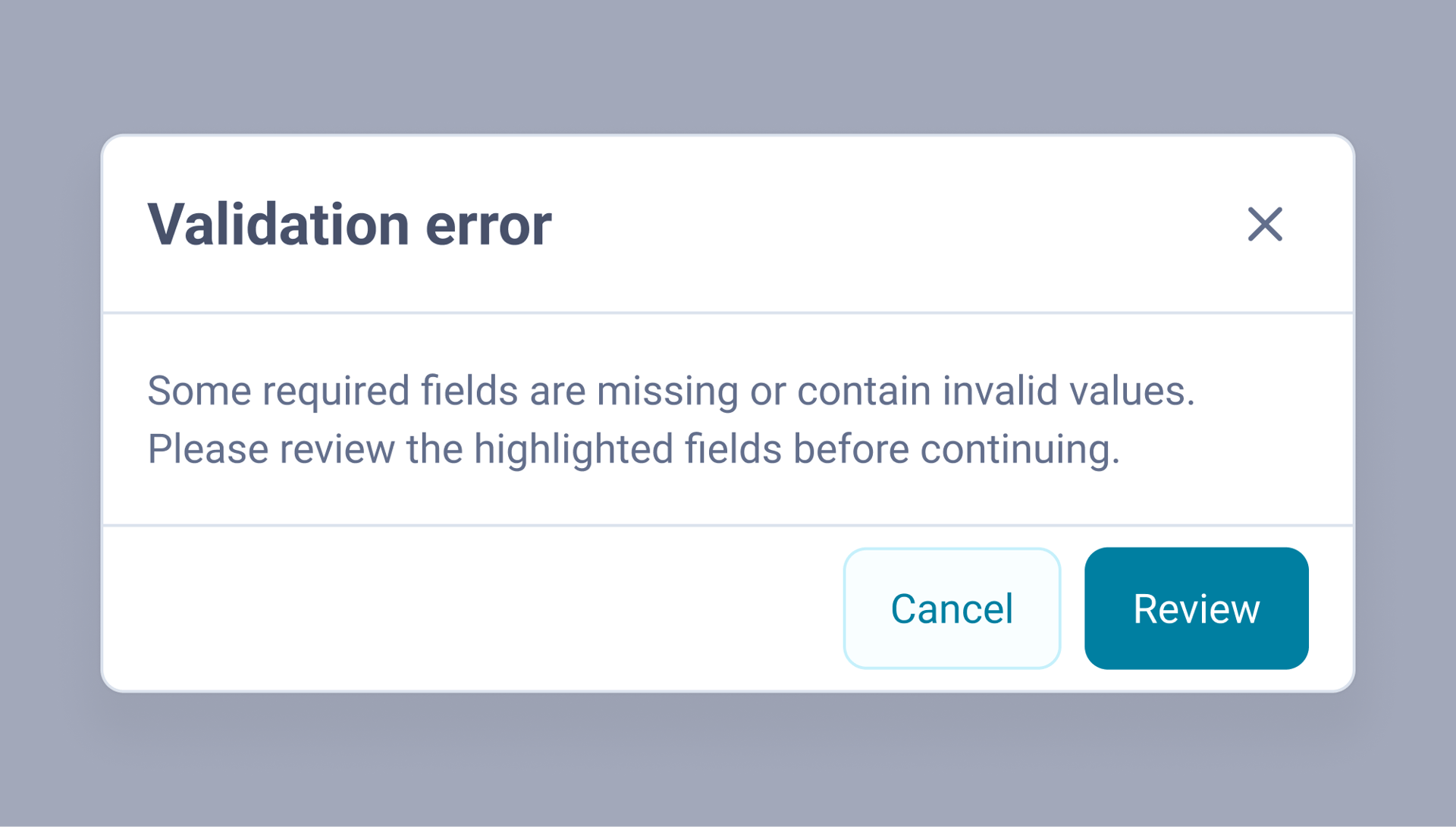
Validation modal
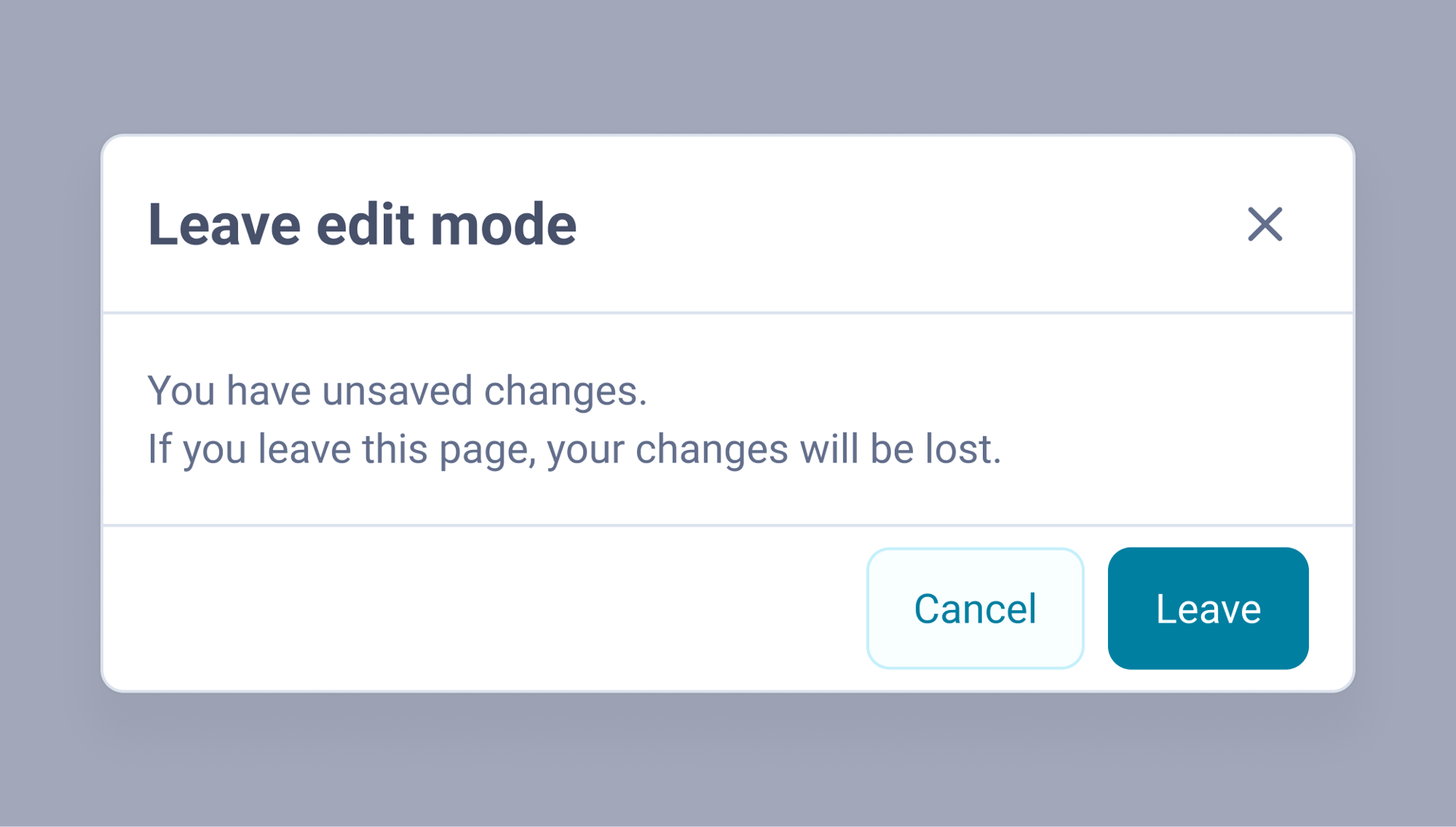
Navigation blocking
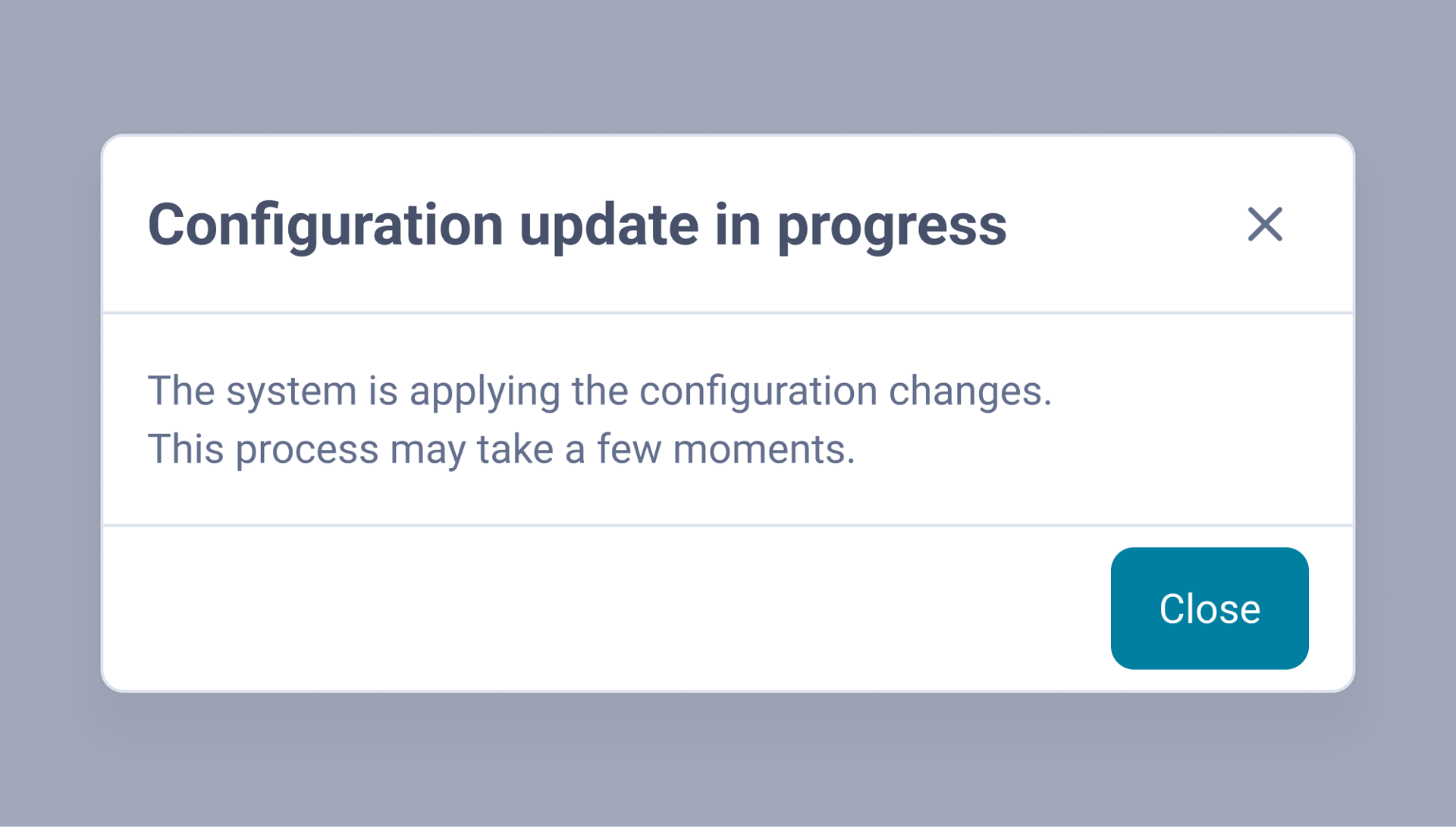
Informational modal
Because the same component represented different behaviours, users could not predict what a modal actually meant.
Alternative considered
Using modals for all blocking interactions
Modals appear whenever the system requires user acknowledgement (include validation errors, warnings or workflow interruptions).
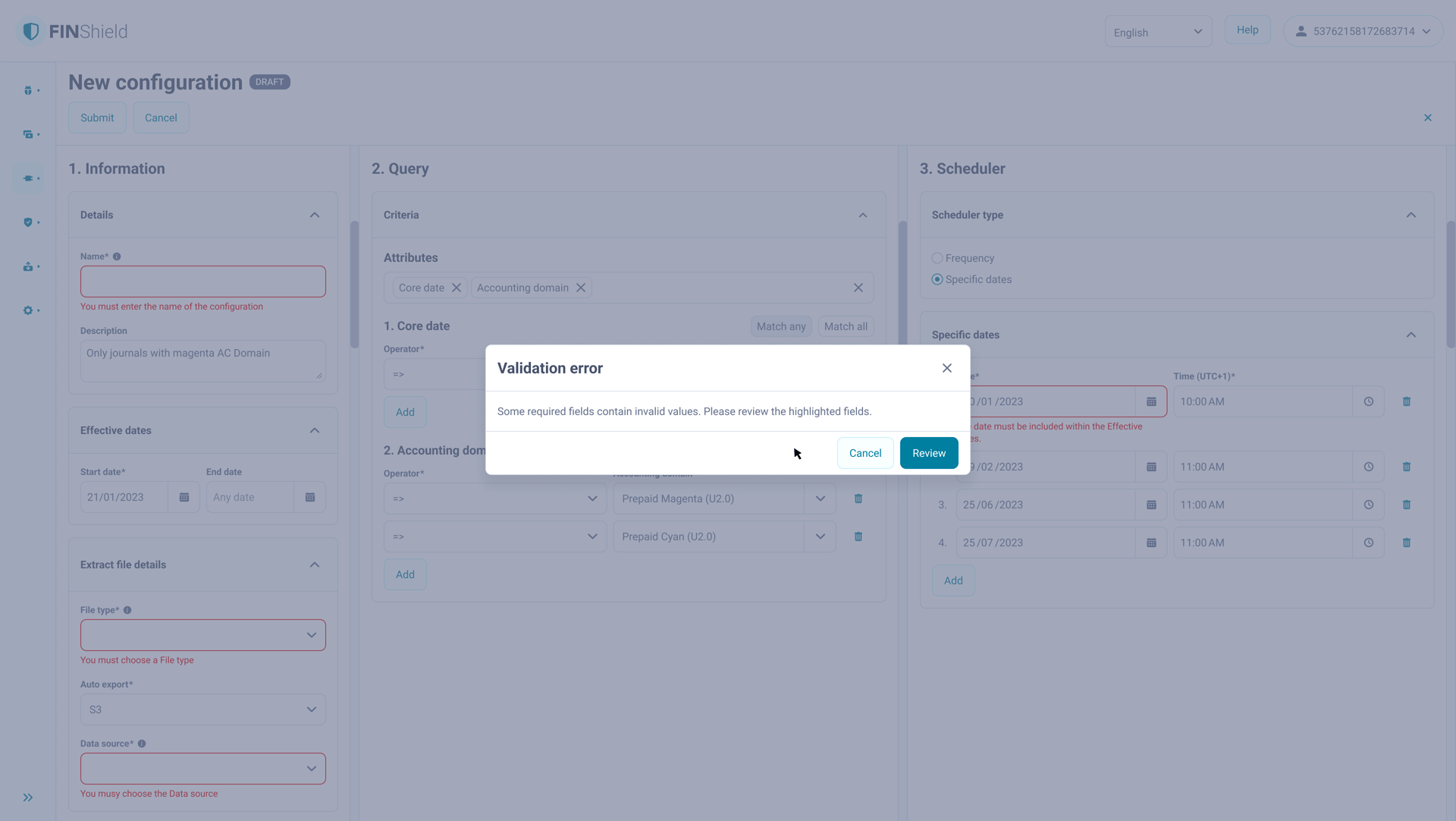
Modal used for validation feedback
This ensured visibility of errors but interrupted workflows and reduced interaction predictability.
Solution
Modals were reserved exclusively for actions with irreversible consequences, including:
- discarding unsaved changes
- deleting records
- triggering system-level operations
This rule was documented in the design system and applied consistently across modules.
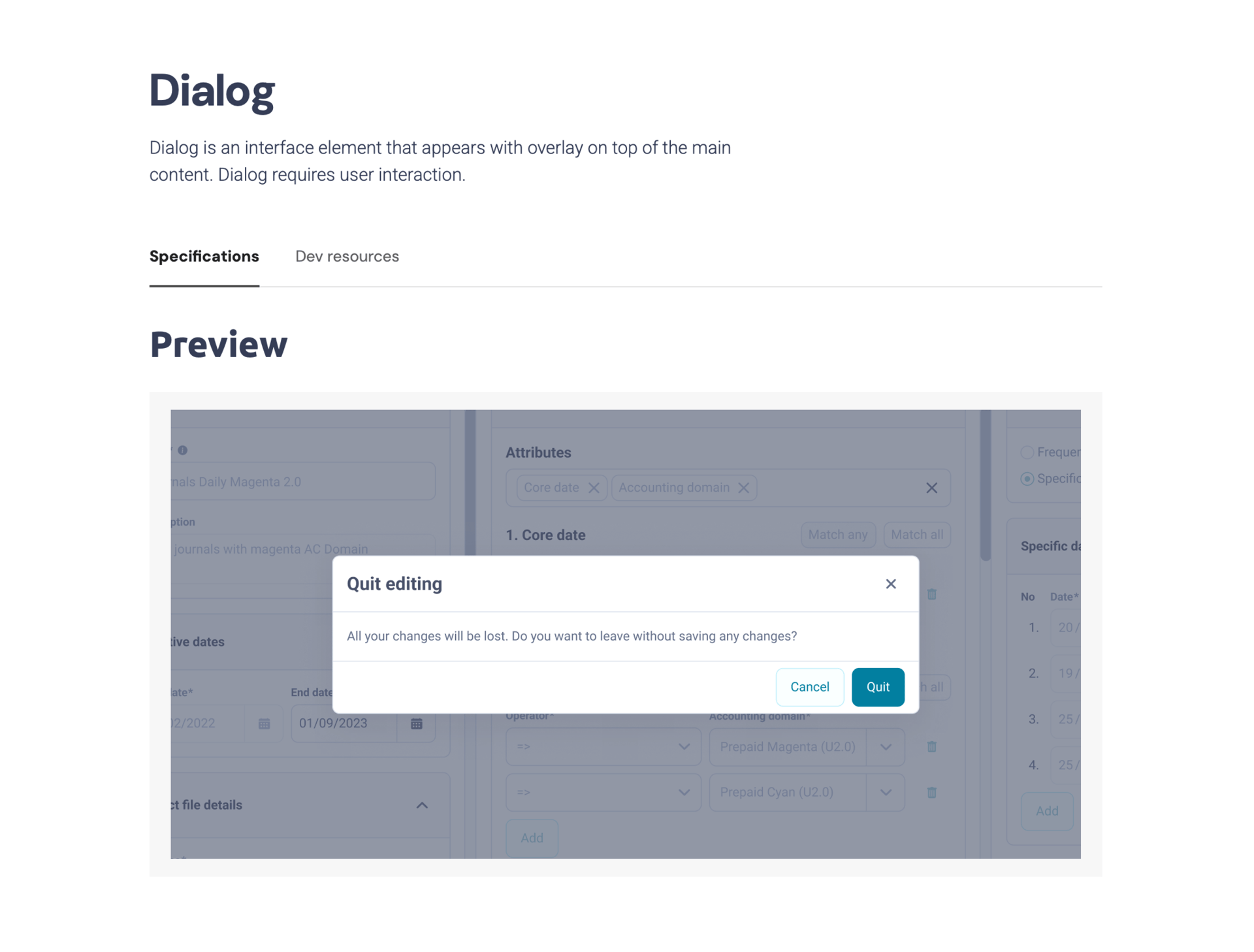
Zeroheight - Dialog - overview
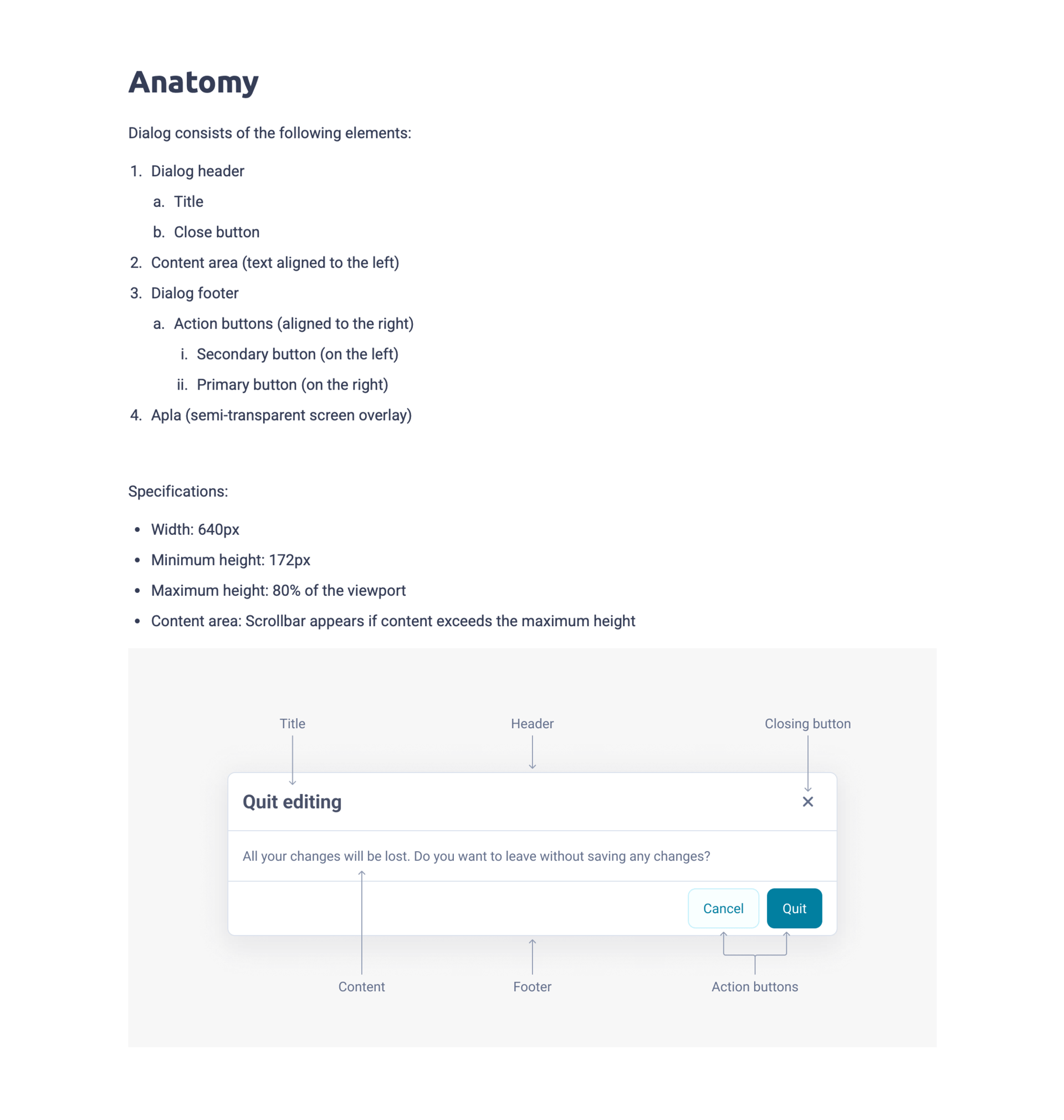
Zeroheight - Dialog - anatomy
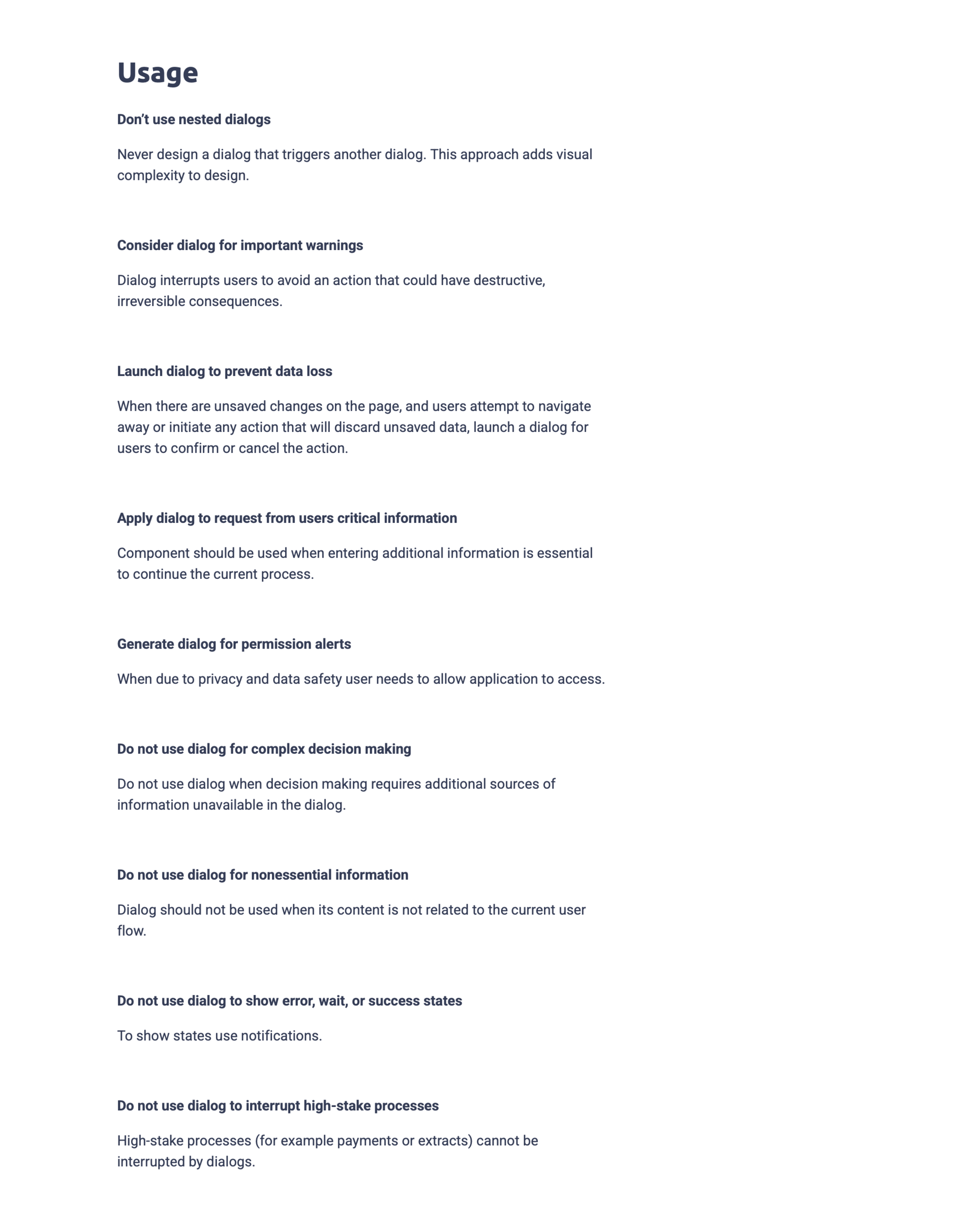
Zeroheight - Dialog - usage
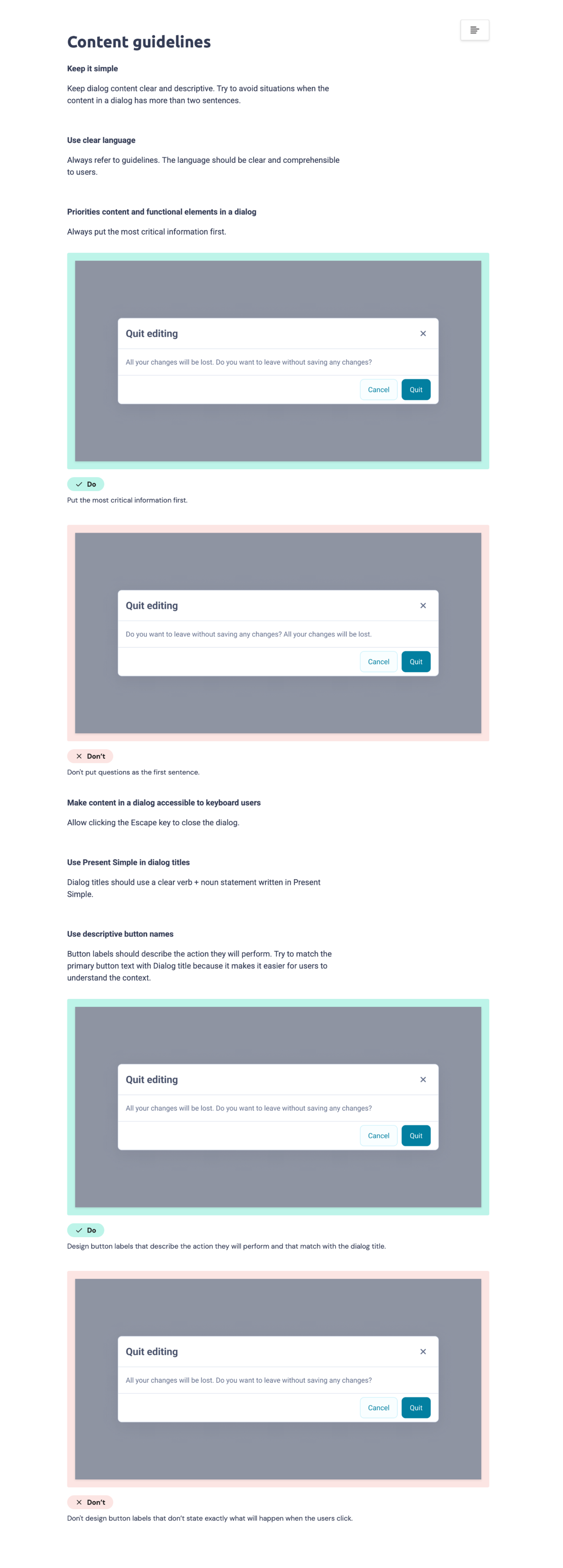
Zeroheight - Dialog - content guidelines
Gained
- modal as a clear system signal
- reduced cognitive interruption
- consistent implementation rule
Accepted
- refactoring existing validation and error communication
03
Define structured system feedback rules
Problem
Large enterprise forms (40–80 fields) used three different validation models:
- submit button disabled until required fields were filled
- active submit returning multiple blocking notifications
- validation triggered only on field focus
Result
- users could trigger errors but had no efficient recovery path
- finding a single missing field in long forms required manual scanning
- the same task behaved differently across modules
Trade-off
- prevent invalid submissions by blocking the submit action
- or allow submission and guide users through error recovery
Alternatives considered
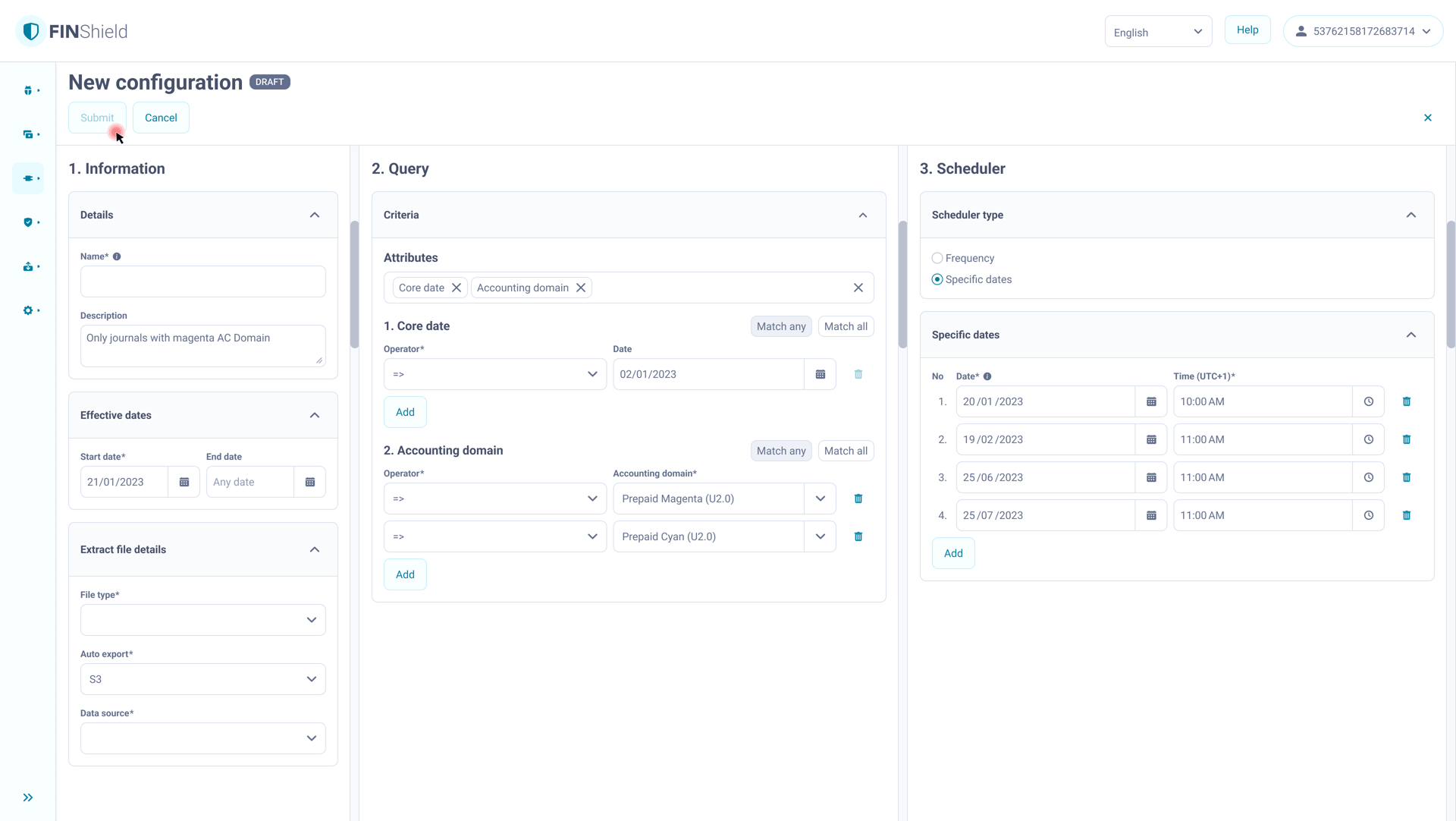
Disable submission until the form is valid:
- prevents sending incomplete data
- but in long forms users must manually find the missing field
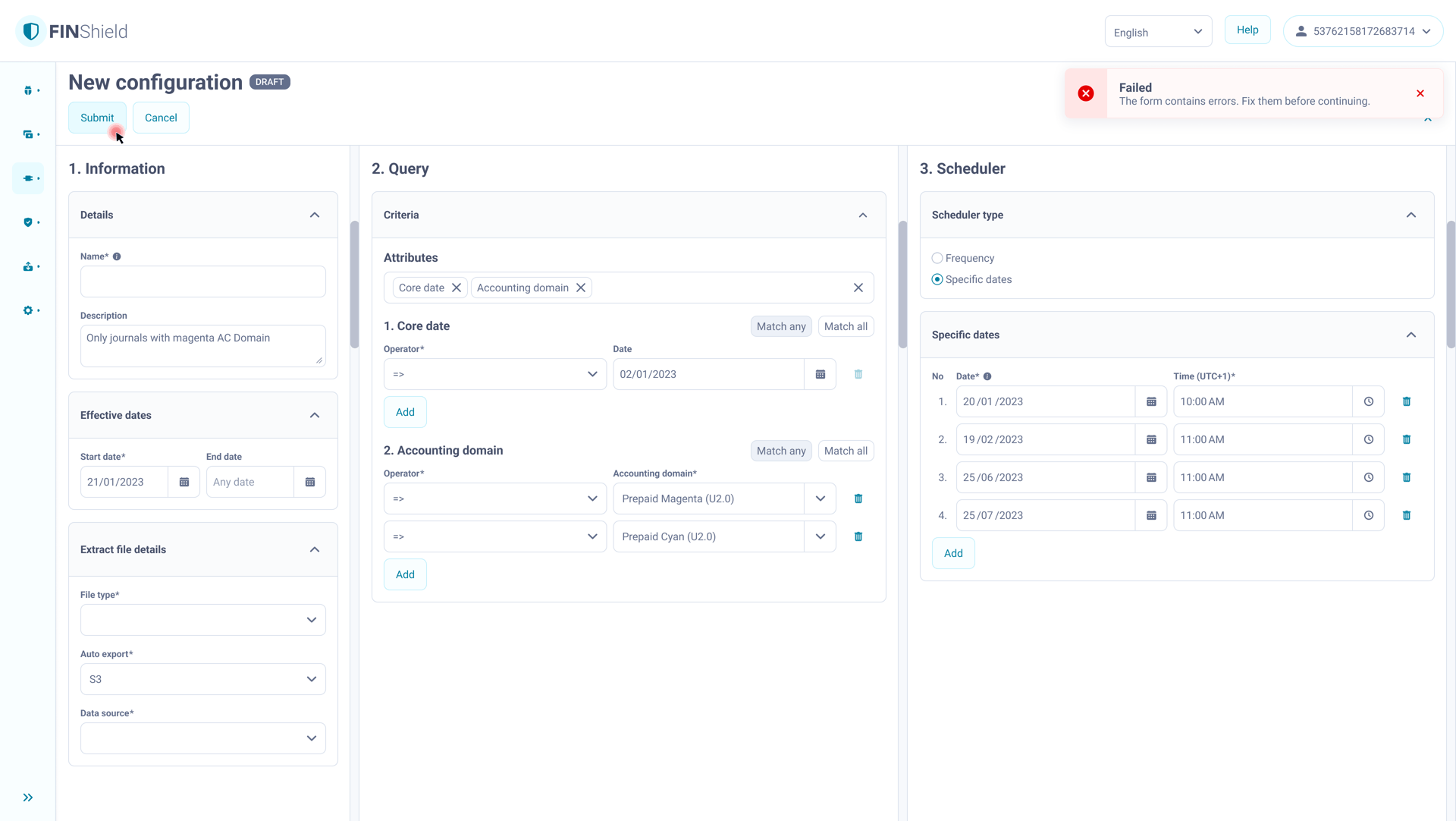
Keep submission always active and return only global errors:
- action is possible
- but users do not see what needs to be corrected
Solution
Submission as the single completion trigger with guided recovery:
- submission is always available
- after submission, incorrect fields are marked inline
- the view moves to the first error
- one clear global message informs that the form contains errors
- fields provide immediate feedback on focus loss where possible and do not block submission
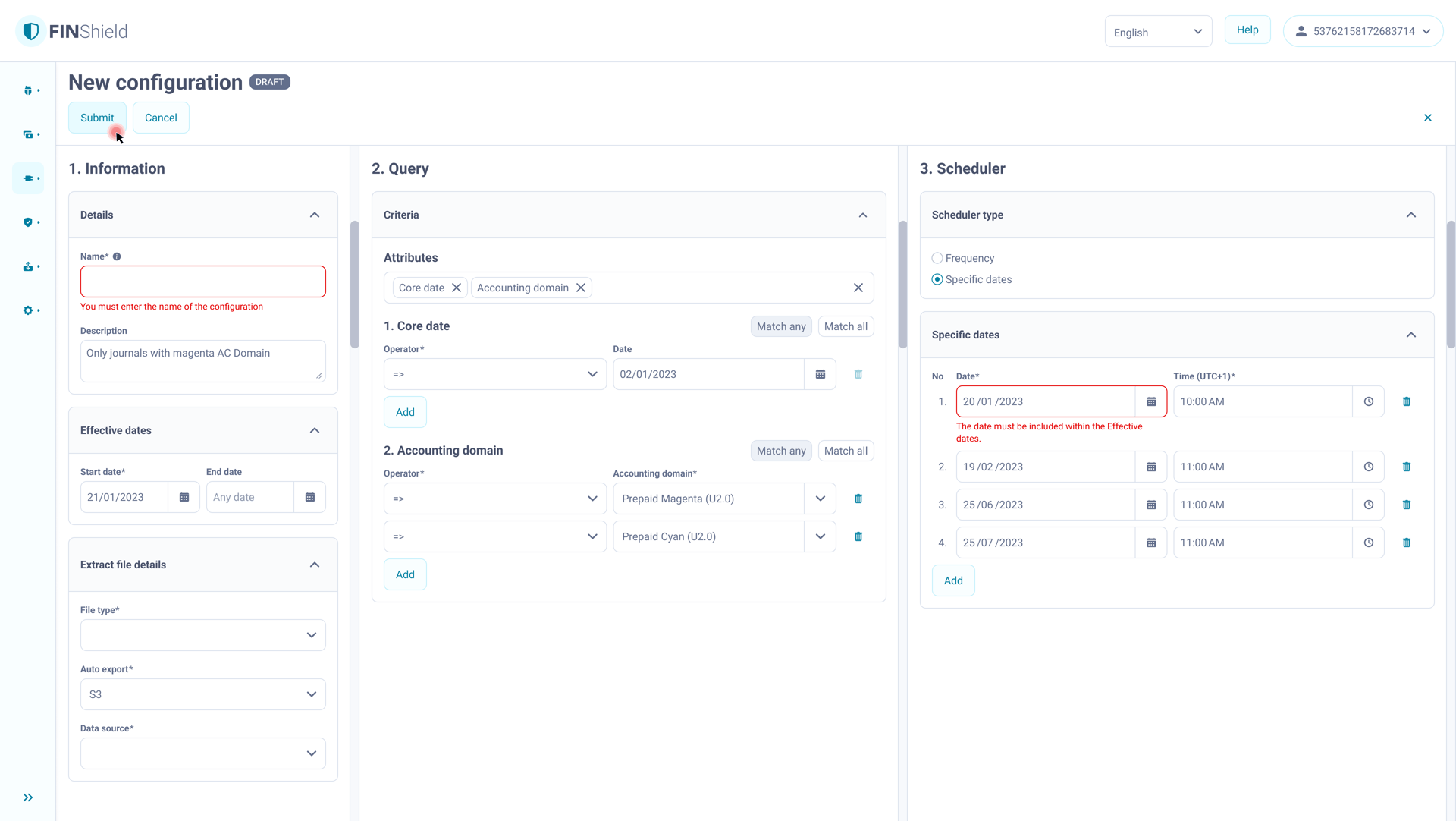
Form in progress — submission always available
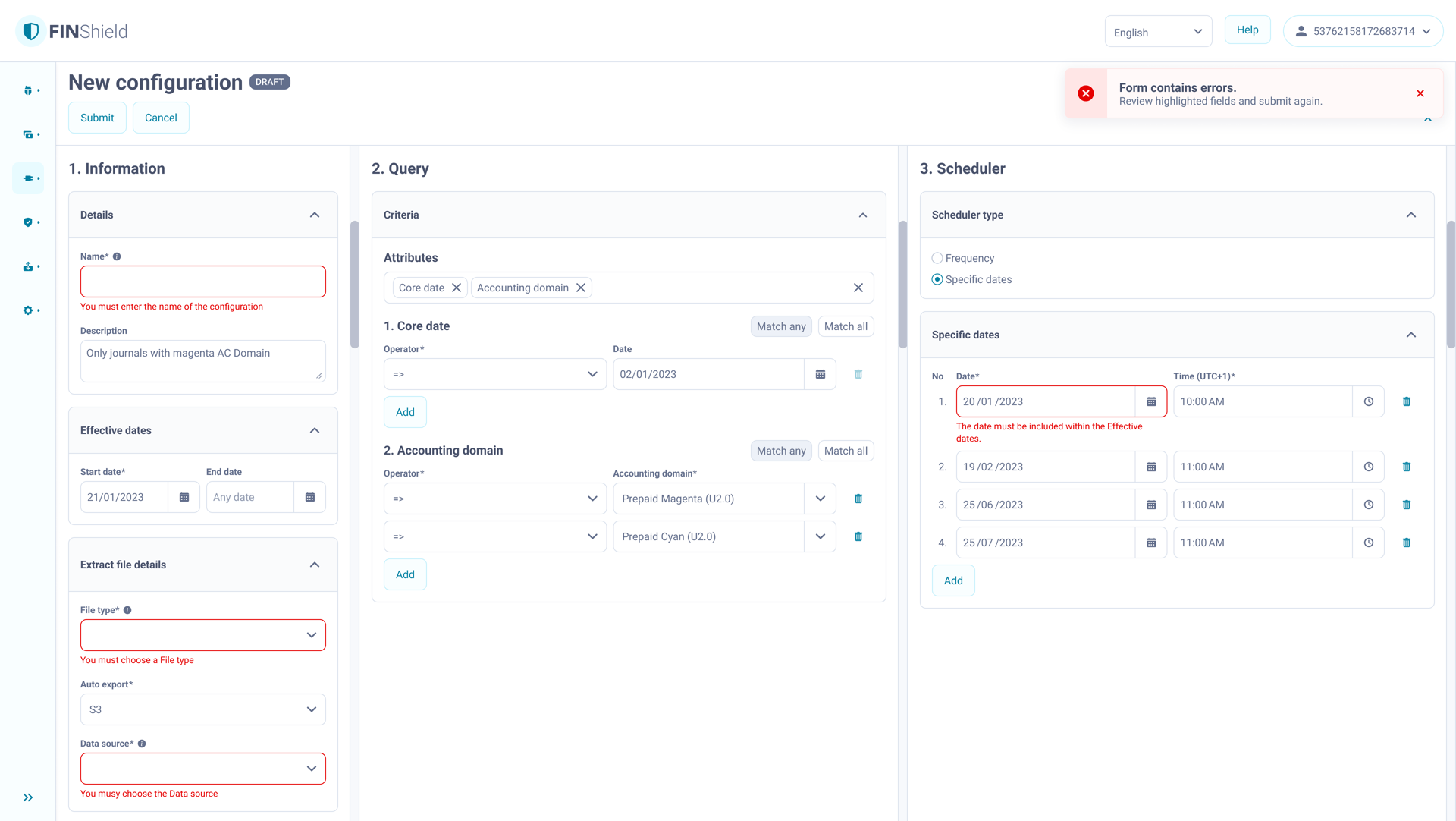
Submission reveals all errors and guides correction
Gained
- task completion no longer depends on finding errors manually
- one consistent recovery pattern across all forms
- the same validation behaviour across modules
- reusable form logic for implementation
Accepted
- submission is no longer blocked upfront
- some errors appear only after submission
System Adoption & Integration
The design system operated as a structural product layer within a delivery-driven environment, enabling teams to ship features while maintaining consistent interaction behaviour.
Integration in Feature Delivery
- developed alongside feature delivery under delivery pressure
- prioritised by the design team as a structural investment
- introduced through real feature work rather than a one-time migration
- extended incrementally across modules as new patterns emerged
Continuous Alignment with Implementation
- shared ownership across the design team within their product areas
- alignment with frontend on behaviour, token mapping and technical constraints
- Storybook review before release
- Design QA in production against system rules
- structural decisions discussed before commitment
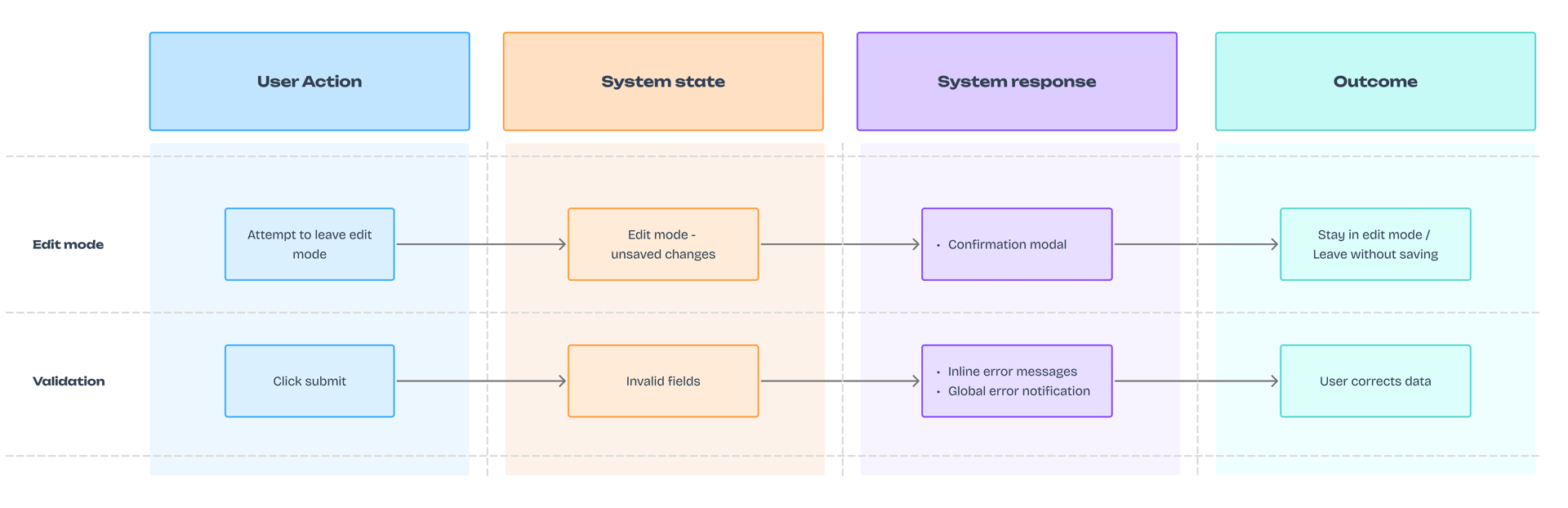
The shared interaction model defining how user actions translate into system responses and outcomes.
Impact
The shared interaction model improved both product behaviour and feature delivery across the platform.
Impact was observed through Design QA tickets, implementation issues and release feedback rather than formal measurement.
Delivery
- fewer design–development inconsistencies (~30%) observed through reduced Design QA issues and implementation corrections
- less UI rework in release cycles (~20%) as teams reused established interaction patterns
- faster feature implementation due to predictable component behaviour and interaction rules
Product
- consistent and learnable interaction model across modules
- elimination of silent data loss in edit flows
- unified validation and modal behaviour for complex forms
- the system evolved through new patterns introduced alongside real feature delivery
Reflections
Design systems define product behaviour — not just UI.
New features started from the interaction model instead of redefining flows.
Interaction logic scales only when it becomes part of the system.
Embedding it in components enabled reuse across multiple product areas.
Documentation works only when it stays aligned with implementation.
Continuous validation in real features prevented system drift.
The system evolves through product work.
New patterns extended the shared model instead of becoming local exceptions.